
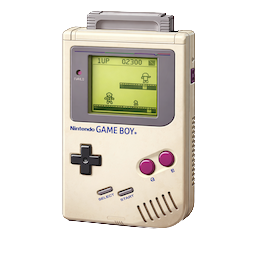
Introduction
This page documents the official release of the assembly source for Ocean Software’s Mr Do! port to the Game Boy. It focuses on what the code is doing (maps, chewing, actors, rendering timing, and data formats), plus how to verify it in SameBoy.
Start here
If you only read a few sections, these are the best “entry points” for understanding how the engine works:
- Data formats - Jump to Scene format (maps, cherries, apples, food) for the
SCENEstream and theBYTESCREENcontrol map. - Core trick - Jump to Dirty-tile updates and why BACKSCREEN exists for the
BACKSCREEN+CHRDUMPdesign. - Timing - Jump to Timing, VBlank, and the window split for the mid-frame
LCDCswap and OAM DMA strategy. - Hands-on - Jump to SameBoy debugger walkthrough for watchpoints you can run immediately.
Mr Do! - Game Boy Review
This video provides a brief look at the Game Boy port and is useful context before diving into the source 1:
Source code release
The original release is a single monolithic assembly file (mrdo.asm) containing code, data tables, and large blocks of embedded graphics data 2.
Description from Paul Hughes 3:
Many moons ago I debugged and finished off Ocean’s Mr Do! for the original Game Boy.
As Joffa, the late, great original author, decided to release the source code, I thought I’d also put it up.
The header for the source file also mentions Wesley Knackers and gives a start date of June 28, 1990 and a last date of September 5, 1990:
****************************************************************************
*
*		MR DO! (C) 1990 SPECIAL FX SOFTWARE LIMITED
*
*		           BY WESLEY KNACKERS
*
*		  	  START DATE 28/06/90
*		  	   LAST DATE 05/09/90
*
****************************************************************************
Known developers mentioned across the release and related posts:
- Paul Hughes - Debugged and finished off Ocean’s Mr Do! for the original Game Boy (per his note) 3.
- Joffa - The original author who released the source code (per Hughes) 3.
- Wesley Knackers - Credited as the author in the
mrdo.asmheader 2.
Glossary of Key Terms
If you are new to Game Boy reverse engineering terminology, this quick glossary should help:
- DMA - The Game Boy OAM DMA mechanism used to copy 160 bytes of sprite attribute data into OAM via the
DMAregister ($FF46) 4. - OAM - Object Attribute Memory (
$FE00) containing the hardware sprite list (position, tile, attributes) 4. - VRAM - Video RAM (
$8000-$9FFF) containing tile graphics and background/window tilemaps 4. - WRAM - Work RAM (
$C000-$DFFF) used for variables, buffers, and scratch space 4. - HRAM - High RAM (
$FF80-$FFFE) used here to run short routines (including the DMA trigger) without being blocked during OAM DMA 4. - MBC1 - A Game Boy cartridge mapper that enables ROM bank switching (writes to
$2000-$3FFFselect the activeROMXbank) 4. - ROM0 / ROMX - The fixed 16 KiB window at
$0000-$3FFF(ROM0) and the switchable 16 KiB window at$4000-$7FFF(ROMX) 4.
Code overview
The source is useful because it is not a “disassembly” or a ROM dump, it is a rare case of real Game Boy source code being released online for a commerical game.
Some highlights worth skimming first:
- Main loop -
STARTrunsSYSETUP,MENU, and then enters a per-level loop that calls the gameplay subsystems in a predictable order. - State-machine style - Multiple behaviours are selected via jump tables (
BADTAB,APPLETAB,LOGOTAB, etc.) rather than long chains of branches. - 2x2 meta-tiles - The map is built from 4-tile blocks (top-left/top-right/bottom-left/bottom-right) with additional tables for “eaten” wall variants.
- Split-screen rendering -
SPLITSCREENdoes a status-window pass, then triggers OAM DMA for gameplay sprites after a timing delay.
Frame pipeline
The MAINLOOP order is deliberate.
The parts that must run during VBlank (tilemap updates, OAM DMA) are clustered in SPLITSCREEN, and the rest of gameplay runs with predictable data flow:
| Routine | What it does | Why it matters |
|---|---|---|
SPLITSCREEN |
Waits for VBlank, updates status, dumps dirty tiles, prints apples, then does OAM DMA swaps | Coordinates tilemap writes and sprite DMA so VRAM/OAM access stays safe |
KEYS |
Polls the joypad and writes KEYPRESS |
Centralizes input sampling for the frame |
DECODE |
Updates Mr Do movement/animation and handles ball throwing | Implements turn validity checks and scroll updates |
MRDOCHEW |
Updates the “chewed” tunnel tiles around Mr Do | Writes tunnel state into the map mirror and queues tilemap updates |
BADDIES |
Updates all active enemies and special actors via BADTAB |
Shared AI + per-type state machine updates |
COLLISIONS |
Checks the thrown ball against all 16x16 actors via HITBALLTAB |
Handles catches, kills, freeze/unfreeze logic, and score popups |
APPLEPIE |
Updates apples via APPLETAB |
Apple state machine (waiting, jiggle, falling, splitting) |
DUMPOBJ |
Builds the gameplay OAM list (GAMEOBJ) from sprite records |
Includes a simple OAM-order mixing trick to reduce persistent flicker patterns |
STATSP |
Builds the status-window OAM list (STATUSOBJ) |
Renders lives/extra letters + bonus monster status sprites |
CLOCK / RAND / FLAGS |
Timekeeping, RNG stirring, animation helpers | Keeps animation offsets and randomness consistent frame-to-frame |
This diagram shows the per-frame call order as a pipeline:
flowchart LR
  SPLIT["SPLITSCREEN (VBlank work + OAM DMA)"] --> KEYS["KEYS (poll joypad)"]
  KEYS --> DECODE["DECODE (Mr Do movement + ball throw)"]
  DECODE --> CHEW["MRDOCHEW (tunnel updates + CHRDUMP)"]
  CHEW --> BADDIES["BADDIES (actor update via BADTAB)"]
  BADDIES --> COLL["COLLISIONS (ball vs actors via HITBALLTAB)"]
  COLL --> APPLE["APPLEPIE (apple states via APPLETAB)"]
  APPLE --> DUMP["DUMPOBJ (build GAMEOBJ OAM list)"]
  DUMP --> STATSP["STATSP (build STATUSOBJ OAM list)"]
  STATSP --> CLOCK["CLOCK"]
  CLOCK --> RAND["RAND"]
  RAND --> FLAGS["FLAGS"]
Joypad polling and turn validation
Input is polled by KEYS using the standard $FF00 joypad register scan, with repeated reads and bit-masking before the final nibble merge into KEYPRESS.
Mr Do turning is restricted to tile boundaries:
- Tile boundary gating -
DECODEonly considers direction changes when both(X+8)&15 == 0and(Y+8)&15 == 0, which effectively makes turns occur on a 16x16 grid even though positions are stored in pixels. - Directional validity tables - The
VALIDLRandVALIDUDtables translate the pressed direction bits into a “direction+1” value, letting the code reject invalid transitions cheaply.
Coordinate transforms you will see everywhere
Multiple helper routines convert between pixel positions and addresses in different memory-backed maps:
LOWAD/PIXAD- Convert pixel XY into aDISPSCREENtilemap address.GETMAPHI/GETMAPLO- Convert pixel XY into aBACKSCREENtilemap address.GETBYTEHI/GETBYTELO- Convert pixel XY into aBYTESCREENbyte-map address (used as a compact “control map” for tunnels/items).
If you are tracing code in an emulator, these routines are great stepping stones for understanding whether a subsystem is reading the “visual map” (DISPSCREEN / BACKSCREEN) or the compact control map (BYTESCREEN).
Dirty-tile updates and why BACKSCREEN exists
The tunnel chewing system is optimized around a RAM mirror of the background tilemap:
- Canonical map mirror -
COPYMAPcopiesDISPSCREENintoBACKSCREENso gameplay logic can read/modify a RAM copy without touching VRAM constantly. - Chew writes go to
BACKSCREEN-MRDOCHEWeditsBACKSCREENtiles using direction-specific lookup tables (UTL,UTR,UBL,UBR, and friends). - Changes are queued - The chewing code writes address+tile triples into
CHRDUMPand incrementsDUMPTOT. - VBlank flush -
CHRDUMPERruns insideSPLITSCREENand copies only the queued tile changes back intoDISPSCREEN.
CHRDUMPER contains a particularly neat trick.
It stores queued addresses in the BACKSCREEN address space and then XORs the high byte so they point at the equivalent DISPSCREEN tilemap location.
That avoids storing two pointers per tile update and keeps the dirty list compact.
This is the CHRDUMPER hot loop, showing the XOR high-byte mapping:
CHRDUMPER	LD	A,(DUMPTOT)	;ANY CHRS TO DUMP?
		OR	A
		RET	Z
		LD	B,A
		XOR	A
		LD	(DUMPTOT),A
		LD	HL,CHRDUMP
		LD	C,>DISPSCREEN^>BACKSCREEN
CDUMP		LD	E,(HL)
		INC	L
		LD	A,(HLI)
		XOR	C
		LD	D,A
		LD	A,(HLI)
		LD	(DE),A
		DEC	B
		JR	NZ,CDUMP
		RET
Scene format (maps, cherries, apples, food)
The map/scene data (SCENE1..SCENE10) is a compact stream consumed by DRAWMAP.
At a high level, each scene contains:
| Part | Encoding | Consumed by |
|---|---|---|
| Mr Do start + initial tunnel | 4 bytes: MRDO_Y, MRDO_X, TUNNEL_Y, TUNNEL_X |
DRAWMAP then DOTUNNEL |
| Tunnel strokes | Repeating triples: START_BLOCK, DIRECTION, LENGTH terminated by 0xFF |
DOTUNNEL (draws a series of 2x2 blocks using VECTAB2) |
| End cap block | 1 byte: END_BLOCK |
ENDTUNNEL (draws one final 2x2 block) |
| Cherry placements | Repeating pairs: Y, X terminated by 0xFF |
PUTCHERRY (draws a 2x2 cherry block at 4 offsets and increments CHERRYTOT) |
| Apple placements | Repeating pairs: Y, X terminated by 0xFF |
PUTAPPLES (initializes apple records and draws apple blocks) |
| Food placement | 3 bytes: Y, X, UNDERLAY_BLOCK_INDEX |
PUTFOOD (draws the food block, then patches the underlay in BACKSCREEN) |
This diagram shows the scene stream at a glance:
flowchart TB
  H["Header: MRDO_Y, MRDO_X, TUNNEL_Y, TUNNEL_X (4 bytes)"] --> T["Tunnel strokes: (START_BLOCK, DIR, LEN) repeated"]
  T --> TEND["0xFF terminator"]
  TEND --> E["End cap: END_BLOCK (1 byte)"]
  E --> C["Cherry placements: (Y, X) repeated"]
  C --> CEND["0xFF terminator"]
  CEND --> A["Apple placements: (Y, X) repeated"]
  A --> AEND["0xFF terminator"]
  AEND --> F["Food placement: (Y, X, UNDERLAY_BLOCK_INDEX) (3 bytes)"]
At the assembly level, the tunnel-stroke part of the stream is parsed by DOTUNNEL as a small self-recursing loop:
DOTUNNEL	LD	A,(HLI)		;START BLOCK NUMBER
		CP	-1
		RET	Z
		ADD	A,A
		ADD	A,A
		LD	C,A
		LD	A,1
		CALL	DRAWBLOCK	;DRAW START BLOCK

		LD	A,(HLI)		;DIRECTION 0TO4
		ADD	A,A
		LD	B,A
		ADD	A,A
		LD	C,A		;C=BLOCK ADDR LOW
		LD	A,<VECTAB2
		ADD	A,B
		LD	B,A		;B=VECTOR TABLE ADDR LOW
		LD	A,(HLI)		;GET LENGTH

		PUSH	HL
		LD	H,>VECTAB2
DRAWREP		PUSH	AF
		LD	L,B
		LD	A,(HLI)		;MOVE TO NEXT POS
		ADD	A,E
		LD	E,A
		LD	A,(HL)
		ADD	A,D
		LD	D,A
		LD	A,1
		CALL	DRAWBLOCK	;DRAW REPEAT BLOCK
		POP	AF
		DEC	A
		JR	NZ,DRAWREP
		POP	HL
		JR	DOTUNNEL
The control-layer that makes this practical is BYTESCREEN ($CC00), which is defined as $100 bytes.
That size is a strong hint that the gameplay logic is operating on a 16x16 grid of “macro cells” (each macro cell is a 2x2 set of 8x8 tiles, i.e. 16x16 pixels).
DRAWBLOCK writes a macro-cell value into BYTESCREEN, and DECODE reads it (via GETBYTEHI) to choose what happens when Mr Do enters a cell.
The values map directly onto the EATJP jump table:
| Value | Meaning | EATJP target |
|---|---|---|
| 0 | Solid wall / gravel (not yet tunneled) | EATWALL (slows Mr Do down while chewing) |
| 1 | Tunnel / already-open cell | EATUNNEL (no-op) |
| 2 | Cherry | EATCHERRY (score + sequence bonus + decrements CHERRYTOT) |
| 3 | Apple | EATAPPLE (no-op here, apples are handled via the apple state machine) |
| 4 | Food | EATFOOD (score + palette/freeze + spawns ghosts/bonus monster behaviour) |
This is the core BYTESCREEN dispatch from DECODE, including the EATJP jump table:
EATJP		DEFW	EATWALL		;00
		DEFW	EATUNNEL	;01
		DEFW	EATCHERRY	;02
		DEFW	EATAPPLE	;03
		DEFW	EATFOOD		;04

		CALL	GETBYTEHI
		LD	A,(HL)		;GET CONTROL BYTE
		LD	(HL),1		;SET TUNNEL BYTE
		ADD	A,A
		ADD	A,<EATJP
		LD	L,A
		LD	H,>EATJP
		LD	A,(HLI)
		LD	H,(HL)
		LD	L,A
		CALL	JPHL		;WORK EAT ROUTINE
The 2x2 meta-tile blocks themselves come from the BLOCKS table.
These are not “gameplay types”, they are tilemap stamps (four bytes each) built from tile-id groups like ED, CN, DT, CH, FD, and AP0:
| Block index | Purpose (from comments) | Typical use |
|---|---|---|
$00-$03 |
Tunnel segments (U/R/D/L variants) | Repeated stamps for a tunnel stroke (DOTUNNEL) |
$04-$07 |
Tunnel ends (U/R/D/L) | Start/end caps for strokes and final end cap (DOTUNNEL / ENDTUNNEL) |
$08-$0B |
Corners (TL/TR/BR/BL) | Corner shaping when building complex tunnels |
$0C-$0F |
Walls (top/right/bottom/left) | Wall shaping and underlays |
$10 |
Cherry block | PUTCHERRY (placed as a 2x2 cluster of macro cells) |
$11 |
Food block | PUTFOOD (drawn in VRAM) |
$12 |
Apple block | PUTAPPLES |
$13 |
Middle / filler | Used as a special-case stamp |
The tunnel stroke direction encoding is consistent across the code:
the direction byte is used to index VECTAB2 (macro-cell steps of 2 tiles) and to select which tunnel segment block ($00-$03) to stamp repeatedly.
In practice this behaves like a 4-way direction enum (up/right/down/left).
The food placement code is worth reading closely because it shows the kind of “tight” control-flow you get in commercial LR35902 assembly.
After drawing the food into VRAM using DRAWBLOCK, PUTFOOD computes the BACKSCREEN address for the same position and then jumps into the middle of DRAWBLOCK (DRWBLOCK) to stamp a 2x2 underlay block into the RAM mirror.
To make the stack clean up properly, it pushes AF three times so the POP DE, POP BC, and POP HL epilogue inside DRAWBLOCK has something to consume.
It is a tiny micro-optimization, but it is also a very “real world” example of trading readability for speed and code size.
Tile ID taxonomy
This codebase relies heavily on treating a tile ID as a semantic category, not just a graphic. Most comparisons are against the base constants that define the background tile groups:
| Constant | Value | Used as |
|---|---|---|
WL |
$00 |
“Wall/gravel” tile group used for initial fill and tunnel shaping |
CH |
$10 |
Cherry tile group |
ED |
$14 |
Tunnel edge tile group (used by chewing, apple deformation, and ball bounce tables) |
CN |
$1C |
Corner tile group |
DT |
$20 |
Dots/walkable tile group (also used by passability tests) |
WT |
$24 |
A single special tile labelled “WHITE CHR!” |
FD |
$25 |
Food tile group (background) |
AP0 |
$5C |
Apple tile group (background) |
When you see code doing things like CP DT+3 or CP ED+7, it is not doing collision against an object.
It is testing whether the background tile under an actor belongs to one of these groups.
You will also see a common trick in passability checks: it ORs the tile with 1 (tile|1) before comparing, which makes even/odd variants of an edge tile compare the same without a second branch.
There are similar “semantic tile ID” patterns on the sprite side.
For example, the 2x2 sprite expansion uses CHRTABLE to translate an animation frame index into four tile IDs plus per-quadrant flags (flip, palette, etc.).
Chew algorithm deep dive
The chewing system is split between “gameplay semantics” (what happens when you enter a macro cell) and “visual updates” (how tiles are rewritten).
This diagram shows those two layers side-by-side:
flowchart LR
  subgraph "Gameplay semantics"
    DECODE["DECODE"] --> BYTES["Read BYTESCREEN macro-cell value"]
    BYTES --> EATJP["EATJP jump table"]
    EATJP --> EFFECTS["Score/timers/palette/freeze side effects"]
  end

  subgraph "Visual updates"
    CHEW["MRDOCHEW"] --> BACK["Rewrite BACKSCREEN (RAM mirror)"]
    CHEW --> DUMPQ["Append dirty tiles to CHRDUMP (via DUMPTOT)"]
    SPLIT["SPLITSCREEN (VBlank)"] --> FLUSH["CHRDUMPER flushes to DISPSCREEN (VRAM tilemap)"]
  end

  BACK --> FLUSH
  DUMPQ --> FLUSH
At the semantic level, DECODE reads a macro-cell value from BYTESCREEN and dispatches via EATJP:
- 0 -
EATWALLslows movement (setsSPEEDandSPDCOW) while you are chewing. - 1 -
EATUNNELdoes nothing (already-open cell). - 2 -
EATCHERRYdecrementsCHERRYTOTand adds score, including a small sequence bonus controlled byCHERRYBON/CHERRYDEL. - 3 -
EATAPPLEis a no-op here (apples are driven by the apple state machine). - 4 -
EATFOODadds score and triggers the “food mode” effects (palette change +FREEZE+ extra/ghost behaviour).
At the visual level, MRDOCHEW performs a 2x2 macro-cell rewrite into BACKSCREEN, and queues the corresponding DISPSCREEN updates for VBlank:
- Grid gating - It only chews when the mouth position is aligned to an 8-pixel boundary (
(x|y)&7 == 0after a small offset). - Allocate dirty slots - It uses
DUMPTOTas an index intoCHRDUMP, increments it by 4, and computesHLso there is room for four tile updates. - Resolve direction - It dispatches through
CHEWJPbased on Mr Do’s facing direction (MRDOSP+FLG). - Rewrite a 2x2 - Each
CHEW*routine computes four replacement tiles using direction-specific tables (UTL/UTR/UBL/UBR,LTL/LTR/LBL/LBR,DTL/DTR/DBL/DBR, etc.), writes the new tiles intoBACKSCREEN, and writes four(addrLo, addrHi, tile)triples intoCHRDUMP. - VBlank flush -
CHRDUMPERruns during the nextSPLITSCREENand applies each queued tile toDISPSCREEN.
The core reason this is robust is that BACKSCREEN is treated as the canonical map state.
VRAM only gets updated in bursts via CHRDUMPER, which keeps the chew logic simple and makes it easy to reproduce in a reimplementation.
Apple state machine
Apples are driven by a compact state machine very similar to the enemy and ball systems.
Each apple is a fixed-size record in APPLESP, and APPLEPIE iterates APNUM entries and dispatches via APPLETAB based on TYP.
The apple states are:
| Value | Meaning | Update routine |
|---|---|---|
| 0 | Inactive slot | NOAPPLE |
| 1 | Waiting / on the map | APPLEWAIT |
| 2 | Wobble (“jig”) before falling | APPLEJIG |
| 3 | Falling | APPLEFALL |
| 4 | Splitting / impact animation | APPLESPLIT |
APPLEWAIT does a very cheap support test by reading the two tiles under the apple (left and right) from the background mirror.
If either tile is less than CH+4, it treats that as “solid” and the apple does not fall.
If both tiles look passable, it increments TYP and starts a 60-frame wobble.
APPLEJIG uses SPEEDFLAG bit 2 (%100) to toggle the tile index (AP0 vs AP0+4), which gives you a free shake animation without moving the apple.
APPLEFALL is the most interesting part because it is integrated with the dirty-tile system:
- Rate control - It uses
APPLEANDmasked withSPEEDFLAGto slow the fall rate (difficulty scaling). - Background restore - It queues tile restores into
CHRDUMPso the old apple stamp is erased in the next VBlank. - Wall deformation - After a “critical point” (when the falling counter reaches 3), it starts modifying the edge tiles it passes through using
LAFALLandRAFALL.
APPLESPLIT enforces that only one apple can do the expensive 4-tile split write per frame using the SPLAT flag (“done once”).
That is a very pragmatic performance guard: without it, multiple apples impacting in the same frame would explode the dirty-tile list and VRAM work.
Ball states and bounce tables
The ball is implemented as another actor type dispatched via BADTAB, with multiple states:
carried (CARRYBALL), thrown (THROWBALL), spinning out (OUTBALL), and returning (INBALL).
When carried, the ball is positioned relative to Mr Do using the facing direction and a small offset table. The key tables are:
| Table | Role | Notes |
|---|---|---|
BALLOFF |
Base XY offset from Mr Do | Indexed by direction |
BALLXY |
Extra 1-pixel offsets | Gives a 4-frame wobble animation |
BALLVEC |
Movement deltas | Maps direction to (dx, dy) at BALLSPEED |
When thrown, THROWBALL is deliberately grid-gated:
it only does a bounce decision when (x+4)&7 == 0 or (y+4)&7 == 0.
On those alignments it reads the contacted tile ID from the background mirror:
- Wall/cherry class - If the tile is less than
CH+4, it always flips direction (dir ^= 2). - Bounce lookup - Otherwise it scans a per-direction list of bounce-trigger tiles (
BALLCPS) and uses a parallel bounce table (BALLBOU) to pick the new direction. One of the bounce entries has bit 7 set, enabling a smallRND3perturbation that is explicitly commented as preventing the ball from getting trapped in repeatable ricochet loops.
This is the bounce decision core inside THROWBALL:
		LD	L,E
		LD	H,D
		CALL	GETMAPHI	;HL=SCRN3 ADDR

		LD	A,(HL)		;GET CHR
		CP	CH+4		;WALL OR CHERRY?
		JR	NC,NOCHWL
		LD	A,B		;THEN ALWAYS FLIP DIRECTION
		XOR	2
		LD	B,A
		JR	NOCHN

NOCHWL		PUSH	DE
		LD	E,A

		LD	A,B		;GET LAST DIRECTION
		ADD	A,A
		LD	L,A
		ADD	A,A
		ADD	A,L
		ADD	A,<BALLCPS
		LD	L,A
		LD	H,>BALLCPS

		LD	D,6		;TOTAL NUMBER OF CHRS TO CHECK
BCHECK		LD	A,(HLI)		;HAVE WE HIT A VALID CHR?
		CP	E
		JR	NZ,NOBHIT

		LD	A,BALLBOU-BALLCPS-1
		ADD	A,L
		LD	L,A		;INDEX BOUNCE VECTORS
		LD	A,(HL)		;GET NEW BOUNCE DIRECTION
		BIT	7,A		;BIT OF RND?
		JR	Z,NRNDB

		LD	B,A
		LD	A,(RND3)	;STOPS BEING TRAPPED!
		AND	2
		ADD	A,128
		XOR	B

NRNDB		LD	B,A
		POP	DE
After a kill, the ball enters a circular spin-out phase (OUTBALL).
This uses the CIRCLE routine (lookup table + quadrant xor) and a small multiply trick (MULTIE / MULTID) to scale the circle output, then adds that to a stored centre position.
When the counter reaches a threshold it transitions into INBALL and eventually reattaches to Mr Do.
Timing, VBlank, and the window split
Most of the rendering safety in this codebase comes from two tiny wait primitives:
| Routine | Mechanism | Used for |
|---|---|---|
WAITBLANK |
Sets LYC=144 and busy-waits for STAT bit 2 (LYC=LY) |
Entering VBlank before touching VRAM/tilemaps |
WAITSYNC |
Sets LYC=A and busy-waits for STAT bit 2 |
Scheduling mid-frame changes (like the status/gameplay split) |
This is the full implementation of both waits in mrdo.asm:
WAITBLANK	LD	A,144
WAITSYNC	LD	(LYC),A
WAITSC		LD	A,(STAT)
		BIT	2,A
		JR	Z,WAITSC
		RET
This diagram shows the split-screen timing model across a frame:
flowchart TB
  VBL["LY=144: WAITBLANK enters VBlank"] --> DMA0["DMA STATUSOBJ (write $FF46)"]
  DMA0 --> WINON["LCDC=0xE3 (window on for status strip)"]
  WINON --> VBWORK["VBlank work: PRSCORE + CHRDUMPER + PRAPPLES"]
  VBWORK --> SYNC16["WAITSYNC to LY=16 (write $FF45=16)"]
  SYNC16 --> DMA1["DMA GAMEOBJ (write $FF46)"]
  DMA1 --> WINOFF["LCDC=0xC3 (window off for gameplay)"]
  WINOFF --> RUN["Gameplay scanlines: LY 16..143"]
  RUN --> NEXT["Next frame"]
SPLITSCREEN combines these waits with LCDC writes to effectively toggle the status window on and off within a single frame.
This is also where OAM DMA happens, so if you are debugging timing issues in an emulator, WAITBLANK, WAITSYNC, and writes to LCDC/DMA are the most information-dense breakpoints you can set.
The split itself is implemented as a two-phase OAM DMA swap:
- VBlank entry -
WAITBLANK, then OAM DMASTATUSOBJso scanlines 0..15 use the status OAM list. - Status mode - Enable the window with
LCDC=0xE3and do VBlank work (PRSCORE,CHRDUMPER,PRAPPLES). - Boundary sync -
WAITSYNCtoLY==16(a 16-pixel strip). - Gameplay swap - OAM DMA
GAMEOBJ, then disable the window withLCDC=0xC3for the rest of the frame.
The DMA trigger itself is a tiny stub (DMATRANS) that SYSETUP copies into HRAM ($FF80) and calls via the BLITS label.
This is the classic safe-DMA pattern: during OAM DMA the CPU can still execute from HRAM even though most other memory access is blocked.
This is the stub and the SYSETUP copy loop that installs it into INTRAM ($FF80):
DMATRANS	DI
		LD	(DMA),A
		LD	A,40
DMAL		DEC	A
		JR	NZ,DMAL
		EI
		RET

		LD	HL,DMATRANS	;SETUP DMA TRANS ROUTINE
		LD	DE,INTRAM
		LD	B,SYSETUP-DMATRANS
TOINTRAM	LD	A,(HLI)
		LD	(DE),A
		INC	E
		DEC	B
		JR	NZ,TOINTRAM
One caveat when rebuilding this release is that SYSETUP enables interrupts (IE=1 then EI) but the file does not obviously define an interrupt handler ending in RETI.
If you try to assemble/port this code, verify what ends up at the interrupt vectors (especially $0040) before leaving IME enabled.
SameBoy debugger walkthrough
If you want to verify the claims above, SameBoy’s textual debugger is a good fit because it supports write watchpoints and conditional expressions 5.
To use the textual debugger you generally:
- Pause - Press Control+C (or use the
interruptcommand). - Instrument - Set breakpoints and watchpoints.
- Run - Use
continueand let the emulator stop at interesting writes.
Suggested watchpoints
These watchpoints catch the most important hardware edges and RAM mirrors:
| Target | Why it matters | SameBoy command |
|---|---|---|
$FF46 |
OAM DMA trigger (writes happen in SPLITSCREEN) |
watch/w $ff46 |
$FF40 |
LCDC mode changes (window on/off and LCD state) |
watch/w $ff40 |
$FF45 |
LYC scheduling for mid-frame timing (WAITSYNC) |
watch/w $ff45 |
$C800-$CBFF |
BACKSCREEN RAM mirror (canonical background state) |
watch/w $c800 to $cbff |
$CC00-$CCFF |
BYTESCREEN macro-cell control map (0..4 for EATJP) |
watch/w $cc00 to $ccff |
If the BACKSCREEN and BYTESCREEN ranges are too noisy, narrow them temporarily to what you are currently testing (or delete/re-add watchpoints as needed).
Lab 1 - Prove the window split
This lab is just enough to prove SPLITSCREEN is doing a mid-frame OAM DMA swap and toggling the window:
- Instrument -
watch/w $ff46andwatch/w $ff40. - Run -
continueand let SameBoy stop on$ff46. - Confirm the double-hit - Continue a few times and you should see
$ff46hit twice per frame (status OAM, then gameplay OAM). - Confirm the mode change - When
$ff40hits, check if the value matches the two modes described above (0xE3vs0xC3).
Lab 2 - Prove chewing is BYTESCREEN + BACKSCREEN + CHRDUMP
This lab connects “macro-cell semantics” to “tilemap updates”:
- Instrument -
watch/w $cc00 to $ccffandwatch/w $c800 to $cbff. - Chew a wall - Walk into an unchewed area and wait for a
$cc00-$ccffwrite (macro-cell type changes). - Watch the mirror update - Continue and you should see
$c800-$cbffwrites as edge tiles are rewritten inBACKSCREEN. - Watch the flush (optional) - Temporarily add
watch/w $9800 to $9bffand you should see the queued updates land in VRAM during the nextSPLITSCREEN.
Debugging the window split and OAM DMA
To see the split-screen renderer in action, do this:
- Start running - Use
continue. - Stop on OAM DMA - The
$ff46watchpoint should hit twice per frame (status DMA, then gameplay DMA). - Inspect state - Use
lcd,dma, andregisters, thendisassemble/32 pcto see the immediate code path.
Useful debugger commands at those stops are:
lcd
dma
registers
disassemble/32 pc
If you want to focus on the moment the window toggles, use a conditional watchpoint on LCDC:
watch/w $ff40 if new != old
Debugging tunnel chewing and dirty-tile flushes
To connect Mr Do chewing with background writes:
- Stop on
BYTESCREENwrites - Move into a wall and watch for writes into$cc00-$ccff(macro-cell type changes). - Stop on
BACKSCREENwrites - Watch for tunnel edge tiles being rewritten in$c800-$cbff. - Observe the VBlank flush - If you temporarily watch
DISPSCREEN($9800-$9BFF), you should see the queued updates being applied during the nextSPLITSCREENwhenCHRDUMPERruns.
If you do want to watch the VRAM tilemap itself, limit it to short bursts because it is very high traffic:
watch/w $9800 to $9bff # DISPSCREEN (VRAM tilemap) - expect lots of hits
Debugging apples
Apple falling is a good demonstration of this engine’s “update RAM mirror, flush in VBlank” strategy.
When an apple transitions from APPLEWAIT to APPLEFALL you should see:
BACKSCREENwrites - The apple punches through tunnel edge tiles (viaLAFALL/RAFALLafter the critical point).- Dirty-tile flush - The queued updates are applied in the next VBlank when
CHRDUMPERruns.
Debugging ball bounces
Ball bounces are easiest to catch by letting the $c800-$cbff watchpoint stop you while the ball is in flight, then stepping until you hit a bounce decision and noting the current tile ID being compared against BALLCPS.
In practice the bounce decision points are rare because THROWBALL only checks collisions on an 8-pixel grid alignment.
If you are not seeing interesting stops, throw the ball into a dense area of tunnel corners/walls and let it ricochet.
Enemy AI is shared and table-driven
The baddie update loop (BADDIES) is structurally very similar to the apple loop:
- Update dispatch -
BADTABmapsTYPto the update routine for dinos, ghosts, the bonus monster states, ball states, and score popups. - Junction decisions -
FINDEXITSscans the 2x2 neighbourhood around an actor on 8-pixel boundaries and returns an exit bitmask. - Direction selection -
WORKEXITSvalidates the current direction (viaVECTOBIT) and then chooses a new one using a bounded retry loop againstBITAB/BITTOVEC, stirred byRND1/RND2.
This is a nice example of how multiple enemies can share navigation logic while still having distinct “animation and special case” behaviour per type.
One detail that helps when tracing enemy movement is the exit bit layout.
FINDEXITS sets bits in the returned mask in a slightly non-obvious order:
bit 3 is up, bit 0 is right, bit 2 is down, and bit 1 is left.
That ordering matches the VECTOBIT and BITTOVEC tables used by WORKEXITS.
The other critical detail is that passability is decided purely by tile IDs in BACKSCREEN.
FINDEXITS effectively whitelists a handful of DT+* and ED+* variants:
- Up - tile is
DT+1orDT+3or(tile|1) == ED+3 - Right -
(tile|1) == DT+3or(tile|1) == ED+5 - Down - tile is
DT+0orDT+2or(tile|1) == ED+7 - Left - tile is
DT+1or(tile|1) == ED+1
This is the full FINDEXITS tile-whitelist routine, including the %UDLR bit layout:
;DE=XY RETS A=%UDLR BITS
FINDEXITS	PUSH	DE
		LD	L,E
		DEC	L
		LD	H,D
		DEC	H
		CALL	GETMAPHI
		LD	DE,$0100

		LD	A,(HLI)	;TOP CHR...
		CP	DT+1
		JR	Z,ISUP
		CP	DT+3
		JR	Z,ISUP
		OR	D
		CP	ED+3
		JR	NZ,NOUP
ISUP		SET	3,E
NOUP		LD	A,(HL)	;R CHR...
		OR	D
		CP	DT+3
		JR	Z,ISRT
		CP	ED+5
		JR	NZ,NORT
ISRT		SET	0,E
NORT		LD	A,L
		ADD	A,32
		LD	L,A
		ADC	A,H
		SUB	L
		LD	H,A
		LD	A,(HLD)	;BOT CHR...
		CP	DT+0
		JR	Z,ISDW
		CP	DT+2
		JR	Z,ISDW
		OR	D
		CP	ED+7
		JR	NZ,NODW
ISDW		SET	2,E
NODW		LD	A,(HL)	;L CHR...
		OR	D
		CP	DT+1
		JR	Z,ISLF
		CP	ED+1
		JR	NZ,NOLF
ISLF		SET	1,E
NOLF		LD	A,E
		POP	DE
		RET
WORKEXITS then adds a few pragmatic behaviours:
- Keep direction if possible - If the current direction remains valid, it usually keeps going.
- Forced randomness - Even when a direction is valid, it forces a re-pick roughly 1/8 of the time (
RND2 & 7 == 0). - Bounded search - When it must pick a new direction, it tries up to 4 candidates.
This is the core of WORKEXITS, showing how it keeps direction when possible and otherwise picks a new one using BITAB and BITTOVEC:
WORKEXITS	PUSH	DE
		LD	D,L
		LD	E,A		;TEMP EXITS

		LD	A,B		;GET OLD DIR
		ADD	A,<VECTOBIT
		LD	L,A
		LD	H,>VECTOBIT
		LD	A,(HL)
		AND	E		;IS DIR AN OPTION
		JR	Z,CHANGEDIR

		LD	A,(RND2)	;RND MOVE
		AND	7
		JR	NZ,DINODE

CHANGEDIR	LD	A,(RND1)
		ADD	A,D
		SRL	A
		SRL	A
		SRL	A
FINDEX		LD	D,A
		AND	3
		ADD	A,<BITAB
		LD	L,A
		LD	A,(HL)
		AND	E
		JR	NZ,GOEXIT
		LD	A,D		;WILL DO MAX 4 TIMES ONLY!
		INC	A
		JR	FINDEX

GOEXIT		LD	A,(HL)
		ADD	A,<BITTOVEC
		LD	L,A
		LD	B,(HL)		;NEW DIRECTION
DINODE		POP	DE
		RET
Collisions are simple AABB tests plus a jump table
COLLISIONS does an axis-aligned bounding-box overlap test in 16x16 space between the moving ball and every 2x2 actor.
On hit, it dispatches via HITBALLTAB to routines like MRDOCATCH, DINODIE, and GHOSTDIE.
This makes the collision layer easy to extend:
you can add a new actor type by adding a BADTAB entry (update) and a HITBALLTAB entry (ball interaction) without touching the collision loop itself.
Ball-vs-world behaviour is tile-driven and grid-gated.
The thrown ball only does bounce decisions when it is aligned to an 8-pixel grid, and then compares the contacted tile against per-direction tables (BALLCPS and BALLBOU), with a small RNG hook to reduce repeatable trap patterns.
Sprite dumping and OAM ordering
DUMPOBJ converts logical actor records into actual OAM entries.
Each 2x2 sprite frame is expanded into four OAM entries using CHRTABLE, which stores tile indices and flags for the four quadrants.
There is also a small per-frame “OAM address mixing” step:
it varies the ADL fields for the first 8 sprite records and then uses OBJSWAP for the rest.
This kind of deterministic shuffling is commonly used to avoid the same sprite always losing when the hardware sprite-per-scanline limit is exceeded.
This is the start of DUMPOBJ, including scroll inversion and the ADL mixing pass:
DUMPOBJ		LD	A,(NEWSCX)	;INVERT SCROLL OFFSETS
		CPL
		INC	A
		LD	(SCXT),A
		LD	A,(NEWSCY)
		CPL
		ADD	A,9
		LD	(SCYT),A

		LD	HL,SPRITES+ADL	;SWAP 8 OBJ POINTERS
		LD	DE,EVAR
		LD	A,(SPEEDFLAG)
		LD	C,A
		SWAP	A
		LD	B,8
MPLEX		AND	%01110000
		LD	(HL),A
		ADD	A,16
		ADD	HL,DE
		DEC	B
		JR	NZ,MPLEX
Status line updates are deliberately amortized
The status line is updated a little at a time:
- One digit per frame -
PRSCOREusesSPEEDFLAG & 7to update only one score digit tile each frame rather than writing all digits every frame. - Timers as ASCII digits -
CLOCKincrements ASCII digits in-place and carries when a digit exceeds"9".
PRSCORE is driven by a small pointer table (STATNUM) that pairs a destination tile address in STATSCREEN with a source byte in REALSCORE.
The SPEEDFLAG & 7 index means each of the 6 score digits plus two spare slots can be refreshed gradually while keeping per-frame VRAM writes tiny.
The underlying score representation is very literal:
- Main score -
REALSCOREis a 6-byte ASCII string ("000000"). - Per-level board -
SCOREstores multiple fixed-length records (BRDLEN = 9) that include score digits and extra per-level stats, withTALLOFFselecting the active record.
Score adds go through SCOREADD / UPSCORE, which perform ASCII digit addition with carry propagation.
That makes it easy to add different point values by passing “digit + offset” pairs rather than doing binary-to-decimal conversion every time.
High score table
High scores are stored as a simple fixed-size table (ENTRIES = 8) beginning at HIGHTAB.
Each entry is LINELEN = 12 bytes, laid out as:
| Field | Bytes | Notes |
|---|---|---|
| Score | 6 | ASCII digits (same format as REALSCORE) |
| Name | 3 | Initials, wiped to $FF on insert |
| Scene | 1 | Stored as a binary value (printed via PRDECDIGITS) |
| Time | 2 | A tick count that is divided by 60 for MM;SS printing |
CHECKHIGH compares REALSCORE against each table entry digit-by-digit and inserts the new score by shifting the table down in memory.
PRHIGHSCORES then prints the table into the status tilemap and formats the time by dividing the stored ticks into minutes and seconds.
Memory map and data structures
The file defines a set of fixed addresses that make its rendering and buffering model easier to follow. This is also a good example of how much you can get done on a ROM-only cartridge by leaning on careful RAM layout.
Key addresses used throughout the code are:
| Name | Address | Notes |
|---|---|---|
STACK |
$CFFF |
Stack top (end of WRAM) |
OBJSET |
$8000 |
Sprite tile data base in VRAM |
BGSET |
$9000 |
Background tile data base in VRAM |
DISPSCREEN |
$9800 |
Background tilemap for gameplay |
STATSCREEN |
$9C00 |
Background tilemap for the status window |
BACKSCREEN |
$C800 |
RAM buffer used for background work |
BYTESCREEN |
$CC00 |
Small RAM buffer used as scratch / temp |
OAMRAM |
$FE00 |
OAM |
INTRAM |
$FF80 |
HRAM |
Sprite records
The game uses fixed-size records in WRAM to represent sprites and “actors”.
The comments in the SPRITES block give the layout, and you can see the same pattern repeated in multiple systems (Mr Do, dinos/ghosts, apples).
The sprite record fields are:
| Field | Offset | Purpose |
|---|---|---|
TYP |
0 | Actor type (used as an index into jump tables) |
YNO |
1 | Y position (pixel units) |
XNO |
2 | X position (pixel units) |
GNO |
3 | Base tile index / graphics selector |
FLG |
4 | Flags (palette, flip, priority, etc.) |
ADL |
5 | Pointer / address low byte (varies by actor) |
YSD |
6 | Y speed / delta |
XSD |
7 | X speed / delta |
Main loop and jump-table pattern
At the top level the program flow is very direct:
- Boot -
STARTsets up the stack, callsSYSETUP, runs the menu, and resets the game state. - Per level -
LEVELSETUPprepares graphics and variables and then drops intoMAINLOOP. - Per frame -
MAINLOOPcalls the major gameplay subsystems (input, Mr Do movement/eating, baddies, collisions, apples, sprite dumping, timers, RNG, and flag updates).
One of the most reusable techniques in the file is the jump-table driven state machine.
For example, BADTAB maps each actor type to its update routine, and APPLETAB does the same for apple states.
This is a good pattern to steal when writing your own LR35902 assembly because it keeps the hot-path branch structure compact.
Rendering, split-screen, and DMA
The code uses two different “sprite worlds” and then does a timed swap:
- Status sprites - A separate OAM-shaped buffer (
STATUSOBJ) is DMA’d first, with the LCDC configured so the status window is enabled. - Gameplay sprites - After updating the status line graphics, the code waits a fixed amount of time and then DMA’s the gameplay sprite list (
GAMEOBJ) and disables the status window again.
This is orchestrated by SPLITSCREEN, and it relies on a tiny DMA-trigger routine being copied into HRAM during SYSETUP.
The routine is then called via the BLITS label, passing the source high-byte in A before writing to DMA ($FF46) 4.
If you are reverse engineering the ROM in an emulator, the easy breakpoint targets are:
- OAM DMA - writes to
$FF46(DMA). - Mode changes - writes to
LCDC($FF40) to enable/disable the window.
Map format and 2x2 meta-tiles
The background is assembled from 2x2 blocks of tile IDs.
The BLOCKS, CORNERS, CHERRY, FOOD, and APPLE tables each store 4 bytes in the order “top-left, top-right, bottom-left, bottom-right”.
There are also multiple “eat tables” (for example UTL, UTR, UBL, UBR) that appear to define the replacement tiles to use when Mr Do chews through walls in a particular direction.
If you are trying to re-implement or rewrite the map system, these tables are a good anchor for reconstructing the exact tile semantics.
RNG and text routines
The RNG is a compact 3-byte state (RND1, RND2, RND3) stirred each frame and mixed with the DIV hardware register.
It is small enough that you can single-step it and see how entropy flows into map generation (for example the gravel fill in DRAWMAP).
The text routines are also worth a quick look because they show a very practical “engine” approach:
strings are stored in a compact custom format, and PRINTEXT renders them directly into the background tilemap.
Assembling it today
The source uses an older assembler dialect with directives like DEFB, DEFW, DEFS, HEX, ORG, and ENT.
That means you should not expect it to assemble cleanly with modern rgbds without some conversion work 6.
Original Assembler
The custom assembler for this file was either Special FX’s own Gameboy assembler or Ocean’s own Atari ST based assembler according to Paul Hughes in his tweet 7:
It was started on Special FX's own Gameboy assembler and hardware and was finished on Ocean's own Atari ST based assembler and hardware.
— Paul Hughes (@PaulieHughes) February 22, 2020
It would be great to find out more about either Special FX or Ocean’s development kit hardware, so please get in touch if you have any information.
If you want to get it building as an exercise, a reasonable approach is:
- Start with
rgbdsscaffolding - Create a ROM0 header section and make sure the reset entry and cartridge header bytes land at the expected addresses 46. - Convert directives mechanically - Map
DEFB/DEFW/DEFStodb/dw/ds, and replaceHEXblocks withdb $..sequences. - Replace
ORGwith sections - Translate fixedORGplacements intoSECTIONblocks pinned to ROM0/ROMX addresses. - Validate in an emulator - Use breakpoints on
$FF46andLCDCto confirm you are hitting the same high-level flow as the original.
Also note that the in-file cartridge header comments claim a 256K ROM, but the ROM size byte in the header is written as 0.
If you do attempt a rebuild, you will need to reconcile those fields with the actual output ROM size.
RGBDS conversion script
We have written a best-effort converter that keeps the original mrdo.asm untouched and produces a RGBDS-parseable .asm file:
What it does:
- converts
EQU/DEFB/DEFW/DEFS, turnsHEXintodb $.., and maps eachORGto an explicitSECTION. - Heuristic bank split - The converter includes a pragmatic split so the output links as a simple ROM-only build:
ORG $800becomes fixed ROMX bank 1 code, and theSCENE1+ data block is placed back into ROM0 at$0800. - Main limitation - The original toolchain could pre-initialize RAM, but RGBDS cannot, so WRAM/HRAM sections in the output are primarily for symbol addresses (you still need real init/copy code for a working rebuild).
- Interrupt vector stubs - The converter injects
retistubs at$0040/$0048/$0050/$0058/$0060because the release enables interrupts (IE=1thenEI) but does not define handlers in the vector table. Without this, a rebuild will often crash or “flash” as soon as VBlank fires 4.
One thing to keep in mind is that this converted build is not trying to match the retail ROM layout.
The retail Mr Do! ROM is a banked MBC1 cartridge and is effectively a 64 KiB-class image (4 x 16 KiB banks), while the direct conversion build is a minimal 32 KiB ROM ONLY image so you can explore code and data quickly.
Installing RGBDS
If you want to run the rgbasm/rgblink sanity-check commands locally, install RGBDS first:
- macOS - Install via Homebrew (
brew install rgbds) 8. - Linux - Install via your distro package manager, or use the official release tarball +
install.sh9. - Windows - Use WSL and follow the Linux instructions, or use the official
.ziprelease and add it to yourPATH10.
To generate a converted file we have a script convert-mrdo-to-rgbds.py:
python3 scripts/convert-mrdo-to-rgbds.py mrdo.asm build/mrdo.rgbds.asm
If you have RGBDS installed, you can sanity-check that the output parses and links:
rgbasm -o build/mrdo.o build/mrdo.rgbds.asm
rgblink -m build/mrdo.map -n build/mrdo.sym -o build/mrdo.gb build/mrdo.o
rgbfix -v -p 0xFF -m 0x00 -t "MRDO!" build/mrdo.gb
Comparing against a retail ROM
Once you have a retail ROM to compare against, you can use the scripts/compare-gb-roms.py helper to quantify how close a rebuilt image is.
It supports three useful comparisons:
- Header sanity - title, MBC type, ROM size byte, plus recalculated header/global checksums.
- Coverage scan - a fast sliding-window scan that estimates how much of the rebuilt ROM appears verbatim in the retail ROM (useful for data/graphics blocks that should match exactly).
- Signature search from a map - take a
rgblink -mmap from the rebuilt ROM and search forN-byte sequences inside the retail ROM to find where specific labels land.
Then compare the direct conversion build against your retail ROM:
python3 scripts/compare-gb-roms.py \
  --rebuilt build/mrdo.gb \
  --original build/mrdo_original.gb \
  --map build/mrdo.map \
  --scan-map \
  --sig-len 32 \
  --window 256 \
  --strings
Current repo comparison results
This repository already includes a known-good retail ROM at build/mrdo_original.gb, plus the direct conversion build at build/mrdo.gb.
As of 2026-04-19, the headline results are:
| ROM | Size | Title | Cart type | SHA256 |
|---|---|---|---|---|
build/mrdo_original.gb |
64 KiB | MR.DO! |
MBC1 |
c19f7ec9ff29fa438d7ef189f81711dcaedaa55c86b192d6d9020f5f7dc22702 |
build/mrdo.gb |
32 KiB | MRDO! |
ROM ONLY |
bb824ead872abaf5055be48c42c01873bbda749afb400353682bea9bfc565fda |
The direct conversion build does not match the retail binary byte-for-byte (it is a different size and layout), but it still contains many verbatim data/code blocks:
- Window coverage - at a 256-byte window size,
17024/32768bytes (52.0%) frombuild/mrdo.gbappear verbatim somewhere in the retail ROM. - Offset equality is low - only
1731/32768bytes (5.28%) are identical at the same file offsets because the retail image is banked and laid out differently. - Different build lineage strings - text like
"CLONE"/"TWINS"/"REMIX"appears in the source-derived builds but does not appear in the retail ROM, which is a quick way to confirm you are not comparing a simple re-link.
Build completeness sanity check
Because the direct conversion output is only 32 KiB, it is reasonable to ask whether code went missing during conversion/linking. To make that question testable, we have a small audit script: audit-mrdo-build-completeness.py
python3 scripts/audit-mrdo-build-completeness.py
At the moment, it reports:
- every ROM-side “procedure-style” label from the released source snapshot is present in
build/mrdo.map. - none of those labels were accidentally assembled into a RAM region (they all land in
ROM0orROMX).
Retail bank switching hotspots
The direct conversion build is a ROM ONLY image and does not contain any cartridge bank switch writes.
The retail ROM does, and you can locate the most obvious sites by scanning for LD (a16),A stores into the 0x2000-0x3FFF mapper register range:
python3 scripts/scan-gb-mbc1-bankswitch-sites.py --rom build/mrdo_original.gb --markdown --max 30
In the current retail ROM, the most common pattern is ld a,imm; ld [$2004],a (still inside the standard MBC1 ROM bank select range).
That gives you a concrete place to start debugging retail-only behaviour:
- set a write watchpoint on
$2004and log which bank numbers are selected before/after big asset loads, menu code, or level setup. - compare those call sites against the direct conversion build (which never switches banks) to identify code/data that only exists in banked form in retail.
Header-level differences
The retail ROM’s banking/layout is not described by the header block embedded in the released mrdo.asm.
For example, the source’s ORG $100 header declares ROM ONLY and a ROM size code of 0, while the retail ROM is a 64 KiB MBC1 image.
Why the banking/layout differs
Even when large chunks match byte-for-byte, the bank placement and offsets can still diverge from retail. In practice, the biggest drivers are:
- Header vs actual cartridge - the embedded header block in
mrdo.asmdoes not reflect the retail cartridge (it declaresROM ONLY/ size code0while retail is 64 KiBMBC1). - Toolchain differences - the original Special FX/Ocean build tools could place and pack data/code into banks differently from modern RGBDS, even when assembling the same logical source.
ORGvs final placement - a monolithic file withORGanchors does not automatically encode the final bank split; a linker/pack step may have decided which blocks live in which bank.- Late-stage layout tuning - it is common for a final build to reorder/move blocks to reduce bank switches or reclaim space, without meaningfully changing the underlying logic.
The net effect is that a build can have high “verbatim somewhere in ROM” coverage while still having low same-offset equality.
Why retail uses MBC1 even if a ROM-only build exists
It is tempting to assume a ROM ONLY image implies the retail cartridge could have used a no-mapper PCB.
In practice, a ROM-only rebuild can exist for several reasons that do not contradict a banked retail cart:
- The converter is a minimal build - the current RGBDS output is aimed at making the release assemble, not reproducing every late-stage asset, layout, or build-flag that shipped.
- Retail likely had more content - additional assets, levels, audio, bugfix code, region tweaks, or tool-generated tables can push a project past 32 KiB.
- Banking is also about engineering - even when size is close, MBC banking lets you keep hot code/data in fixed areas and move large/rarely-used blocks into switchable banks.
- Production standardization - studios often standardized on a cart/PCB type across multiple titles for sourcing and manufacturing, even if some games could technically squeeze into a smaller ROM.
Treat the ORG $100 header block in mrdo.asm as “what this particular source snapshot declares”, not as authoritative evidence for the shipped cartridge configuration.
What is in the “no 256-byte match” regions
The 256-byte window scan flags a few large regions where no 256-byte chunk from the direct conversion build appears anywhere in the retail ROM. Those regions are interesting because they are strong candidates for:
- toolchain-generated tables that never existed in the source snapshot,
- later bugfix/content additions,
- code/data that is present in the released source but gets rearranged enough that 256-byte windows no longer line up.
In the current build/mrdo_original.gb vs build/mrdo.gb comparison, the largest retail-only regions (window=256) start at:
bank1:4600..bank1:7FFF- text/tables-heavy region.bank0:0608..bank0:3FFF- a large ROM0 region with many strings/tables.bank2:4EC0..bank2:7FFF- a large bank 2 region.bank3:4600..bank3:6FFF- a large bank 3 region.
If you see:
- No exact bank matches - that is normal when the layout does not match byte-for-byte.
- High window coverage - that is a strong sign that many assets are identical, even if the overall banking/layout differs.
- Repeated signature hits for
HEXlabels - that is usually where the retail build stores those graphics blocks, and it is a good next target for tightening the placement map.
Retail ROM disassembly (mgbdis)
RGBDS does not ship a disassembler, so for the retail image the most practical option is mgbdis:
- Run mgbdis -
python3 tools/mgbdis/mgbdis.py --output-dir build/mgbdis-retail --overwrite build/mrdo_original.gb - Browse by bank - open
build/mgbdis-retail/bank_000.asm(ROM0),build/mgbdis-retail/bank_001.asm, etc. - Use the table as an index - if a procedure row is mapped to
Retail file offset0x35A0, that corresponds to abank_000.asmlabel likeJump_000_35a0:(and you can search for35a0).
This gives you a stable way to sanity-check the procedure mappings and to dig into retail-only regions without needing a full emulator trace.
If you want to start from the retail entrypoint, mgbdis makes it easy to follow the exact flow from the reset vector:
- Header entrypoint -
Boot::at00:0100(nop; jp Jump_000_0150). - Post-header jump -
Jump_000_0150at00:0150(jp Jump_000_173b). - First real init routine -
Jump_000_173bat00:173B(setsSP=$CFFFand begins calling the init/menu/game loop routines).
The first few calls in Jump_000_173b are a good place to start comparing factoring differences between retail and the rebuilt image:
- ROM0 calls - calls like
call Call_000_14baare within bank 0. - Banked calls - calls to
$4459/$4432jump into theROMXwindow and rely on the currently selected MBC1 bank.
To quickly identify routines that look shared between the source rebuild and retail, you can use python3 scripts/report-mrdo-retail-similar-functions.py, which measures exact byte and opcode-stream similarity for every procedure row that currently has a retail placement.
Some of the higher-similarity hits so far include:
- Map/address helpers -
PIXAD,GETMAPHI,GETMAPLODE,GETBYTEHI. - Tile/sprite dump helpers -
DUMP2BY1,DUMP2BY2,DUMP2BY2SEQU,DUMP2BY2S. - Gameplay loops -
APLOOP/WORKAPPLE,BADLOOP/WORKBADDIE. - Score/text helpers -
PUTSCORE,PUTLINE.
Rebuilt procedure map
This table lists every procedure-style label detected in the converted RGBDS output, along with its rebuilt bank:addr location, so you can set breakpoints quickly:
The retail columns are best-effort and are only filled when the mapper script can place the routine at a single retail offset in build/mrdo_original.gb using either byte-signature matching or opcode-stream matching (ignoring immediates).
The Retail match column gives a rough confidence level:
entry- the routine entrypoint bytes match retail (high confidence).in-body- the entrypoint is inferred from multiple in-body signature matches (use as a hint, not proof).opcodes- the instruction opcode stream matches while ignoring immediates (useful when the routine moved, but still a hint rather than proof).candidate- a top-ranked candidate was promoted from the candidates table by passing additional similarity heuristics (treat as a strong hint, but still validate in the retail disassembly).callgraph- promoted by matching the sequence of calls/jumps to already-mapped routines (useful when entry bytes differ heavily, but still validate in the retail disassembly).unverified- the row was previously filled but could not be re-verified by the current mapper settings. The similarity columns are a quick way to see “how close” the mapped routine looks:Retail byte prefix- number of identical bytes from the mapped entrypoint (capped and limited to the routine span within the rebuilt bank).Retail opcode prefix ops- number of matching decoded instruction opcodes (immediates ignored), starting at the mapped entrypoint.
| Procedure | Rebuilt bank:addr | Retail bank:addr | Retail file offset | Retail match | Retail byte prefix | Retail opcode prefix ops |
|---|---|---|---|---|---|---|
MULTIE |
00:06A4 |
|||||
MULTID |
00:06A9 |
|||||
MENU |
00:363C |
|||||
SLOGO |
00:3661 |
|||||
RESETST |
00:366F |
|||||
LOGOLOOP |
00:3699 |
|||||
WORKMENU |
00:36B5 |
|||||
EXITMENU |
00:36D6 |
|||||
OPTIONS |
00:36E2 |
|||||
NEXTUP |
00:36FD |
|||||
NEXTMENU |
00:3702 |
|||||
NOGAME |
00:370A |
|||||
NEWSEL |
00:3715 |
|||||
NOSEL |
00:3723 |
|||||
UPMENU |
00:3732 |
|||||
HANDYMAN |
00:3743 |
|||||
SOUNDOPT |
00:375D |
|||||
DWMENU |
00:3765 |
|||||
LOGOPULSE |
00:377B |
|||||
FADE |
00:37D0 |
|||||
LOGOON |
00:37E0 |
|||||
LOGON |
00:37EB |
|||||
NOMOV |
00:37FE |
|||||
BARREL |
00:3803 |
|||||
BARON |
00:3810 |
|||||
RASTARS |
00:3823 |
|||||
RASTAR |
00:3832 |
|||||
STARFALL |
00:3845 |
00:31D5 |
0x31D5 |
in-body | 3 | 27 |
ANIHEAD |
00:3872 |
00:3202 |
0x3202 |
in-body | 3 | 27 |
MENUOBJ |
00:3894 |
|||||
WORKSTAR |
00:38AC |
|||||
STAROFF |
00:38B7 |
|||||
NOBOW |
00:38E4 |
|||||
DUMP3BY3 |
00:38F8 |
|||||
SHOWRESULTS |
00:395F |
|||||
SETBIG |
00:3989 |
00:32DA |
0x32DA |
in-body | 20 | 15 |
RESLOOP |
00:39B5 |
|||||
APLM |
00:39CE |
|||||
WORKWELL |
00:3A1A |
|||||
EMOVE |
00:3A30 |
|||||
UPWELLY |
00:3A3A |
|||||
UPWELL |
00:3A3F |
|||||
ALLWAIT |
00:3A47 |
|||||
ALLMOVE |
00:3A51 |
|||||
DODIMOVE |
00:3A58 |
|||||
DUMPBIG |
00:3A7E |
00:33CD |
0x33CD |
entry | 21 | 12 |
DUMPBG |
00:3A93 |
|||||
SHOWAVERAGES |
00:3AA2 |
00:340A |
0x340A |
opcodes | 1 | 13 |
PUTAVER |
00:3ABF |
|||||
AVELOOP |
00:3B10 |
|||||
RESETBOARD |
00:3B29 |
|||||
RESETB |
00:3B2E |
|||||
BOARDLINED |
00:3B41 |
|||||
BOARDLINE |
00:3B61 |
00:358E |
0x358E |
opcodes | 2 | 12 |
PUTSCORE |
00:3B73 |
00:35A0 |
0x35A0 |
in-body | 18 | 28 |
TOTOTAL |
00:3B9C |
|||||
UPTOTAL |
00:3BA1 |
|||||
DIGITADD |
00:3BA6 |
|||||
DUMPENDOBJ |
00:3BB8 |
00:35F6 |
0x35F6 |
unverified | 5 | 4 |
DUMP2BY2SEQU |
00:3BBD |
00:35FB |
0x35FB |
in-body | 44 | 37 |
CHECKHIGH |
00:3BE9 |
|||||
CHECKLINE |
00:3BEE |
|||||
CHECKCHR |
00:3BF4 |
|||||
NEXTLINE |
00:3BFF |
|||||
ISBIG |
00:3C08 |
|||||
SHUNTLINE |
00:3C11 |
|||||
PUTDIG |
00:3C20 |
|||||
PRHIGHSCORES |
00:3C39 |
|||||
PRHIGHS |
00:3C41 |
00:3AA7 |
0x3AA7 |
opcodes | 2 | 44 |
PRHGH |
00:3C85 |
|||||
DMATRANS |
01:40E9 |
|||||
DMAL |
01:40EF |
|||||
SYSETUP |
01:40F4 |
|||||
RESETV |
01:4101 |
|||||
TOINTRAM |
01:4114 |
|||||
GAMESETUP |
01:4122 |
|||||
LEVELSETUP |
01:4141 |
|||||
ISMISTER |
01:4165 |
|||||
RESETSP |
01:4198 |
|||||
SETAPPLES |
01:41AB |
|||||
RESETEX |
01:41BD |
|||||
SETET |
01:420E |
|||||
START |
01:4219 |
|||||
MAINLOOP |
01:4228 |
00:175D |
0x175D |
callgraph | 1 | 13 |
EXITLEVEL |
01:426A |
|||||
NOMAPR |
01:4288 |
|||||
NOLEVR |
01:42A4 |
|||||
WAITISH |
01:42AA |
|||||
WINHOW |
01:42B2 |
|||||
EXTRALIFE |
01:42BE |
|||||
SETEXTRA |
01:42C8 |
|||||
RESETET |
01:42D3 |
|||||
PAUSEGAME |
01:42DE |
|||||
NOSTRT |
01:42F3 |
|||||
WAITNOK |
01:4303 |
|||||
SPLITSCREEN |
01:430A |
|||||
PRAPPLES |
01:434C |
|||||
PRALOOP |
01:4352 |
|||||
APPLEPIE |
01:437F |
|||||
APLOOP |
01:4388 |
00:1942 |
0x1942 |
opcodes | 2 | 15 |
WORKAPPLE |
01:439A |
00:1954 |
0x1954 |
opcodes | 11 | 17 |
NOAPPLE |
01:43AD |
|||||
NOLFALL |
01:43B0 |
|||||
GOSPLIT |
01:43B2 |
|||||
APPLEWAIT |
01:43BA |
|||||
APPLEJIG |
01:43D5 |
|||||
APPLEFALL |
01:43E4 |
|||||
LEEV0 |
01:4419 |
|||||
LEEV1 |
01:442B |
|||||
FLOUT |
01:442D |
|||||
HLOUT |
01:443E |
|||||
REPBACK |
01:4440 |
|||||
STOPAFALL |
01:444B |
|||||
APPLESPLIT |
01:4455 |
|||||
NOASPL |
01:4461 |
|||||
LEEV2 |
01:4493 |
|||||
LEEV3 |
01:44A5 |
00:1ABA |
0x1ABA |
entry | 25 | 23 |
BRINGON |
01:44BE |
|||||
GETDINO |
01:44D2 |
|||||
GETSP |
01:44D8 |
|||||
GETAPPLE |
01:44E3 |
|||||
GETAP |
01:44E9 |
00:1BE4 |
0x1BE4 |
unverified | 11 | 10 |
FLAGS |
01:44F4 |
00:1BEF |
0x1BEF |
in-body | 39 | 20 |
NOT3 |
01:451B |
|||||
COLLISIONS |
01:451F |
|||||
BALLCP |
01:4522 |
00:1F9D |
0x1F9D |
in-body | 18 | 13 |
BALLCPL |
01:4535 |
00:1FB0 |
0x1FB0 |
in-body | 20 | 22 |
NBALLCP |
01:4551 |
|||||
MRDOCATCH |
01:455A |
|||||
GHOSTDIE |
01:4563 |
|||||
NOTLASTG |
01:4574 |
|||||
EXDIE |
01:4582 |
|||||
GAPPLE |
01:45D6 |
|||||
GOAPPLE |
01:45DF |
|||||
GOBALLBANG |
01:45FE |
|||||
BALLSCORE |
01:4606 |
|||||
DUFKILL |
01:462B |
|||||
EATCHERRY |
01:462D |
|||||
NOCHSEQU |
01:4651 |
|||||
RESCHSEQU |
01:4656 |
|||||
EATWALL |
01:4668 |
|||||
EATFOOD |
01:4675 |
|||||
GETLET |
01:46A0 |
|||||
GOTLET |
01:46AB |
|||||
ISOUT |
01:46D1 |
|||||
PUTGHST |
01:46D8 |
|||||
SETGHST |
01:46E1 |
|||||
DECODE |
01:46F5 |
|||||
NOGODEL |
01:4700 |
|||||
NODECBON |
01:470A |
|||||
DECODER |
01:4734 |
|||||
ISSLOW |
01:4749 |
|||||
NOSLOW |
01:4751 |
|||||
INVALIDX |
01:4776 |
|||||
NEWMOVE |
01:4790 |
|||||
NOWRAP |
01:479D |
|||||
NOSCROLL |
01:47C4 |
|||||
INVALID |
01:47DD |
|||||
DOBALL |
01:47E7 |
|||||
BADDIES |
01:480E |
|||||
BADLOOP |
01:4813 |
00:2131 |
0x2131 |
opcodes | 4 | 26 |
WORKBADDIE |
01:4835 |
00:2153 |
0x2153 |
entry | 18 | 17 |
NOBAD |
01:4847 |
|||||
CIRCLE |
01:484C |
00:216A |
0x216A |
opcodes | 8 | 34 |
MOVEBADF |
01:4876 |
|||||
MOVEBAD |
01:487B |
|||||
FINDEXITS |
01:4889 |
|||||
NOUP |
01:48A4 |
|||||
NORT |
01:48B0 |
00:21DD |
0x21DD |
opcodes | 9 | 15 |
NODW |
01:48C7 |
|||||
NOLF |
01:48D3 |
|||||
WORKEXITS |
01:48D6 |
|||||
CHANGEDIR |
01:48EA |
|||||
FINDEX |
01:48F4 |
|||||
GOEXIT |
01:4902 |
|||||
DINODE |
01:4907 |
|||||
DINO |
01:4909 |
|||||
DINOMOVE |
01:491A |
|||||
DINOEAT |
01:492A |
|||||
DINOPUSH |
01:492C |
|||||
EXDANCE |
01:492E |
|||||
NOEXFL |
01:4941 |
|||||
UPTYPE |
01:4973 |
|||||
EXUP |
01:4979 |
|||||
EXEAT |
01:4985 |
|||||
EXWALK |
01:4987 |
|||||
EXMOVE |
01:4998 |
|||||
EXOUT |
01:49A1 |
|||||
GHOST |
01:49A3 |
|||||
GHOSTMOVE |
01:49B4 |
|||||
GHOSTR |
01:49C0 |
|||||
GHOSTEAT |
01:49C7 |
|||||
CARRYBALL |
01:49C9 |
|||||
THROWBALL |
01:49EE |
|||||
CDEL0 |
01:49F8 |
|||||
ISCHN |
01:4A06 |
|||||
NOCHWL |
01:4A16 |
|||||
BCHECK |
01:4A24 |
|||||
NRNDB |
01:4A3A |
|||||
NOBHIT |
01:4A3D |
|||||
NOCHN |
01:4A41 |
|||||
OUTBALL |
01:4A50 |
|||||
GOINBALL |
01:4A7D |
|||||
INBALL |
01:4A87 |
|||||
INBALL0 |
01:4A91 |
|||||
INBALL1 |
01:4A9B |
|||||
POINTS |
01:4AC3 |
|||||
DUMPOBJ |
01:4ACF |
00:27C2 |
0x27C2 |
in-body | 18 | 9 |
MPLEX |
01:4AEE |
|||||
DUMPL |
01:4B14 |
|||||
DUMP2BY1 |
01:4B29 |
00:283A |
0x283A |
entry | 37 | 30 |
DUMP1BY1 |
01:4B4F |
00:2861 |
0x2861 |
in-body | 28 | 21 |
DUMP2BY2 |
01:4B73 |
00:2884 |
0x2884 |
entry | 19 | 14 |
DUMP2BY2S |
01:4B86 |
00:2897 |
0x2897 |
in-body | 13 | 59 |
MRDOCHEW |
01:4BCA |
|||||
GOCHEW |
01:4BE1 |
|||||
CHEWS |
01:4BF2 |
|||||
CHEWUP |
01:4C14 |
|||||
CHU0 |
01:4C21 |
|||||
CHU1 |
01:4C32 |
|||||
CHU2 |
01:4C49 |
|||||
CHU3 |
01:4C5A |
|||||
CHEWRT |
01:4C61 |
|||||
CHR0 |
01:4C6E |
00:2916 |
0x2916 |
candidate | 13 | 14 |
CHR1 |
01:4C7F |
|||||
CHR2 |
01:4C96 |
|||||
CHR3 |
01:4CA7 |
|||||
CHEWDW |
01:4CAE |
|||||
CHD0 |
01:4CBB |
|||||
CHD1 |
01:4CCC |
|||||
CHD2 |
01:4CE3 |
|||||
CHD3 |
01:4CF4 |
|||||
CHEWLT |
01:4CFB |
|||||
CHL0 |
01:4D0A |
|||||
CHL1 |
01:4D1B |
|||||
CHL2 |
01:4D32 |
|||||
CHL3 |
01:4D43 |
|||||
CHRDUMPER |
01:4D4A |
|||||
CDUMP |
01:4D59 |
|||||
PRSCORE |
01:4D64 |
|||||
SCOREADD |
01:4D81 |
00:2AAA |
0x2AAA |
opcodes | 3 | 15 |
UPSCORE |
01:4D97 |
|||||
NOSCRP |
01:4DA3 |
|||||
CLOCK |
01:4DA5 |
00:2ACE |
0x2ACE |
opcodes | 1 | 13 |
UPCLOCK |
01:4DC0 |
|||||
STATUS |
01:4DC5 |
|||||
STATSP |
01:4DDE |
|||||
PUTSSP |
01:4DF4 |
00:2B44 |
0x2B44 |
in-body | 23 | 30 |
ONSTAT |
01:4E1A |
|||||
DRAWMAP |
01:4E22 |
|||||
FILLMAP |
01:4E28 |
|||||
FILLBYTE |
01:4E3F |
|||||
PUTFOOD |
01:4E76 |
|||||
DRAWBLOCK |
01:4E91 |
00:2C07 |
0x2C07 |
opcodes | 5 | 12 |
DRWBLOCK |
01:4EA1 |
00:2C17 |
0x2C17 |
in-body | 1 | 22 |
DOTUNNEL |
01:4EB9 |
00:2C2F |
0x2C2F |
opcodes | 10 | 19 |
DRAWREP |
01:4ED2 |
00:2C48 |
0x2C48 |
opcodes | 11 | 15 |
ENDTUNNEL |
01:4EE6 |
|||||
PUTCHERRY |
01:4EEF |
00:2C65 |
0x2C65 |
opcodes | 12 | 26 |
PUTAPPLE |
01:4F1F |
|||||
COPYMAP |
01:4F41 |
|||||
COPYM |
01:4F4A |
|||||
COPYLETTER |
01:4F53 |
00:2CCE |
0x2CCE |
opcodes | 3 | 26 |
PUTLINE |
01:4F80 |
00:2CFB |
0x2CFB |
in-body | 54 | 41 |
KEYS |
01:4FB6 |
|||||
PIXAD |
01:4FED |
00:2D63 |
0x2D63 |
entry | 23 | 13 |
GETMAPHI |
01:5004 |
00:2D7A |
0x2D7A |
entry | 23 | 13 |
GETMAPLODE |
01:501B |
00:2DBA |
0x2DBA |
entry | 18 | 13 |
GETMAPLO |
01:502D |
00:2DA8 |
0x2DA8 |
entry | 18 | 13 |
GETBYTEHI |
01:503F |
00:2DCC |
0x2DCC |
unverified | 14 | 10 |
GETBYTELO |
01:504D |
|||||
LOWAD |
01:5059 |
00:2DE6 |
0x2DE6 |
in-body | 18 | 13 |
WAITSC |
01:5070 |
|||||
RESETOBJ |
01:5078 |
|||||
RESETOB |
01:5087 |
|||||
RESETO |
01:508B |
|||||
RAND |
01:5097 |
|||||
PRINTEXT |
01:50B1 |
00:2E45 |
0x2E45 |
unverified | 8 | 8 |
TEXTL |
01:50B9 |
00:2E4D |
0x2E4D |
unverified | 8 | 6 |
PRINTSHAPE |
01:50C1 |
|||||
YROWS |
01:50C5 |
|||||
XROWS |
01:50C7 |
00:2E5B |
0x2E5B |
entry | 19 | 16 |
DIVIDE |
01:50DA |
|||||
DIVE |
01:50DE |
|||||
CREATESET |
01:50E6 |
00:2EAC |
0x2EAC |
opcodes | 15 | 18 |
CLEARSET |
01:50FB |
|||||
SHUNT |
01:5106 |
|||||
DISPBIN |
01:510F |
|||||
DOBIN |
01:5114 |
00:2EDA |
0x2EDA |
unverified | 7 | 4 |
ISNONE |
01:511B |
00:2EE1 |
0x2EE1 |
unverified | 5 | 4 |
CLEARSTAT |
01:5120 |
00:2EE6 |
0x2EE6 |
unverified | 11 | 4 |
CLR |
01:512B |
|||||
HEXBYTE |
01:5134 |
|||||
HEXWORD |
01:5139 |
|||||
PRHEX |
01:5143 |
00:2F09 |
0x2F09 |
opcodes | 4 | 15 |
PRDEC |
01:5158 |
|||||
PRDECDIGITS |
01:5160 |
|||||
PRDEC1 |
01:516B |
Retail offsets for known verbatim code blocks
If you want to map the retail ROM quickly, these labels have a unique 32-byte verbatim signature match inside build/mrdo_original.gb (found by scanning build/mrdo.map against the retail binary):
| Label | Retail bank:addr | Retail file offset |
|---|---|---|
STATLINE |
00:0D44 |
0x0D44 |
LOGO |
00:0E3B |
0x0E3B |
GETAP |
00:1BE4 |
0x1BE4 |
FLAGS |
00:1BEF |
0x1BEF |
CIRCLE |
00:216A |
0x216A |
DUMP2BY1 |
00:283A |
0x283A |
DUMP2BY2 |
00:2884 |
0x2884 |
DUMP2BY2S |
00:2897 |
0x2897 |
PUTLINE |
00:2CFB |
0x2CFB |
PIXAD |
00:2D63 |
0x2D63 |
GETBYTEHI |
00:2DCC |
0x2DCC |
PRINTEXT |
00:2E45 |
0x2E45 |
TEXTL |
00:2E4D |
0x2E4D |
DOBIN |
00:2EDA |
0x2EDA |
ISNONE |
00:2EE1 |
0x2EE1 |
CLEARSTAT |
00:2EE6 |
0x2EE6 |
DUMPENDOBJ |
00:35F6 |
0x35F6 |
DUMP2BY2SEQU |
00:35FB |
0x35FB |
These are also good candidates for setting breakpoints in SameBoy, because you can place the breakpoint at a confirmed retail address and then work backwards to the calling code.
Retail offsets for known verbatim asset blocks
If you are mapping data/graphics rather than code, these blocks also have unique 32-byte verbatim matches in the retail ROM:
| Label | Retail bank:addr | Retail file offset | Hit count |
|---|---|---|---|
CHRTABLE |
00:0400 |
0x0400 |
1 |
CTAB |
00:09A8 |
0x09A8 |
1 |
WAVETAB |
00:0AA4 |
0x0AA4 |
1 |
CMRDO |
01:4600, 03:4000, 03:4600 |
0x4600, 0xC000, 0xC600 |
3 |
CBADS |
01:4C00, 03:4C00 |
0x4C00, 0xCC00 |
2 |
CLOGO |
02:4080 |
0x8080 |
1 |
CSTAR |
02:47F0 |
0x87F0 |
1 |
CICONS |
02:4B20 |
0x8B20 |
1 |
CHEADS |
02:4D60 |
0x8D60 |
1 |
CFINI |
02:5840 |
0x9840 |
1 |
CMRSDO |
03:4300 |
0xC300 |
1 |
When a block has multiple hits, it means the same 32-byte signature occurs in multiple places in the retail ROM (so treat those offsets as “this data exists here”, not “this is the only copy”).
Rebuild feasibility checklist
If you want to go from “interesting source release” to a reproducible modern build, these are the main technical unknowns to resolve:
- Interrupt vectors -
SYSETUPsetsIE=1and executesEI, butmrdo.asmdoes not obviously define an ISR ending inRETI. You will want to verify what the original ROM has at$0040and friends before leaving IME enabled. - Header fields - The header code writes
CARTRIDGE TYPE = 0(ROM-only) andROM SIZE = 0(which is 32 KiB in the standard header encoding), but the comment claims 256K. A rebuilt ROM must pick consistent header values and banking strategy. - Banking model - The file uses fixed
ORGplacements and does not contain explicit MBC register writes, which is consistent with ROM-only or a custom build step that split content across banks. If the retail game is larger than 32 KiB, you will need to decide how to map this file into ROM0/ROMX.
Key takeaways
If you want a quick summary of what makes this source release interesting from a reverse engineering perspective:
- RAM mirror + dirty queue -
BACKSCREENacts as the canonical map state andCHRDUMPbatches the VRAM writes for VBlank. - Macro-cell control map -
BYTESCREENturns map semantics into a simple 0..4 lookup (EATJP), separating gameplay rules from tile stamping. - Table-driven everything - Actors, apples, collisions, and menus all lean on jump tables rather than deep branch trees.
- Timing-first renderer - The split-screen HUD is a deliberate
LYC-timedLCDCtoggle with an OAM DMA swap mid-frame. - Pragmatic performance guards - Small flags like
SPLATand amortized updates likePRSCOREkeep worst-case frames under control.
Fun breadcrumbs in the comments
The release is full of tiny details that give it some personality and make it easier to follow. Some examples you will see while browsing:
- “STOPS STUPID BUG!” - A defensive load before a compare in the status-sprite dump routine.
HIGHBUFF- A hardcoded string containingFROBUSH HEREin the high-score data block.