
Introduction
Welcome to our page dedicated to DOS reverse engineering! PCs are some of the most versatile and widely-used computing platforms in the world, and there’s no shortage of interesting and challenging reverse engineering topics to explore. If you’re interested in learning more about the technical aspects of PCs and how they work, you’ve come to the right place.
On this page, we’ve compiled a list of links to other pages that cover various topics related to DOS reverse engineering. Whether you’re interested in understanding the hardware architecture of retro CPUs and GPUs, analyzing software at the binary level, or exploring the many mods and hacks that have been created by enthusiasts over the years, you’ll find a wealth of resources and information on the pages we’ve linked to.
So grab your keyboard and mouse, and get ready to dive into the exciting world of DOS reverse engineering!
Windows PC Game Reversing
Note that if you are interested in reversing Windows bases PC games we have a separate post on that topic:
MSX Game Reversing
Note that if you are interested in the MSX PC we have a separate post on that topic:
Glossary of Key Terms
If you are unfamiliar with the technical specifications of late 80s and early 90s PC hardware, this glossary provides context for the techniques mentioned:
- Mode 13h - A standard VGA graphics mode providing 320x200 resolution with 256 colors from a palette of 262,144.
- PIT - The Programmable Interval Timer (Intel 8253/8254), used for system timing and generating precise hardware interrupts.
- IRQ0 - The highest priority hardware interrupt on the PC, typically mapped to the system timer.
- Open Watcom - A C/C++ compiler suite famous for its high-performance code generation for DOS extenders.
DOS-era PC Hardware
Game Ports
Unlike modern PCs it was fairly common to have Game ports (15-pin DA-15 connectors) which could be used for both joysticks and game controllers
DOS-era Graphics Hardware
For DOS games, the video card ports and expansion bus types evolved over time, with ISA dominating early DOS gaming through the 80s and early 90s.
Here’s a chronological overview of the common video card ports used for DOS gaming graphics and their associated buses:
| Bus / Port Type | Time Period | Notes & Relation to DOS Gaming |
|---|---|---|
| ISA (Industry Standard Architecture) | 1981 to mid-1990s | The dominant bus for early DOS graphics cards like CGA, EGA, and VGA cards. ISA ran at 8 MHz (later 16-bit at 8-10 MHz) and was the standard for most DOS expansion cards initially. |
| VESA Local Bus (VLB) | Early 1990s (~1992 to 1994) | A 32-bit local bus designed to increase throughput for VGA/SVGA cards by connecting directly to the CPU bus at 33 MHz. VLB cards were used briefly in DOS gaming to allow faster graphics and higher resolutions. Mostly on 486 systems. |
| PCI (Peripheral Component Interconnect) | Mid 1990s onwards (from ~1993) | PCI replaced VLB and ISA for most expansions. PCI introduced a separate clock and 32-bit or 64-bit data width with higher throughput, becoming common in late DOS era and Windows 95 gaming. Many late DOS and early Windows 3.x/95 games used PCI graphics cards. |
Here are what the ports looked like for anyone curious to build a retro PC using original hardware:
ISA 16-Bit:
ISA 8-Bit:
VESA Local Bus (VLB):
There were many motherboards that supported multiple different ports at once such as ISA 16-bit, 8-bit and VLB, thanks to Juan Linietsky on Twitter !
How does the industry make sure there is compatibility between different manufactures of Graphics hardware?
This is where the The Video Electronics Standards Association (VESA) comes in, VESA’s primary mission is to develop and promote open standards for the display industry, ensuring interoperability and enhancing the user experience across various devices. Without their standards your PC wouldn’t even boot if it wasn’t compatible with the motherboard.
DOS Game Reverse Engineering
Reversing DOS games with CicoParser
CicoParser is a tool that helps convert old DOS programs to run on modern computers. Instead of emulating the entire DOS system, it translates the program’s assembly code into C code. This makes the program run much faster and allows for easier modification and improvement of the original application.
You can find it on Github: Education/2021/CicoParser at master · gabonator/Education
Here is a video from the author:
Reverse Engineering Strike Commander
Fabien Sanglard has an excellent series of articles on how he reverse engineered the classic flight simulator Strike Commander: Reverse Engineering Strike Commander
Carmageddon
Thanks to debug symbols being found in the Carmageddon Splat Pack expansion and the amazing work of the community there is now a reversing project for Carmageddon called Dethrace. dethrace-labs/dethrace: Reverse engineering the 1997 game “Carmageddon”
How Pizza Tycoon Simulated Traffic
Pizza Legacy features a technical write-up on reverse engineering the traffic simulation system from the 1994 DOS game Pizza Tycoon. The post covers the specific algorithms and engine optimizations the original developers used to route dozens of cars through a city on a strict 25 MHz CPU budget. These structural insights directly support the ongoing open-source C++ reimplementation of the game.
DOS Game Development
Porting Retro City Rampage to MS-DOS
GDC hosted this technical presentation by Brian Provinciano, the creator of Retro City Rampage. The talk details the process of back-porting a modern game to the constraints of a 1990s MS-DOS environment, specifically targeting 486-class hardware with strict memory and storage limitations.
Technical Constraints and Goals
The porting process was defined by the need to shrink a modern codebase into a footprint compatible with legacy hardware:
- Target Hardware - Minimum requirement of a 486 DX IBM PC compatible with 4MB of RAM.
- Operating System - Designed for MS-DOS 3.3 or higher.
- Storage Limit - The entire game, including assets, was required to fit on a single 1.44MB 3.5” high-density floppy disk.
- Graphics Architecture - Utilized a simple 1-byte-per-pixel buffer to map directly to VGA memory for performance.
Optimization Strategies
Provinciano discusses several low-level techniques used to achieve real-time performance on the 486:
- Reprogramming PIT - The system timer was reprogrammed to increase precision beyond the default 55ms tick, allowing for synchronized audio and video.
- Inline Assembly - Used for performance-critical sections such as hiding the mouse cursor via
int 33hand custom tile-drawing routines. - Asset Compression - Implemented a two-stage compression pipeline: RLE (Run-Length Encoding) for fast runtime rendering and zlib for minimizing executable size on disk.
- Data Generation - To save disk space, pathfinding navigation data and car collision objects were generated procedurally from world collision data rather than being stored as distinct files.
- Memory Management - Aggressive use of
#ifdefblocks to strip out modern engine features while maintaining a shared codebase between PS4 and DOS versions.
DOS Gaming Aspect Ratio - 320x200
The Youtuber Displaced Gamers has an excellent video explaining the common DOS aspect ratio:
32-bit DOS Applications
The video discusses the 640k memory limitation of DOS and why many DOS games require more than 1MB of memory. The 16-bit x86 architecture used a trick to address up to one megabyte of memory, which became a limitation as software became more complicated. DOS extenders were developed to allow 32-bit memory access with almost no performance penalty, enabling 32-bit games to run on 16-bit MS-DOS. DOS extenders were based on the DPMI specification, providing larger memory access and multitasking capabilities. Developers only needed to know how to use the correct DOS external functions when mode switching was necessary. The use of DOS extenders extended the lifespan of MS-DOS and its legacy is engraved into the memory of classic DOS games, which shaped the video game industry.
Real Mode
Real mode is a processor mode in the x86 architecture where the CPU can directly access the first 1MB of memory. In real mode, the CPU uses 16-bit registers and addresses memory using 20-bit addresses that are formed by combining a 16-bit segment address with a 16-bit offset address. Real mode is the default mode of operation for the x86 CPU, and it was used in early versions of MS-DOS.
Protected Mode
Protected mode is another processor mode in the x86 architecture that allows the CPU to access more than 1MB of memory, up to 4GB. Protected mode uses a different memory addressing scheme, called linear addressing, where memory is addressed using 32-bit addresses. Protected mode also provides hardware-based memory protection and multitasking capabilities, which make it suitable for modern operating systems like Windows and Linux. Protected mode is used by modern operating systems, and it requires a transition from real mode to enter this mode of operation.
DOS Extenders
DOS extenders work by extending the 16-bit real mode of the x86 architecture to allow 32-bit applications to run on the platform. In real mode, applications can only access up to 1MB of memory. DOS extenders enable applications to access more memory by running in protected mode, which allows them to use up to 4GB of memory.
DOS extenders operate by adding an additional layer between the application and the operating system. This layer intercepts certain system calls made by the application and provides additional functionality. The extender provides a set of APIs that allow the application to access memory beyond the 1MB limit and other system services that are not available in real mode.
The DOS extender typically consists of a small loader program and a runtime library that is linked with the application. When the application is launched, the loader program loads the extender and initializes it. The extender then sets up a protected mode environment and transfers control back to the application, which can now use 32-bit instructions and access more memory.
The use of DOS extenders allows applications to take full advantage of the capabilities of the x86 architecture, and it played a crucial role in the development of early PC games. DOS extenders were particularly important for games that required a lot of memory and high-performance graphics, as they allowed developers to create games that pushed the limits of the platform.
DPMI - DOS Protected Mode Interface
DPMI stands for “DOS Protected Mode Interface” It is a specification that provides a way for DOS applications to run in protected mode, which allows them to access more memory and run more efficiently. DPMI was developed in the late 1980s and early 1990s, during a time when the transition from 16-bit to 32-bit computing was taking place. DPMI provides a set of services that allow DOS applications to run in a protected environment, including virtual memory management, task switching, and interrupt handling. It was used extensively in the development of DOS extenders, which allowed 32-bit applications to run on DOS systems. The DPMI specification was widely adopted and helped to extend the life of the DOS platform well into the 1990s.
DPMI was created by Microsoft in the late 1980s as part of their work on the Windows 3.0 operating system. It was developed to standardize the use of DOS extenders and allow applications using them to run under the protected mode environment of Windows 3.0.
Popular DOS Extenders
Some popular DOS extenders include:
- DOS4GW - bundled with the Watcom C/C++ compiler, and used by many popular games such as Doom and Duke Nukem 3D.
- CauseWay - an open-source extender that was designed to be small and fast.
- CWSDPMI - a DPMI implementation for use with the DJGPP compiler.
- DOS/32A - an extender designed for use with the Borland C/C++ compiler.
- DOS/4G - a commercial extender used by many games and applications.
DOS Game Modding
DOS Game Corruption
If You are using a browser-based DOSBox emulator to run your games you can add this bookmarklet to your browser for it to automatically corrupt random memory addresses inside the DOS game: jsRTC/jsRTC_for_js-dosbox.txt at master · redscientistlabs/jsRTC
References
All Posts
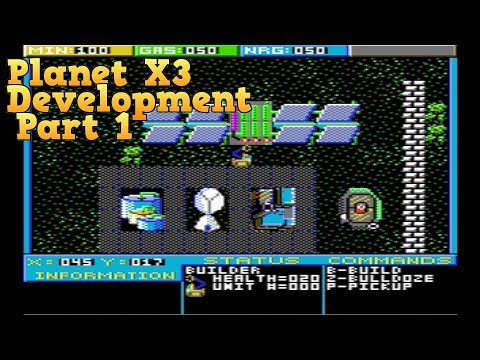
Introduction PlanetX3 is a brand new game developed by YouTube 8-bit guy for MS-DOS and released in early 2019.
The game was developed using crowd funding through Kickstarter 1.
The Kickstarter for the project is available here: Planet X3 for...
...