
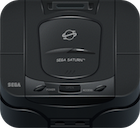
The Sega Saturn Software Development Kit was available for both PC and SGI workstations and consisted of a number of libraries build in-house by Sega and a few custom 3rd party.
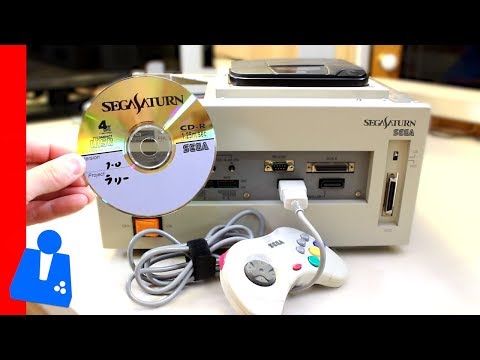
Compiler Toolchain
There were multiple sets of compilers available to Sega Saturn developers, the most popular being the Cygnus Solutions version of GCC for SH Microprocessors (Supplied by Sega) and the other was the custom SH-2 compiler developed by Hitachi.
Cygnus Solutions were a company that sold GNU products with enterprise level support to make it easier for developers when they encountered compiler issues.
Although the Cygnus Solutions compiler toolchain supports C++ it was recommended against it by Sega in their official FAQ released with the compilers due to the larger code size output compared to standard C.
Documentation
Some early #SegaSaturn developer documentation from March 1994 pic.twitter.com/K1UlD2jNoc
— Shane Battye🎄 🎮 (@shanebattye) December 12, 2020
Tools
The SDK didn’t only provide compilers, there was a set of useful tools provided for a wide variety of tasks such as image conversion and debugging.
Sega’s October 1996 development-tool bulletin used more precise categories than a simple official-versus-third-party split 1:
- Free rental tools - Sega-owned packages supplied on loan under a developer agreement, including SGL, SBL, graphics and sound tools, and the Hitachi SH toolchain.
- Sega license tools - Outside technology distributed under Sega licensing terms, including TrueMotion, Cinepak, QSound, and YSound. The bulletin associates these with royalties and a required licensing acknowledgement.
- Official tools - Tools Sega recognised and supported in cooperation with their vendors, including SNASM, CartDev, Mirage, and Softimage.
- Equivalent tools - Vendor-supported alternatives such as N-World Saturn Express, PowerAnimator Saturn Export, and GAMUT-SG. Sega’s own support covered the Sega library and data-format side.
These were Sega’s classifications at the time of that bulletin, not a claim that each product had the same licence or remained available throughout the Saturn’s life.
The October 1996 bulletin itself is a useful snapshot of how Sega presented those choices to developers. Its first page places the GNU and Hitachi tools in the free-rental group, then starts the separate licensed-tool list 1.
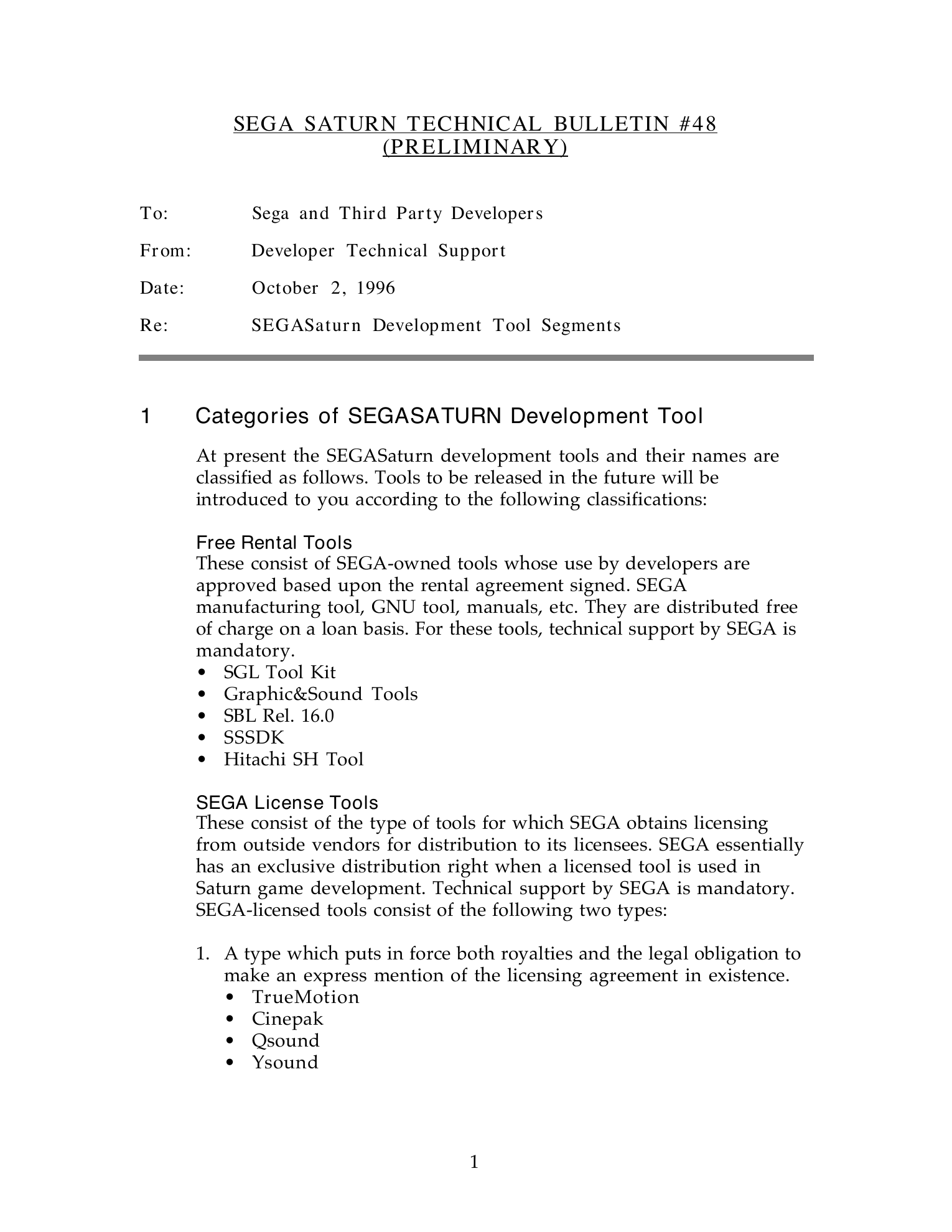
Sega Technical Bulletin 48, PDF p. 1, dated 2 October 1996. Select the scan to read the original categories and examples.
The inspected DTS mirror also preserves three useful distributions:
| Archive | What inspection establishes |
|---|---|
software/zipdocs/SBL601.zip |
SBL 6.01 archive with 1,332 ZIP members, including libraries, source, peripheral samples, and build files |
software/zipdocs/SGL302J.ZIP |
SGL 3.02 archive with 1,015 ZIP members, including AWK assembler helpers, libraries, demos, samples, and conversion tools |
software/zipdocs/WGT_10J.zip |
Windows 95 Graphics Tools 1.0J archive with 44 ZIP members, including .SG3 and .SGT model examples |
These are counts of archive members in the inspected copy, including directory entries where present. They establish what survives in this reconstruction, rather than a complete inventory of every DTS CD or web release 2.
Background Converter (BGCON)
The preserved BGCon 1.6 archive contains the DOS converter, its Word manual, a Saturn background viewer, and SH-2 assembly source for a decompressor 3. BGCon reads PCX, IFF, and Targa images. It can make VDP2 bitmaps or character-pattern and pattern-name data, remove duplicate or reflected characters, and emit C, GNU assembly, or binary data. Its script mode allowed an artist to repeat the same conversion settings across assets.
The output choice matters when identifying a recovered graphics file:
| Output | What to expect |
|---|---|
| Raw | Pixel or character data without a format header. Image and pattern data can use RLE or delta/Huffman compression; palettes stay uncompressed. |
| SGA3 | An uncompressed IFF-style FORM SGAM with chunks describing the image, palette, and their relationships. |
The manual says raw RLE data can be unpacked with SBL’s CMP_DecRunlen(). For its delta/Huffman mode, BGCon first tries storing differences between neighbouring values and uses that step only if it improves the ratio. The supplied DEHUFF.S and DEHUFF.H show how the target program could decode the result 3. A headerless dump may therefore be a deliberate BGCon output, not a damaged SGA3 file.
Host Serial Interface (HSI) Tools
Created by Geoff Caras of The Igneous Group it is software with included source code to contact a Sega Saturn CartDev kit from a PC.
HSITool
The HSITool is a command line program that runs on the PC to connect to the Saturn Development Kit. It uses the SCSI and ASPI interface to control the CartDev hardware from the PC.
You can do actions such as read memory or capture audio output. Very useful for debugging as you can get the current registers or even write new register values when at a breakpoint.
The source code is available under HSIWIN.zip
COFFLOAD
SegaSaturnCoffLoad.png  COFFLoad.exe is a tool to send a compiled Sega Saturn executable (.coff) to a Sega CardDev kit to run the executable on the Saturn.
The source code of this tool is available in the WINCOFF.ZIP file.
Libraries
There were two major libraries for Sega Saturn development, the low level Sega Basic Library (SBL) and the high level Sega 3D Game Library (SGL).
Sega Basic Library (SBL)
Latest Known Version: 6.01 The Sega Basic Library is a low level API for as close to bare metal access to the hardware as you can get, it is ideal for 2D pixel based games.
INTERRUPT example
The Interrupt folder inside the Sega Basic Library holds a sample of how to use interrupts called testtim0.
The sample displays two timers and the Hblank interrupt count. It makes heavy use of the Scroll 2D library to display the text.
It also gives some advice how to do Direct Memory Access (DMA) transfers, which can be triggered by interrupts such as HBlank or VBlank.
SEGABIN
The SegaBin contains various 3D format converters and CD manipulation programs.
This includes pre-built executables for a range of PCs such as HP, SUN and Windows. It also contains the source code for the converter tools and a few samples as noted in the table below.
| Name | Description |
|---|---|
| BIN | Windows Binaries |
| BINCD | Windows Binaries for CD management and emulation |
| BINHP | Unix Binaries for HP computers |
| BINSUN | Unix Binaries for Sun Microsystems computers |
| DGTTO3DT | Source code for the DGT to 3DTable converter |
| DXFTO3DT | Sample files for use with the DXF To 3DTable converter |
| MAN | English Manual |
| MAN_JPN | Japanese SDK Manual |
| S3DTO3DT | Source code for the Sega3d to 3dTable converter (you can find the executable in the /bin directory) |
| TIMESTMP | A single C source code example for generating a timestamp |
| VCD | JVC drivers for the Saturn Video CD Card |
MFCAT
MFCat is a command line tool that converts a binary file to a SIMM (Single In-line Memory Module?) file.
Rof2Bin
The rof2bin command line executable converts .ABS files to Binary format files (.bin).
But what are .ABS files?
SEGADAT
The SegaDat folder is well as the name suggests a folder with Sega Saturn data files in it. What sort of data you ask?
Well it seems to be data that by default gets put on every disk, including the Sega “Warning Message” that plays when you try to put a game in an Audio CD player. Also it includes fonts used to display the warning message at the start of each game.
It looks like the file sega_wrn.da is the audio file that plays when you put a Sega Saturn disc in an audio player.
SEGALIB (Libraries)
One of the very nice things about the Sega Saturn SDK is that it actually contains the full source code to all the libraries that make up the SDK. The C and ASM source files are all located inside the SEGALIB folder separated into folders based on the library name.
Each folder contains a:
- .a library for GCC compiler linking
- .lib library for HITACHI SHC compiler linking
- .lbr metadata of what objects to put in the .lib SHC compiler library when built
- .c or .asm source code
- makefile for building the source code
| Folder | Purpose |
|---|---|
| AWK | Awk scripts for gasm |
| BPL | Branching Playback |
| CMP | Compression Library |
| CSH | Cache Simulation library |
| DBG | Debug library |
| DMA | Direct memory access library |
| DSP | Library to load programs into the Saturn SCU DSP |
| FLD | File loader library |
| GFS | General File System |
| INCLUDE | Header Files (C Includes) |
| INT | Interrupt library |
| LIB | Contains all the prebuilt libraries in both .a and .lib format |
| MAN | Manual Documentation |
| MAN_JPN | Japanese Manual Documentation |
| MEM | Memory library |
| MPG | MPEG Video |
| MTH | Math Library |
| PCM | Audio PCM/AD-PCM playback |
| SCL | (VDP2 Library?) |
| SDD | Sound Driver source code (assembly) |
| SHC | Hitachi SHC compile library source, only seems to implement one function __sftra |
| SND | Sound Library |
| SPR | Sprite Library |
| STM | Stream System Library |
SEGASMP (Samples)
This contains tons of great samples of how to use all the libraries in the Sega Saturn Development Kit.
The samples are pre-compiled in the COF folder as valid Sega Saturn executables.
It also seems to compile .ABS files into the ABS folder but I am unsure what they are used for.
| Folder | Purpose |
|---|---|
| ABS | Build output folder of ABS files (not sure what abs files are, but 1 per sample is created) |
| BUP | Back UP library sample |
| COF | Build output folder of COFF Saturn executables |
| CSH | Cache Simulation library sample |
| DBG | Debug library sample |
| DMA | DMA library sample |
| DUAL | Slave CPU example |
| FLD | File loader example |
| GAME | Demo game source code |
| GAME_CD | Same sample game but with a few additions for CD Music playback |
| GFS | General File system library samples |
| LIB | Start module examples |
| MAN | Manual/Documentation |
| MAN_JPN | Manual/Documentation in Japanese |
| MEM | Memory management samples |
| MPG | MPEG Video sample |
| PCM | Audio playback samples |
| PER | Peripheral samples (e.g mouse, gun, keyboard) |
| SBLSGL | Graphics examples |
| SCL | VDP2 graphics examples |
| SGL | Graphics samples |
| SND | Sound samples |
| SPR | Sprite examples |
| STM | Stream examples |
| SYS | Application initialization program sample |
| TIM | Timer samples |
| V_BLANK | VBlank usage sample |
Sega 3D Game Library (SGL)
Latest Known Version: 3.02 The Sega 3D Game Library (SGL) is a high level API designed for creating 3D games. It does not provide as low-level access as the Sega Basic Library but the two can be used together.
Note that this can also sometimes be called the Sega Graphics Library, both are used throughout the official Sega documentation.
Scheduling the second SH-2
The Saturn’s master and slave SH-2 processors share external memory and devices. Sega’s Dual CPU User’s Guide describes a 16-bit write to 0x21000000 as a signal from master to slave, and a write to 0x21800000 for the return direction. Either CPU can receive the signal through an FRT input-capture interrupt or poll its flag 4. This is a notification path, not an automatic transfer of a job’s data.
The boot ROM gives the CPUs separate stacks, so re-entrant functions can run concurrently. Static and global variables still need coordination. A program using the SH-2 cache as internal RAM cannot assume code placed there is shared with the other CPU 4. These details help explain why a recovered program might signal the slave, wait on a flag, and invalidate cached data before using the result.
SGL adds scheduling of its own. In a May 1996 DTS Q&A, slSlaveFunc() queues a user function on the slave, but Sega warns that its execution time is not guaranteed and that some SGL calls already need that processor. The related slPutPolygonS() always assigns polygon work to the slave at the start of the next frame, building commands for polygons generated in the previous frame 5. That one-frame pipeline is a more useful reading of the call than assuming it draws immediately.
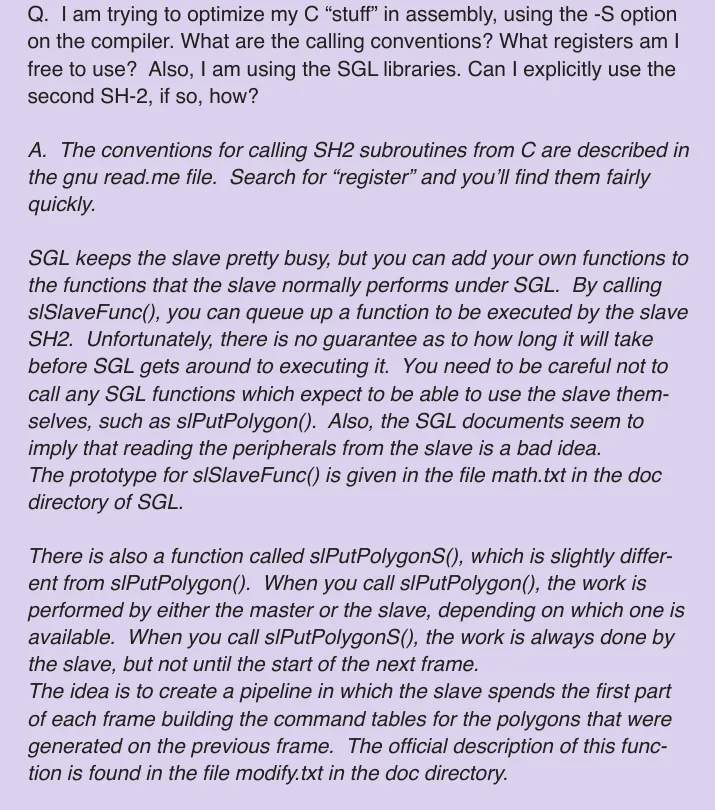
SGL scheduling answer cropped from DevelopMental, May 1996, PDF p. 3. These are SGL behaviors; games could manage the second SH-2 in other ways.
GNU AWK/GAWK
Contains builds of the GNU Free Software AWK for windows.
The GNU Assembler (GASM) uses the AWK files to help assemble source input, so these are sort of like part of the source code of the assembler.
Documentation
Demos
The Demos folder contains 4 Demos in source code form ready to be compiled using the GNU compiler toolchain for Sega Saturn.
BiPlane Demo
Compile with: GNU 2.7+ (GCC for SH2)) Written in: C
CDDA_SGL
CD Audio demo very simple with only one C source file.
Chrome
The Chrome demo shows various graphical effects such as Gouraud shading, bump mapping and chrome finish for simple objects.
Flying
Compile with: GNU 2.7+ (GCC for SH2)) Written in: C This is a demo game where you fly a spaceship (flying saucer) and shoot at enemies below.
Include files
Libraries
CDC (CD Communication)
Functions that have the prefix CDC_ are part of the CD Communication library.
Samples
There are two different sample folders for this library, called sample1 and sample2.
SDDRV (Sound driver)
Assembly source code for the Sega Saturn Sound driver interface.
Tools
- DG2TEX.EXE
- S2D2SGL.EXE
- S3D2SGL.EXE
- S3DTEX.EXE
Sound production tools
The DTS CD’s sound-tools overview describes a Macintosh-based workflow connected to the Saturn Sound Box by SCSI 6:
- Wave Editor prepares samples before import into Tone Editor; Sega advises setting loop start and end to even positions, including for samples that do not loop.
- Tone Editor arranges sampled and FM sounds into voices or patches for sequences and effects.
- Sound Simulator maps sound memory and simulates how game code will use the sound data.
- Linker assembles DSP effect routines; the separate eLinker was required for spatial effects such as QSound or YSound.
The release notes document a useful version trap: Sound Driver 2.10 requires tone banks made with Tone Editor 2.0 or later. Sega says older tone banks will produce no sound with that driver. When comparing preserved projects, record the driver and tone-bank tool versions together 6.
An April 1996 DTS sound bulletin adds the less tidy side of the workbench. Tone Editor downloaded patch edits to the SCSP as they happened, so sending MIDI commands during an edit could crash the setup. Re-editing an imported wave under the same filename could leave Tone Editor using the old sample; Sega advised importing it under a new name. Opening Tone Editor before Sound Simulator loaded the driver and reserved sound memory was another crash path 7. The bulletin also flags a loop-function bug in Tone Editor 2.06.
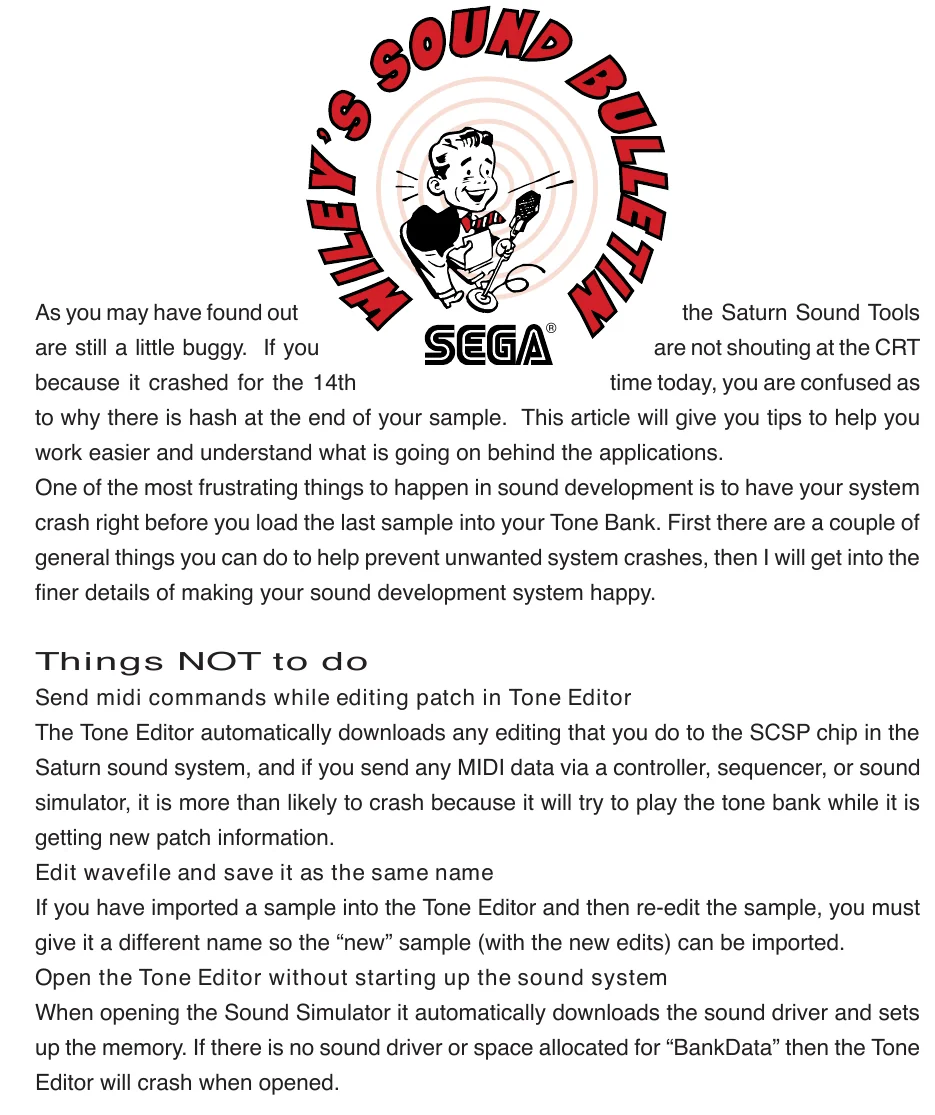
Sound-development advice cropped from DevelopMental, April 1996, PDF p. 3. These are contemporary tool-version issues, not general SCSP hardware restrictions.
For a recovered sound project, those notes explain why filenames, tool versions, and initialization order can matter even when the tone data itself looks valid.
Positioning a sound with QSound
The DTS newsletters show the handoff behind a spatial effect. In eLinker, a sound designer connected four or eight inputs to a QSound DSP module and routed its outputs left and right. Tone Editor then assigned each sound layer to one of those inputs, set its effect send, and set its direct level to zero so the sound passed through the effect 8. A sound layer had one QSound input assignment; playing the same sample at two positions required differently routed versions of it 9.
The game could still move that assigned input. Sega described two slSoundRequest() paths: command data 0x09 sends a MIDI Control Change message, while 0x12 sends the QSound input index (0-7) and position (0-30) directly to the sound driver 9. A MIDI sequence could instead contain a prewritten trajectory. This separates the sound designer’s fixed routing from the programmer’s changing position, and explains why a recovered score and tone bank need to be read together.
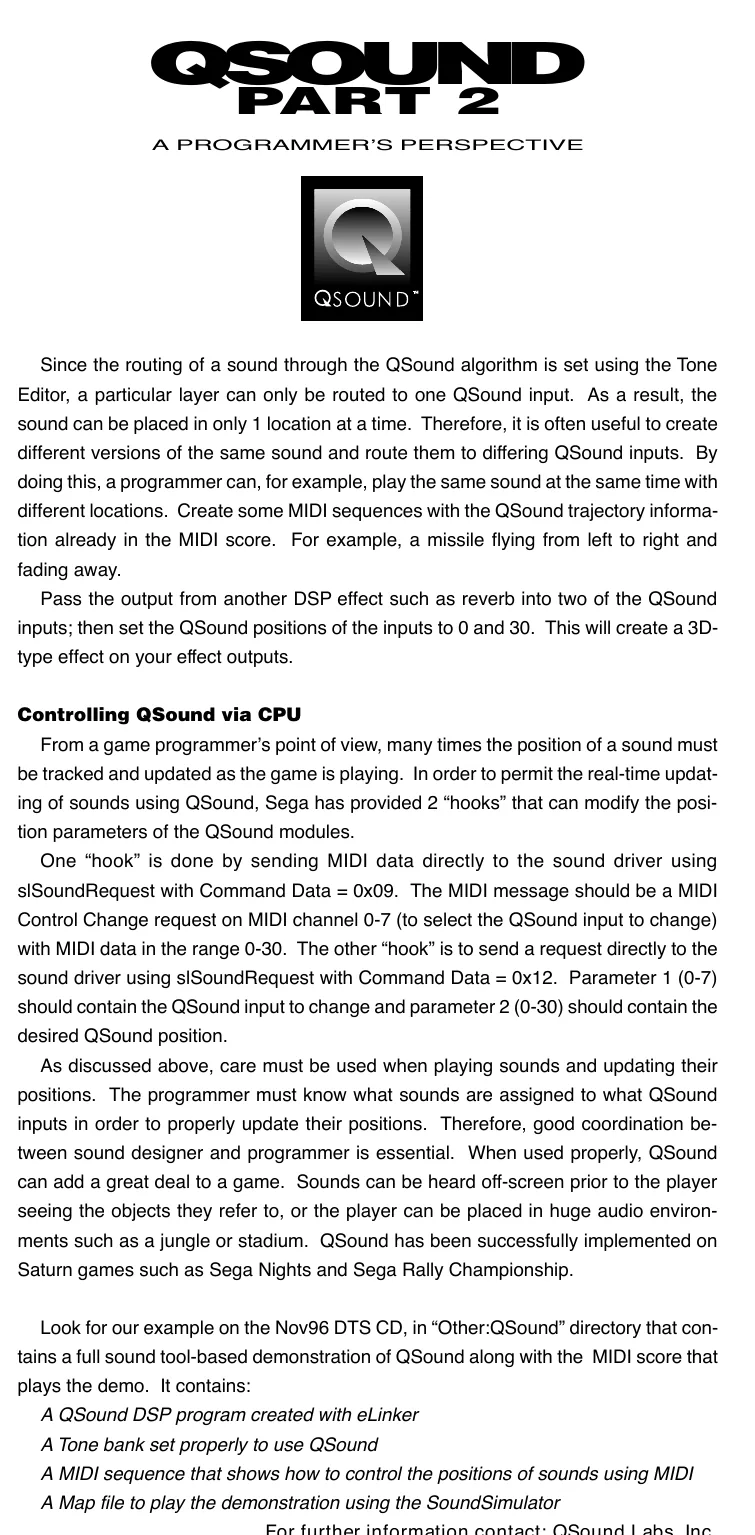
Programmer’s QSound notes cropped from DevelopMental, November 1996, PDF p. 3. The earlier designer-side setup appears in the June/July 1996 issue.
Software for Designers
The software for 2D/3D Artists, Designers and sound editors are covered in the following post:
Glossary
The table below lists the relevant entries.
| Term | Meaning |
|---|---|
| VCD | Either VirtualCD or Video CD depending the context |
References
-
Sega, Technical Bulletin 48 - SEGASaturn Development Tool Segments, 2 October 1996. ↩ ↩2
-
ZIP member lists inspected in
software/zipdocs/SBL601.zip,SGL302J.ZIP, andWGT_10J.zipof the partial DTS website reconstruction. The SBL 6.01 and Windows 95 Graphics Tools archives are also available from Antime. ↩ -
Sega DTS, BGCon 1.6 package,
BGCON.DOCsections “Output Formats and Compression” and “Command Syntax”,README.TXT, andDEHUFF.S. ↩ ↩2 -
Sega, SEGA Saturn Dual CPU User’s Guide, pp. 1 and 3-5 (PDF pp. 6 and 8-10). ↩ ↩2
-
Sega DTS, DevelopMental, May 1996, PDF p. 3, SGL slave-processor Q&A. ↩
-
Sega DTS, Overview and Release Notes of the Sega Saturn Sound Development Tools, sections 1-2. ↩ ↩2
-
Sega DTS, DevelopMental, April 1996, PDF p. 3, “Wiley’s Sound Bulletin.” ↩
-
Sega DTS, DevelopMental, June/July 1996, PDF pp. 3 and 6, QSound designer workflow. ↩
-
Sega DTS, DevelopMental, November 1996, PDF p. 3, QSound programmer workflow. ↩ ↩2