
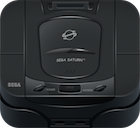
This guide will walk you through compiling the official Sega Saturn samples which are part of the Sega Basic Library.
Building START (STRT) library
This needs to be built before any of the samples as it contains common code for booting up a game.
The library can be compiled with Hitachi toolchain or the GNU toolchain, each one requires slightly different code.
STRT2_H and STRT2_G
The Start code is split into two different versions based on the compiler toolchain that the developer wants to use. The _H version is for the Hitachi toolchain and the _G is for the GNU Toolchain.
Compiling for Hitachi (STRT2_H)
You can run the following commands to build with the Hitachi toolchain:
ASMSH.EXE STRT1_H.SRC -cpu=7600
SHC.EXE -sub=LIB.SHC STRT2_H.C
The first step assembles STRT1_H.SRC which can be executed with wineconsole on mac or linux.
The second step is more tricky as it requires a few additional files to compile the STRT2_H.C .
The first error will complain about not being able to find stdlib.h as it was not present with the Dreamcast SDK version of the Hitachi compiler:
STRT2_H.C(11) : 2005 (E) Cannot open include file "stdlib.h"
..\..\segalib\include\machine.h(4) : 2500 (E) Illegal token "void"
In order to fix this you can use the Include folder from the PSYQ SDK. And also comment out a piece in sys/config.h
The second error I have been unable to fix complains about shcnpic.lib missing:
** 211 CANNOT FIND FILE(..\..\..\sh\lib\shcnpic.lib)
The library shcnpic.lib is for handling of Position Independent Code (PIC) for the SH series of cpus.
General File System 1A (SMPGFS1A)
Part of the Sega Basic Library samples.
SMPGFS.BAT
Calls shc and lnk for the Samplke (SMP) for the General File System (GFS).
You can find both shc.exe and lnk.exe from the Hitachi SH2 SDK provided as part of a Dreamcast SDK.
SHC
SHC is the C compile provided for the SH processors by Hitachi.
Running SHC:
set PATH=%PATH%;C:\Hitachi\
set SHC_LIB=C:\Hitachi\
set SHCPU=SH3
set SHC_TMP=.
(0) : 3021 (F) Memory overflow
This happened when I set the SHC_LIB directory wrong. To fix it make sure this environment variable is set to where the hitachi compiler executables are.
Makefile
Uses gcc to compile the *.c files and gasm to assemble the assembly files.
Libraries Included
The table below lists the relevant entries.
| name | purpose |
|---|---|
| segadgfs.a | General File System |
| sega_cdc.a | |
| sega_csh.a | |
| sega_dma.a | Direct Memory Access |
| sega_int.a | Interrupt handling |
From a compiled sample to a disc image
The VCD tools archive preserves more than executables: CARTDEV/BTSMPFS.SCR is a readable disc-building script for a file-system sample 1. It declares a CD-ROM session, places IP.BIN in the system area, defines an ISO 9660 volume, and maps host files such as SMP_KRNL.BIN to disc names such as 0KRNL.BIN;1. The accompanying .PVD and .RTI files record information used by the Virtual CD workflow 1 2.
The sample script’s structure is easier to read as a pipeline:

Workflow reconstructed from the Virtual CD manual and Sega’s master-release form.
The Virtual CD manual distinguishes two preparation paths. VCDPRE.EXE creates lookup data for direct access to host files; VCDBUILD.EXE creates a CD image and table of contents for real-time emulation. VCDEMU.EXE then runs the prepared disc against the target hardware 2. This is a historical workflow, not a claim that the sample above has been rebuilt with modern tools.
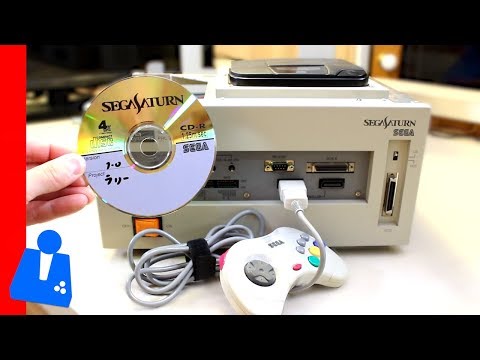
Writing a test CD-R
Sega’s Write-Once CD-R System manual takes the next physical step. Its segacdw utility sent a Virtual CD .dsk image and matching .toc file to a Yamaha CDR100 recorder over SCSI. Both files had to share a directory and filename prefix 3. In the manual’s example, test.dsk and test.toc become a disc with segacdw test.
The -t switch ran the recorder’s test mode without writing a CD-R. A team could check the transfer path before consuming a blank disc, then burn and test the result on hardware 3. This describes one period production route; the utility and drive are historical equipment, not requirements for using a modern disc image.
What Sega checked at submission
The Master CD-ROM Release Form shows the next stage after local testing. In addition to matching the disc’s identification data and accompanying paperwork, its checklist asks whether the CD media’s linear speed is 1.25 m/s, whether drive use stays within a 33% duty ratio over ten minutes, and whether the game retries a failed read 4. These questions make clear why a successful emulator launch was not the end of disc development: seek patterns and recovery behavior also mattered on a physical drive.
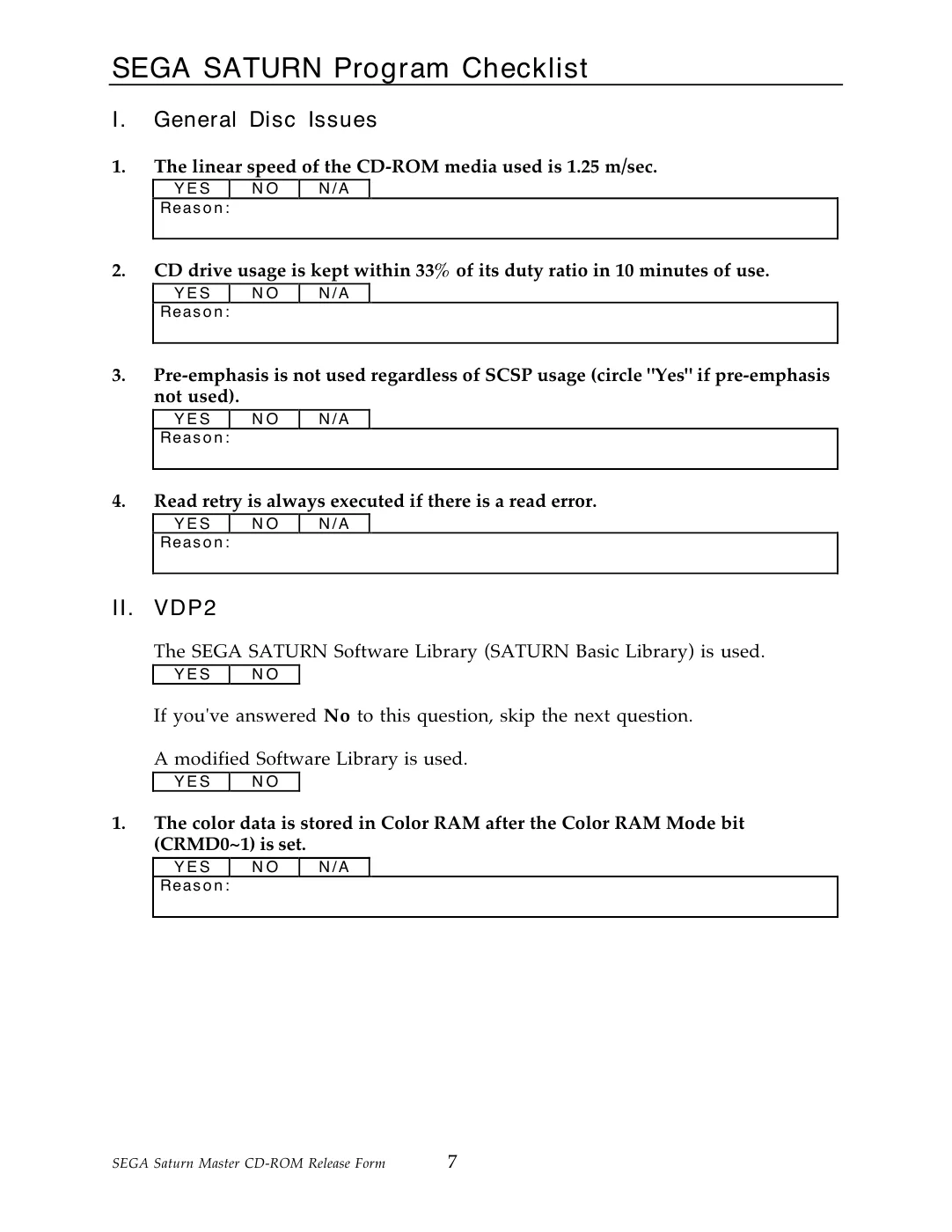
The original Master CD-ROM Release Form, p. 7 puts CD-drive behavior beside graphics checks. Select the scan to enlarge.
The data and audio tracks shared a finite disc
Sega’s disc-format bulletin gives a useful planning estimate: a data track extended to its maximum leaves about 566 MB of usable data sectors. Each additional minute of CD audio takes about 9 MB from that space 5. The figures describe the format in that bulletin, not an exact size for every mastered game. They explain why a soundtrack made of CD-DA tracks could visibly change the room left for code, artwork, and video.

Approximate trade-off stated in Sega Technical Bulletin 7, PDF pp. 9-10; illustrative, not a measured retail disc.
Another bulletin defines the 33% drive duty ratio as seek time divided by seek time plus non-seek time, measured after roughly ten minutes 5. The release form’s check was therefore about the pattern of physical seeks, not simply the amount of data read. Sega also required a read retry for uncorrectable errors caused by scratches, dust, drive wear, or an off-centre disc. It warned that retries during debugging could conceal the original error 5.
References
-
Sega, VCDTOOLS archive, especially
CARTDEV/BTSMPFS.SCR,CARTDEV/BTSMPFS.PVD, andCARTDEV/BTSMPFS.RTI. ↩ ↩2 -
Sega, Saturn Virtual CD System User’s Manual, sections 2-3 on preparation and emulation modes. ↩ ↩2
-
Sega, Write-Once CD-R System User’s Manual, pp. 4-5 on the Yamaha CDR100,
.dsk/.tocimage pair, andsegacdwtest mode. ↩ ↩2 -
Sega, Sega Saturn Master CD-ROM Release Form, January 1996, CD-ROM checklist and attached-document checklist. ↩
-
Sega DTS, Saturn Technical Bulletins, Bulletins 1 (drive duty), 5 (read retries), and 7 (data/audio track limits), PDF pp. 2, 7, and 9-10. ↩ ↩2 ↩3