
This is a draft process log about recreating Game Maker 1.1 by decompiling the original Windows executable and rebuilding its structure in Delphi 3. The goal is not only to document what the original program did, but to record the practical lessons from learning Delphi while trying to reproduce an early game-development tool in its original technology stack.
Game Maker is a useful target because early versions were written in Delphi, and version 1.1 was the first public release. That makes it a compact case study in Delphi reverse engineering, historical tool preservation, and the difference between decompiling a program and actually understanding how to rebuild it.
Finding the Earliest Version
The first step was finding the earliest public version of Game Maker.
The modern GameMaker download pages do not host these old builds, so the search started with the Wayback Machine and archived copies of the old Game Maker web site.
The original Game Maker site appears to have been http://www.cs.uu.nl/~markov/kids/gamemaker/, but that page was not preserved by the Wayback Machine.
That means the search had to rely on later archived pages, mirrors, and download references rather than the first public home page itself.
For this project, the important target is Game Maker 1.1. That version matters because it was the first public release, before the later 1.x updates and before the larger changes that arrived in Game Maker 2.0 and beyond.
Once the executable was located, the next question was which version of Delphi had been used to build it. That matters because Delphi decompilation is sensitive to compiler generation, runtime structures, VCL versions, and the format of form resources.
DeDe was the first tool used for that check. It is a Delphi-aware decompiler and analysis workbench, so it can inspect the executable for Delphi-specific structures rather than treating it as an anonymous Win32 binary. At this early stage, the goal was not to recover perfect Pascal source. The goal was to identify the Delphi version and confirm that the executable had enough Delphi metadata to make a structured recreation practical 1.
Project Goals
This recreation project has a few different goals:
- Recover the structure - Identify the main forms, components, resources, event handlers, and project layout from the original Game Maker 1.1 executable.
- Rebuild in Delphi 3 - Recreate the application using the same broad language and IDE generation as the original era.
- Document the process - Keep track of what decompilers reveal, what they miss, and which parts have to be inferred by testing the original program.
- Learn Delphi through the binary - Treat unfamiliar Delphi concepts as part of the research process rather than background knowledge.
Why Game Maker 1.1?
Game Maker 1.1 is interesting because it sits at the beginning of the public Game Maker timeline. It is small enough to study, but still represents a real visual game-development environment with editors, resources, event handling, and project serialization.
It may also contain clues about Animo, the unreleased precursor to Game Maker. Animo was reportedly a non-public version 1.0 focused on 2D animation before the project shifted into a game creation tool. Because Game Maker 1.1 was the first public release after that transition, its forms, terminology, resource model, and leftover strings may preserve hints of what the Animo-era program was like.
For reverse engineering, it is also a good Delphi specimen. The original executable can expose form resources, class names, component names, and event-handler names that would be much harder to recover from a stripped C or C++ application. Those details make it possible to move from “what does this code do?” toward “what did this application look like when it was being built?”
Starting Point
The starting point for the project is the original Game Maker 1.1 executable and a clean Delphi 5 environment. The installer did not work correctly on Windows 11, so running it needed a Windows XP virtual machine. The XP VM was kept offline because an internet-connected XP machine is not a sensible research environment.
To move the installer into the VM, I created a CD disk image containing the Game Maker 1.1 installer and mounted that image inside the guest.
That kept the setup simple while avoiding shared folders, network access, or browser downloads inside the XP environment.
After the installer had run, the installed files could be copied out of the XP Program Files directory.
Those extracted files then ran under Wine or CrossOver on macOS, so XP was only needed for the installation step rather than for day-to-day analysis.
First Pass - DeDe
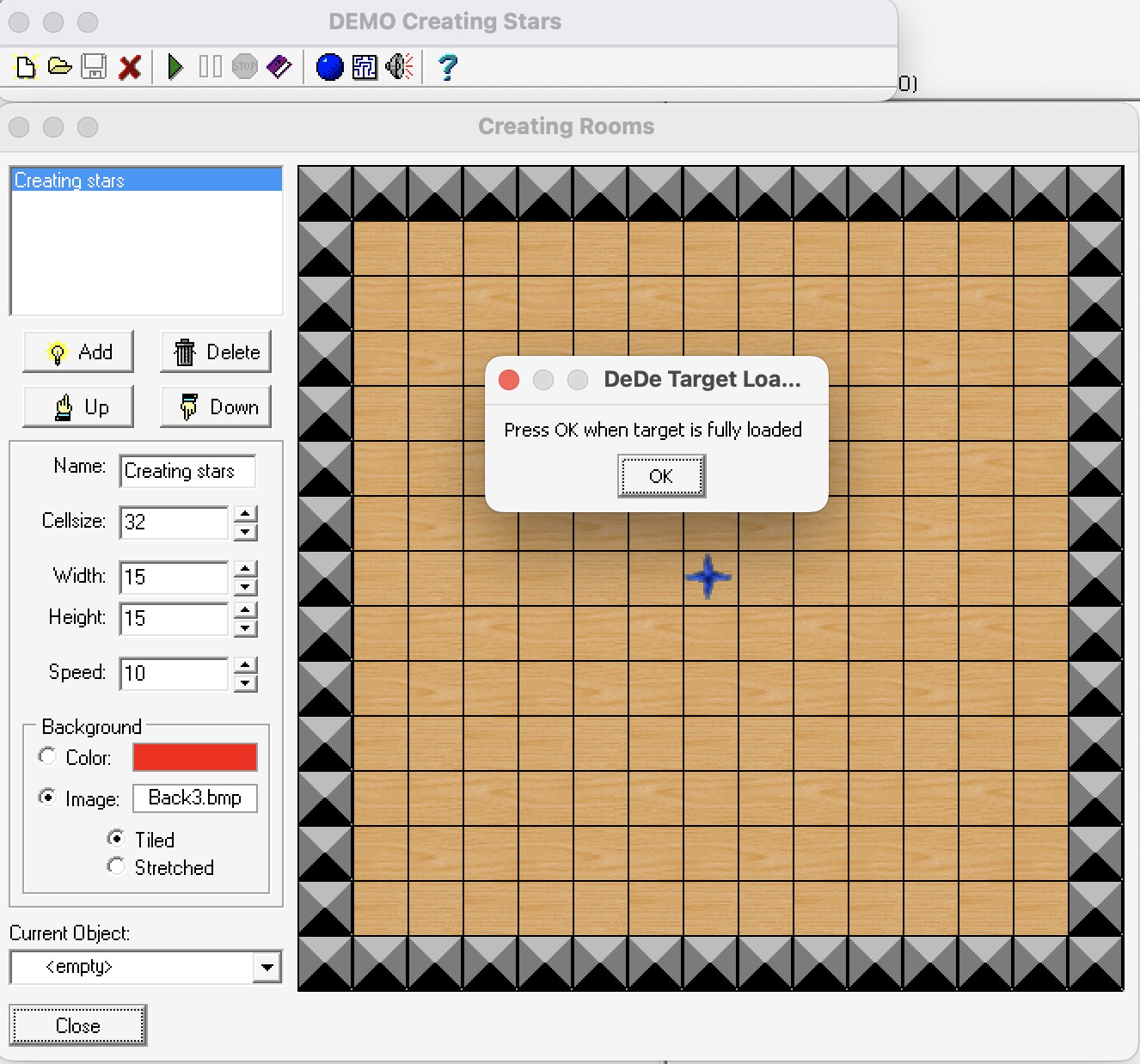
The first decompilation pass used DeDe, running under CrossOver. DeDe can inspect a loaded target process, so Game Maker 1.1 had to be running before DeDe could analyse it. I opened the room editor before confirming DeDe’s target-load prompt, just in case loading that form caused additional Delphi form data, controls, or resources to become visible to the tool.
The screenshot below shows Game Maker 1.1 running with its room editor open while DeDe waits for the target application to finish loading:
At this point it is worth separating the two executables installed by Game Maker 1.1.
Game Maker.exe is the main IDE, while Game Runner.exe is the program used to run created games.
This recreation starts with the IDE because that is where the visible editors, forms, menus, and project-management behavior live.
The runner is still important, but it is a separate target.
It may become useful later when investigating the runtime format or building a compatible runner for early Game Maker games.
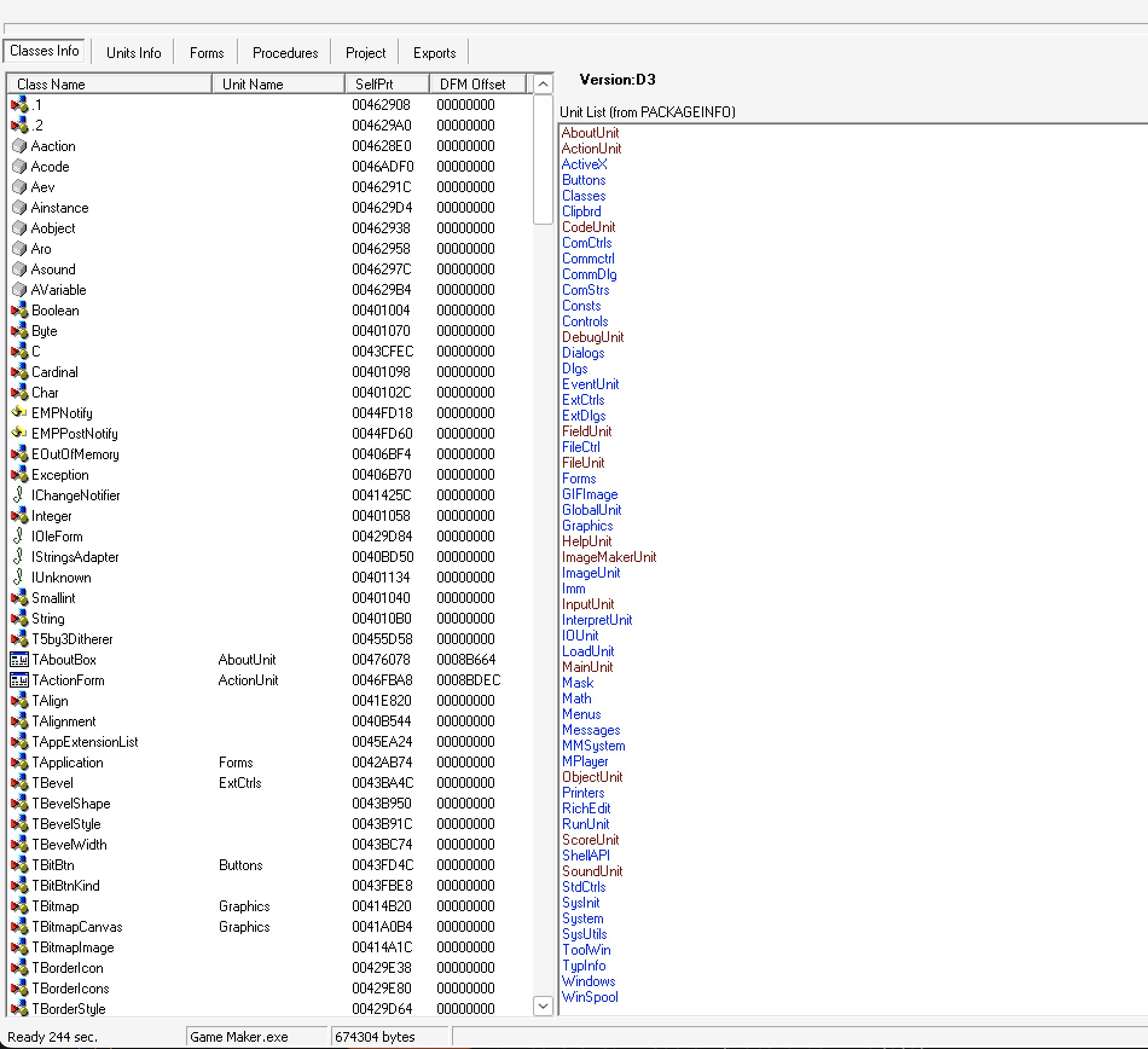
The first useful result from DeDe was the Delphi compiler generation.
DeDe identified Game Maker.exe as a Delphi 3 executable.
That was important because it set expectations for the VCL version, DFM format, runtime library structures, and the behavior of Delphi-aware recovery tools.
The Classes Info view also immediately showed that the executable retained useful structure.
Alongside standard Delphi and Windows units, DeDe listed Game Maker-specific units such as AboutUnit, ActionUnit, EventUnit, FieldUnit, GameUnit, ImageUnit, MainUnit, ObjectUnit, RunUnit, and ScoreUnit.
That makes the binary feel less like a flat executable and more like a damaged project tree.
Installing Delphi 3 under CrossOver
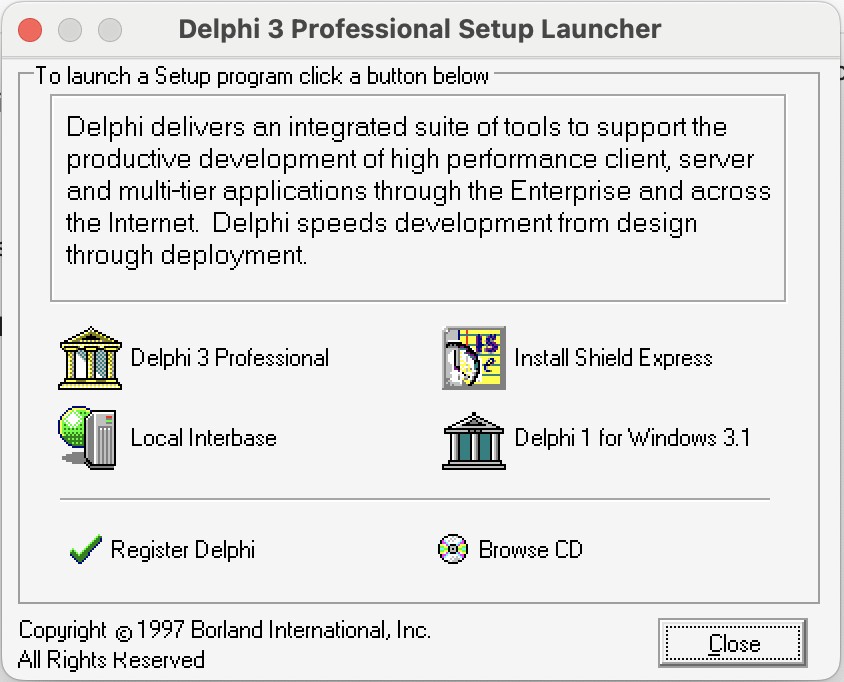
Once DeDe identified Game Maker 1.1 as a Delphi 3 executable, the next practical step was to see whether Delphi 3 itself could run on the same macOS setup. If it worked under CrossOver, I could rebuild small test projects, compare their generated Delphi structures against Game Maker 1.1, and separate stock Delphi/VCL output from Game Maker-specific code.
The Delphi 3 Professional setup launcher opened successfully under CrossOver:
The installer reached the end, but it reported a warning while configuring the Borland Database Engine:
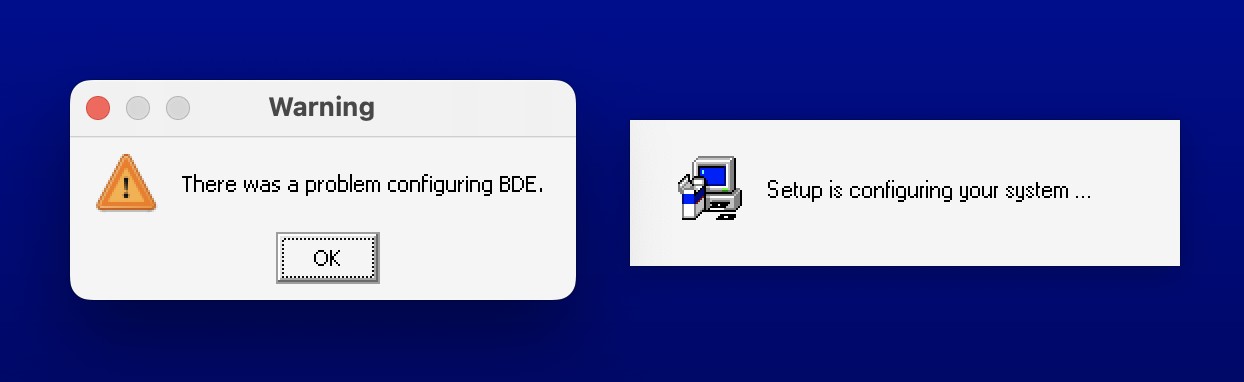
That warning did not stop the IDE from launching.
After installation, I used the setup launcher option to browse the CD, then navigated to Program Files/Borland/Delphi 3/Bin and ran Delphi32.exe.
The IDE opened with the form designer and Object Inspector available:
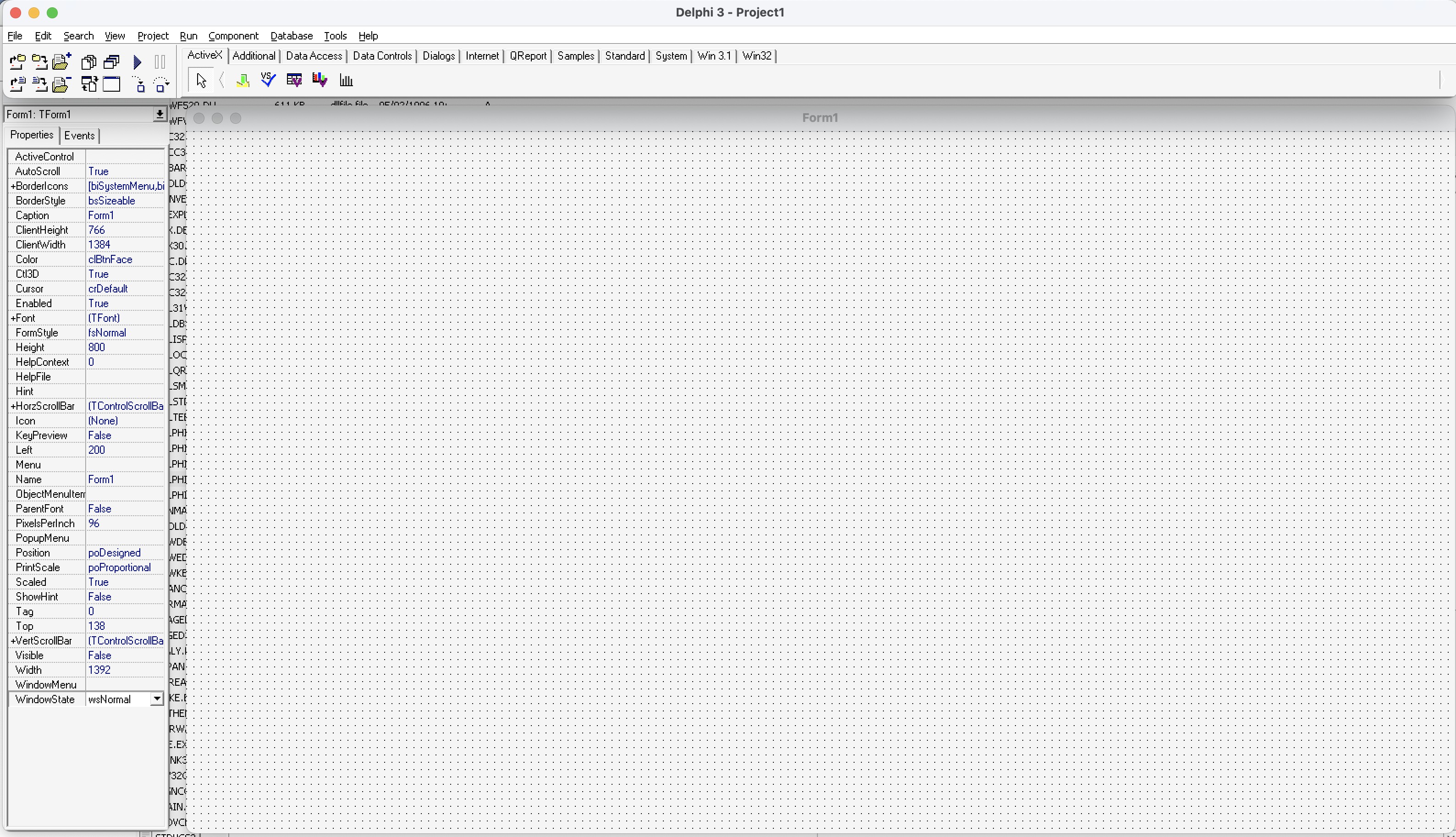
That gives the project a useful comparison environment. I can rebuild parts of the Game Maker 1.1 interface in Delphi 3 or Delphi 5, decompile those small test programs, and compare the output against the original binary. The comparison should make it easier to distinguish custom Game Maker logic from ordinary code and metadata generated by Delphi itself.
First Delphi Test Project
Because I had never used Delphi before, the first test had to be deliberately small.
Rather than trying to recreate a Game Maker form immediately, I started with the default Delphi form, changed its caption to Hello World, and saved the project.
The goal was simply to learn what Delphi creates on disk before comparing anything against the original Game Maker executable.
The screenshot below shows Delphi saving the first unit as GM11Recreated.pas:
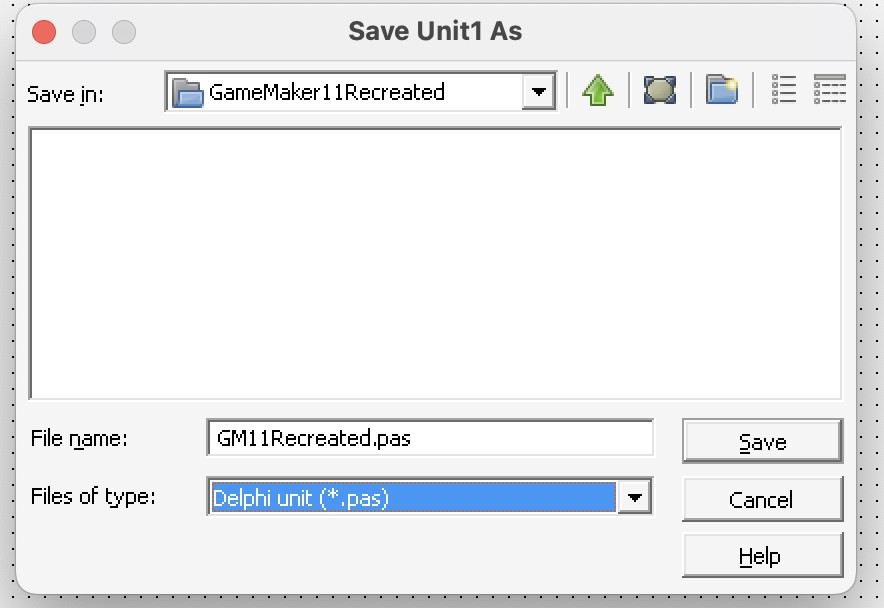
That first save produced the two files that matter most for understanding Delphi’s form model:
- GM11Recreated.dfm - The Delphi form resource for the visual layout and component properties.
- GM11Recreated.pas - The Object Pascal unit containing the form class and code behind it.
This small project is useful because it gives a known-good baseline. If I decompile this trivial executable with DeDe, I can see which classes, units, resources, and patterns come from Delphi itself. That should make the Game Maker-specific parts easier to recognize later.
The next small hurdle was figuring out how Delphi 3 decides where to create the executable.
Selecting Project -> Compile created a compiled unit:
GM11Recreated.dcu- The compiled object-code version of the.pasunit.
At first there was still no executable in my project folder.
When I clicked Run, Delphi was actually executing Project1.exe from the Delphi Bin directory.
That happened because I had launched Delphi32.exe from Program Files/Borland/Delphi 3/Bin, so the default Project1.dpr project was also being created there.
From a modern perspective, putting project output beside the IDE executable feels strange, but it made sense once I realized Delphi was using the current project location.
The fix was to use File -> Save Project As... and save the project into my own working folder.
After that, Delphi created the project files where I expected them:
GM11Project.dof- Delphi project options.GM11Project.dpr- The main Delphi project source file.GM11Project.exe- The compiled Windows executable.GM11Project.map- Linker map output.GM11Project.drc- Resource string output generated during the build.GM11Project.res- The compiled Windows resource file.
The next step was to open the compiled test executable in DeDe and see what information could be recovered from a program whose source I controlled:
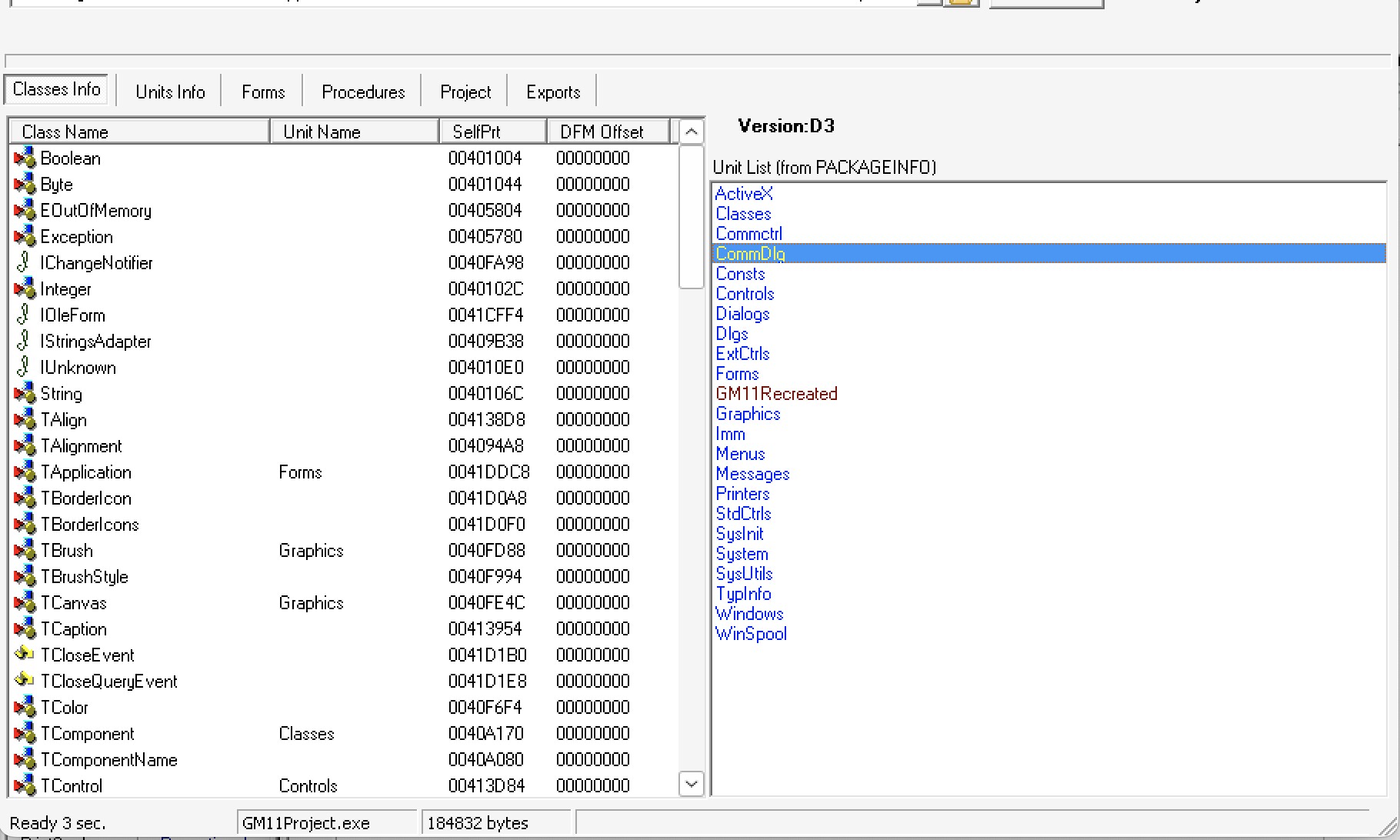
This was immediately useful.
The test project only contained one custom unit, GM11Recreated, and DeDe showed it alongside standard Delphi units such as Forms, Graphics, Controls, Dialogs, and SysUtils.
That gives the Game Maker analysis a simple comparison point.
If a unit name does not belong to the normal Delphi library set, it is more likely to represent application-specific code.
DeDe also displayed GM11Recreated in red.
I am not treating that color as proof by itself yet, because it could mean “project unit”, “non-library unit”, “has form data”, or something else specific to DeDe’s UI.
What matters for now is that the same visual distinction appears in the Game Maker 1.1 analysis, where several likely application units stand out from the standard Delphi and Windows units.
Using that comparison, the Game Maker IDE appears to contain custom Delphi units such as:
AboutUnit- Likely the About dialog.ActionUnit- Likely action or event configuration.CodeUnit- Likely script or code editing.DebugUnit- Likely debugging or diagnostic UI.FieldUnit- Likely field/property editing.FileUnit- Likely file handling or file dialogs.HelpUnit- Likely help/about documentation UI.ImageMakerUnit- Likely sprite or image editing.InputUnit- Likely keyboard or input handling.MainUnit- Likely the main IDE form.ObjectUnit- Likely object editing.ScoreUnit- Likely score settings or score display behavior.SoundUnit- Likely sound resource editing.
Exporting a DeDe Project
One of DeDe’s most useful features is its project export.
The Project tab can generate a Delphi project space with DFM files, Pascal units, a DPR project file, and event-handler RVA notes.
That makes it tempting to treat DeDe output as a starting source tree, so I first tested the export on the tiny Hello World project where the original source was already known.
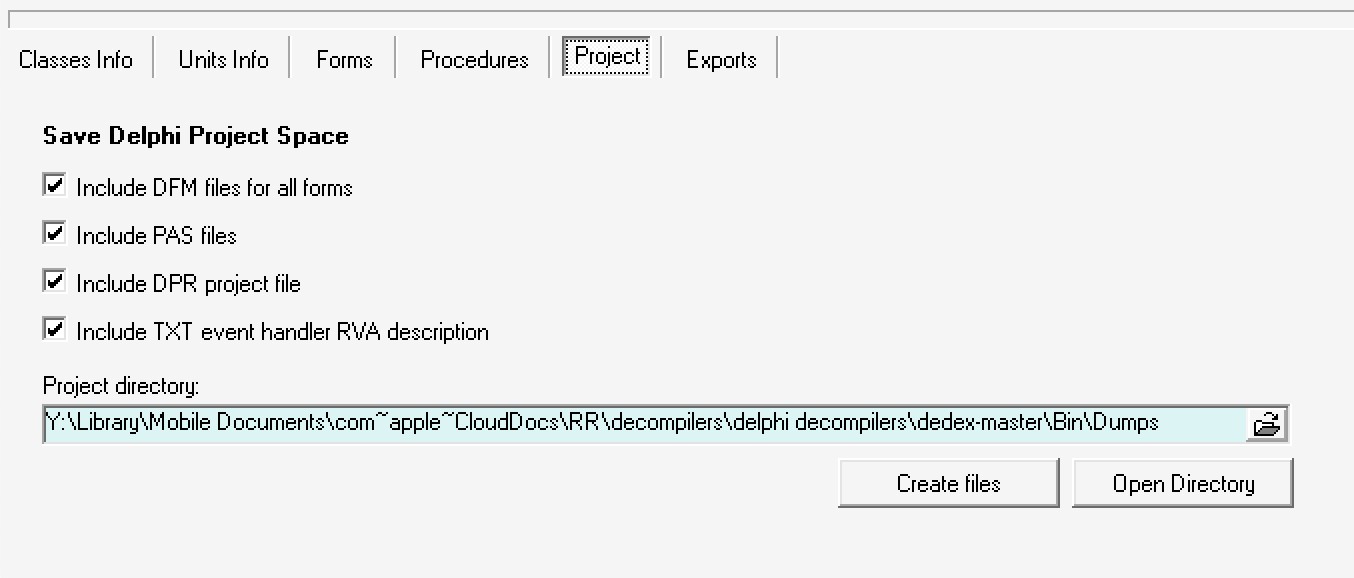
The exported files did not open cleanly in Delphi 3.
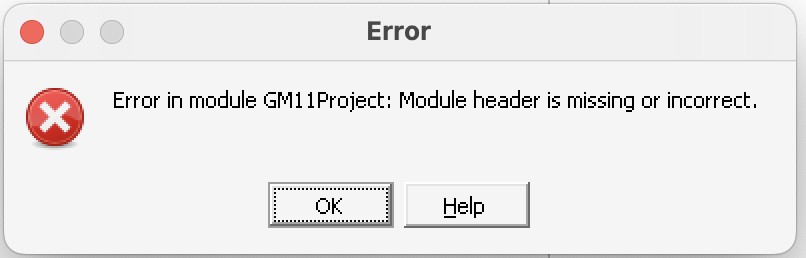
When I tried to load the generated project, Delphi reported that the module header was missing or incorrect:
The original Delphi project file was very small:
program GM11Project;

uses
  Forms,
  GM11Recreated in 'GM11Recreated.pas' {Form1};

{$R *.RES}

begin
  Application.Initialize;
  Application.Title := 'GM11Recreated';
  Application.CreateForm(TForm1, Form1);
  Application.Run;
end.
DeDe’s generated version recovered the rough project shape, but it also changed some syntax and placed a disassembly listing inside the begin and end block:
{This file is generated by DeDe Ver 4.0 Copyright (c) 1999-2001 DaFixer}

Project GM11Project;

Uses
  GM11Recreated in 'GM11Recreated.pas' {TForm1};

{$R *.RES}

begin
{
00425C1C   55                     push    ebp
00425C1D   8BEC                   mov     ebp, esp
00425C1F   83C4F4                 add     esp, -$0C
00425C22   B8545B4200             mov     eax, $00425B54

* Reference to: SysInit.Proc_00404F08
|
00425C27   E8DCF2FDFF             call    00404F08

* Reference to TApplication instance
|
00425C2C   A13C694200             mov     eax, dword ptr [$0042693C]
00425C31   8B00                   mov     eax, [eax]

* Reference to: Forms.Proc_00423C80
|
00425C33   E848E0FFFF             call    00423C80

* Reference to TApplication instance
|
00425C38   A13C694200             mov     eax, dword ptr [$0042693C]
00425C3D   8B00                   mov     eax, [eax]

* Possible String Reference to: 'GM11Recreated'
|
00425C3F   BA7C5C4200             mov     edx, $00425C7C

* Reference to: Forms.Proc_004239A8
|
00425C44   E85FDDFFFF             call    004239A8

* Reference to TForm1 instance
|
00425C49   8B0DA8694200           mov     ecx, [$004269A8]

* Reference to TApplication instance
|
00425C4F   A13C694200             mov     eax, dword ptr [$0042693C]
00425C54   8B00                   mov     eax, [eax]

* Reference to class TForm1
|
00425C56   8B15EC594200           mov     edx, [$004259EC]

* Reference to: Forms.Proc_00423C98
|
00425C5C   E837E0FFFF             call    00423C98

* Reference to TApplication instance
|
00425C61   A13C694200             mov     eax, dword ptr [$0042693C]
00425C66   8B00                   mov     eax, [eax]

* Reference to: Forms.Proc_00423D24
|
00425C68   E8B7E0FFFF             call    00423D24

* Reference to: System.Proc_004033E8
|
00425C6D   E876D7FDFF             call    004033E8
00425C72   0000                   add     [eax], al

}
end.
That explains the import failure.
The exported file is useful as a reconstruction note, but it is not valid Pascal as-is.
The assembly dump inside the project body would need to be replaced with real Delphi startup code.
There are also small syntax differences, such as Project and Uses, that are easy to fix manually but show that this output should be treated as generated scaffolding rather than source recovery.
After replacing the generated body with the original Delphi startup code, the form ran correctly. That is the important practical result. It suggests the next experiment should be to take DFM forms from the Game Maker DeDe export and see how much of the interface can be loaded inside a controlled test project.
Loading the Game Maker About Form
After exporting Game Maker.exe through DeDe, the output contained the expected unit files.
For example, the export produced AboutUnit.dfm and AboutUnit.pas, alongside the other likely Game Maker units listed earlier.
Importing AboutUnit
The next question was whether one of those recovered forms could be loaded into my own test project.
Adding only AboutUnit.dfm was not enough, because Delphi opened it as a text/resource file rather than as a form unit.
The useful path was to copy both AboutUnit.pas and AboutUnit.dfm into the test project and add AboutUnit.pas through File -> Add to project.
For this simple form, the import worked cleanly:
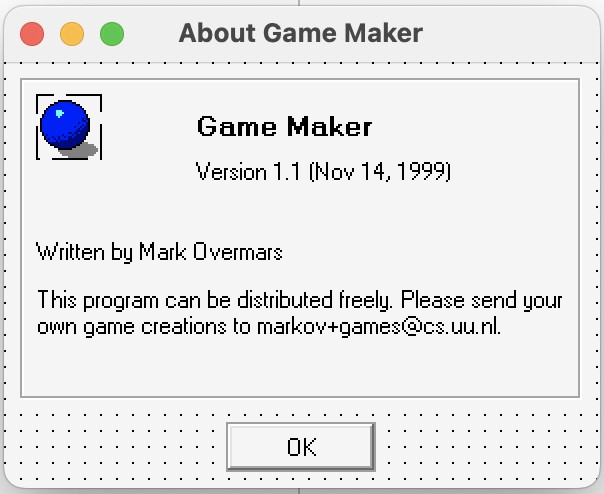
That is a promising result.
Even though the generated unit is not clean source code, the recovered DFM still contains enough information for Delphi to reconstruct the visual form.
The screenshot also confirms the target version by showing Version 1.1 (Nov 14, 1999) in the recovered About dialog.
Fixing DeDe Generated Syntax
Running the test project exposed one more repair step.
Delphi reported that the uses clause in AboutUnit was missing or incorrect:
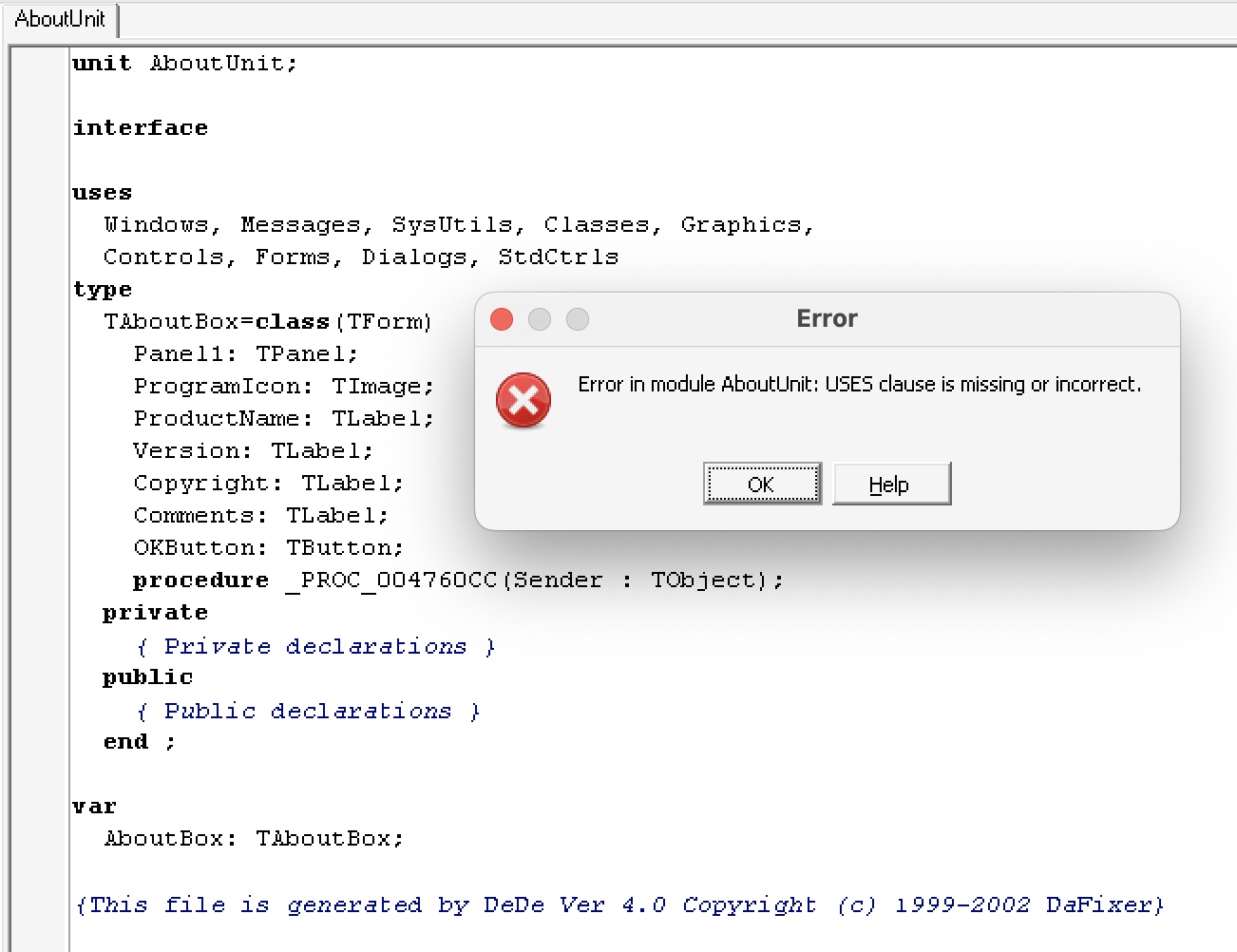
In this case, the actual problem was small.
DeDe recovered the uses list without the final semicolon before the type section.
Adding that semicolon was enough for the test project to compile and run.
That was useful, but it was also a warning. Loading a recovered DFM in the designer is only the first test. The unit still has to compile, link into a project, and keep its event bindings intact.
Event Binding Warnings
The next recovered form, ActionUnit, showed a more representative problem:

Here Delphi reported that Object1.OnDrawItem referenced an Object1DrawItem method with an incompatible parameter list.
That suggests the DFM preserved the event binding, but the decompiled Pascal stub did not recover the method signature in a form that Delphi could accept.
This is closer to the kind of reconstruction work the larger forms will need.
Simple syntax fixes can get some forms running, but owner-drawn controls, custom event handlers, and partially recovered method declarations will need manual repair.
When Delphi finds one of these broken event references, it asks whether the reference should be removed. That is convenient, but it is also a change to the recovered project state. To keep those changes auditable, I added the original DeDe-exported files to the test project and initialized a local Git repository for that experiment. The goal was not to treat the decompiler output as clean source. It was to make Delphi’s automatic repairs visible while working toward a project that would compile.
Removing the references that Delphi complained about was enough to make the test project compile and run.
The diff then showed the less helpful part of this workflow:
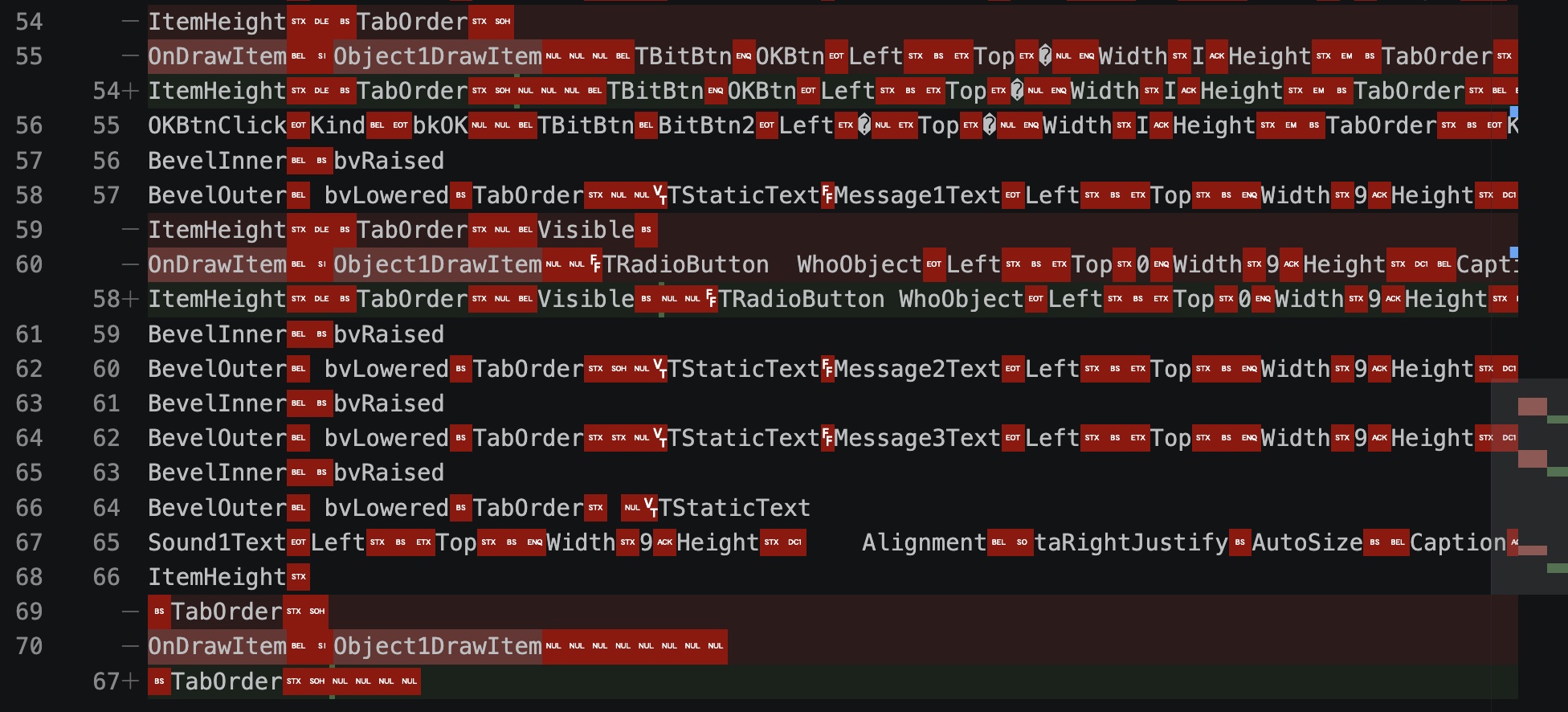
The changed files were binary DFM files rather than readable Pascal source. That makes the automatic fix harder to review. It also means each removed reference needs to be tracked carefully, because an event binding that is invalid today may become useful again after the matching method signature has been reconstructed.
I then reverted the DFM changes and tried leaving the broken references in place. Surprisingly, the project still compiled and ran in that limited test. That suggests some of the warnings are designer-level consistency checks rather than immediate build blockers. They still matter, because they point to places where the recovered DFM and recovered Pascal are out of sync.
CodeForm WhoList Example
One useful way to understand the warning is to fix a small example rather than trying to repair every recovered form at once.
The Code Editor form, CodeForm, only had one of these warnings:
The Object1DrawItem method referenced by WhoList.OnDrawItem has an incompatible parameter list.
WhoList is a TComboBox used by the script editor to choose whether the GML code applies to Self, another object, or a specific object.
The recovered DFM preserved an OnDrawItem event binding from WhoList to Object1DrawItem:
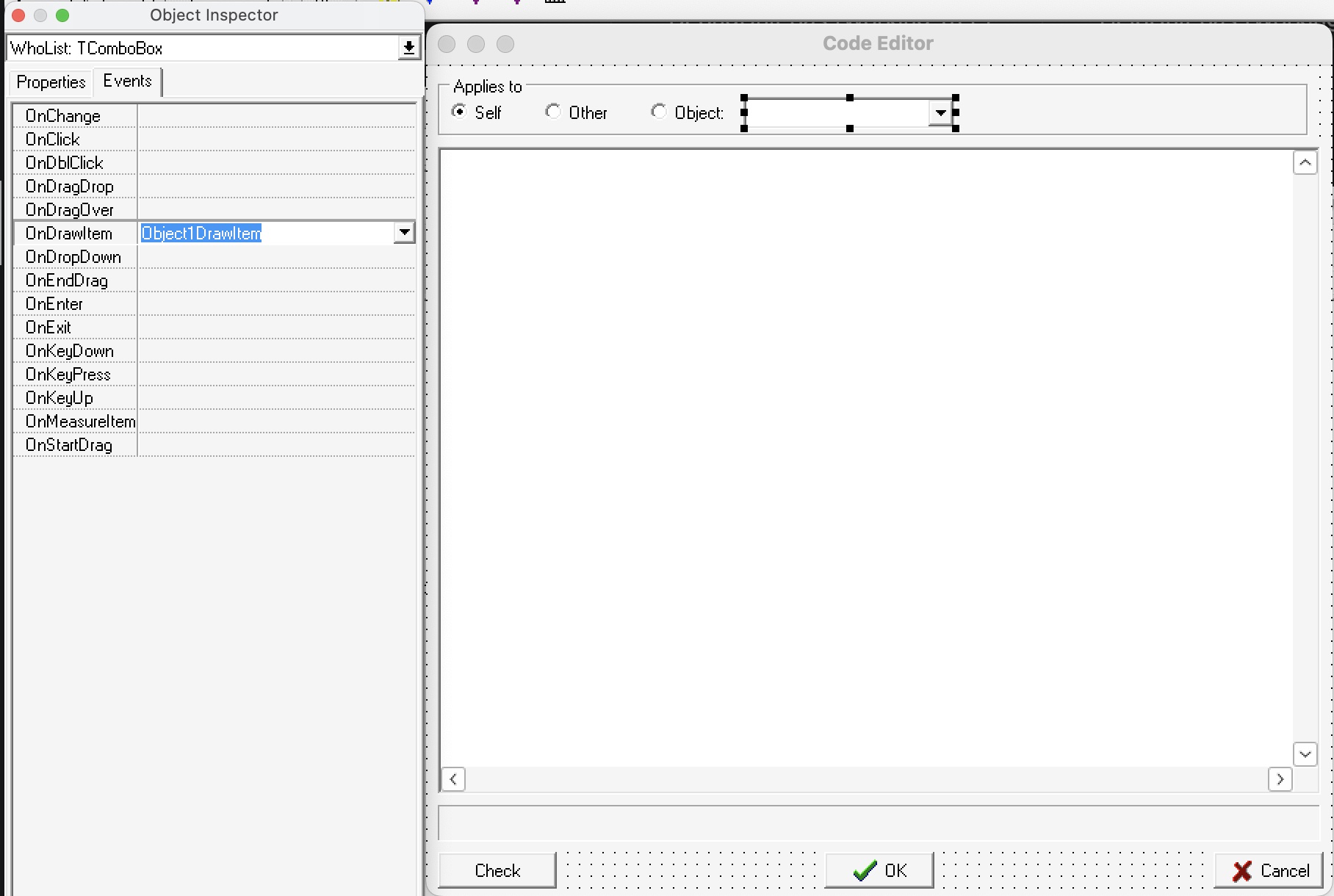
That event name is useful.
It suggests the original editor drew the combo box items manually, probably so object entries could be shown with custom text, icons, or spacing.
The problem is that the recovered method signature does not match the event type expected by a Delphi TComboBox.
DeDe recovered Object1DrawItem with only a single Sender parameter:
procedure TCodeForm.Object1DrawItem(Sender: TObject);
begin
  (* ... Disassembly ... *)
end;
For a normal VCL TComboBox owner-draw event, Delphi expects the handler to receive the control, item index, drawing rectangle, and owner-draw state.
A compatible stub would look more like this:
procedure TCodeForm.Object1DrawItem(Control: TWinControl; Index: Integer; Rect: TRect; State: TOwnerDrawState);
begin
  (* Recreated owner-draw behavior goes here. *)
end;
That explains why Delphi accepts the event name from the DFM but rejects the recovered Pascal declaration.
The binding is probably real, but DeDe recovered a placeholder method signature.
In this case it appears to have fallen back to a generic Sender: TObject procedure rather than the full owner-draw event signature.
Changing the Pascal file manually removed the error. The next question is how to automate that kind of fix without relying on procedure names. The developer could have named the handler anything, so a script should treat the DFM as the source of the event binding.
A possible auto-fix script would work in a few passes:
- Parse the DFM component tree - Record each component name, class, and event assignment, such as
WhoList: TComboBoxwithOnDrawItem = Object1DrawItem. - Map event types by component class - For known VCL classes, define the expected signature for events such as
TComboBox.OnDrawItem. - Find the matching Pascal method - Search the paired
.pasunit forprocedure TCodeForm.Object1DrawItem(...). - Rewrite only known placeholder signatures - Replace signatures that are clearly wrong, such as a one-parameter
Sender: TObjectstub, with the expected event signature. - Preserve the method body - Keep DeDe’s disassembly notes inside the method, because they may still be useful when rebuilding the real behavior later.
For WhoList, the script would not care that the method is called Object1DrawItem.
It would learn that name from the DFM binding, then use the TComboBox.OnDrawItem rule to repair the declaration in CodeUnit.pas.
This should be treated as a conservative repair pass rather than a general Pascal formatter. It is safer to fix only event signatures that can be proven from the DFM component type and event name, then produce a report of every change for manual review.
Parsing the DFM Delphi Form Format
Automating the DeDe repairs requires access to the form metadata. For Delphi applications, much of that metadata lives in the DFM file rather than in the Pascal unit. The DFM stores the component tree, published properties, and event bindings used by the form designer.
Delphi can represent form data in two ways:
- Binary DFM - The normal form resource format used by Delphi 3 projects.
- Text DFM - A readable representation of the same component tree, useful for inspection and tooling.
Delphi 3 can display a form as text, but it does not treat a text .dfm file as a normal editable form file in the same way later Delphi versions can.
Replacing a binary DFM with pasted text is therefore not enough.
The IDE reports stream errors because it still expects the binary form stream.
Borland shipped a command-line tool called convert.exe for moving between the binary and text representations.
That was useful for checking the format, but it was awkward to run inside CrossOver.
It also made the workflow dependent on a Windows-era utility just to inspect event bindings.
DFM Conversion Script
To make the workflow less dependent on Delphi 3’s convert.exe, I implemented a small Node.js script for converting Delphi 3 DFM files in both directions.
It can read a binary .dfm file and write the text form used for inspection, then convert that text representation back into a Delphi 3-style binary .dfm.
That matters because the recovered binary DFM can remain the form file that Delphi 3 expects, while the text representation can be used for review, scripting, and diffs.
The script was tested against the recovered Game Maker 1.1 forms by comparing its text output with Borland’s own converter output.
It was also round-tripped from text back to binary and compared with the original .dfm files.
The conversion script is available as a GitHub Gist:
For the repair pipeline, the more useful lesson was that the script did not need to rely on generated text sidecars at all. It could parse the binary DFM directly, then use the component tree to repair the matching Pascal file. That removes a fragile manual step and keeps the raw DeDe output closer to its original state.
Isolating the External Exception
The obvious next experiment was to add all of the recovered Game Maker units to the test project.
That did not produce a working IDE.
Instead, the program stopped with a more cryptic runtime exception:

The exception was reported as EExternalException with code C00002B5.
That Windows status code maps to STATUS_FLOAT_MULTIPLE_TRAPS, described by Microsoft as a multiple floating-point trap exception 2.
In this reconstruction context, that does not necessarily mean Game Maker itself was doing floating-point work at the point of failure.
It is more useful as a low-level symptom that something in the recovered startup or form initialization path is corrupt enough to raise an external Windows exception.
The useful next step was to reduce the problem again.
I added the recovered units back one at a time until the exception returned.
That narrowed the failing unit down to HelpUnit.
Removing HelpUnit from the test project allowed the rest of the recovered forms to compile and run.
Commenting out the procedures and field references in HelpUnit.pas did not remove the exception, which suggested the problem was more likely in the form resource than in ordinary Pascal code.
Deleting the toolbar made the problem go away, and further testing narrowed it to the FontSizeStr: TEdit component on the form.
That component can be revisited later, as it is not the only TEdit component and it could potentially be a problem with running it in Wine.
For now, it is enough to record that HelpUnit is not just “another recovered form”.
It contains at least one DFM-level problem that can stop the reconstructed project before any meaningful application behavior runs.
Starting with MainForm
The next useful milestone was making the recovered MainUnit form start first.
In Delphi 3, this can be changed through Project -> Options -> Forms by selecting MainForm as the main form:
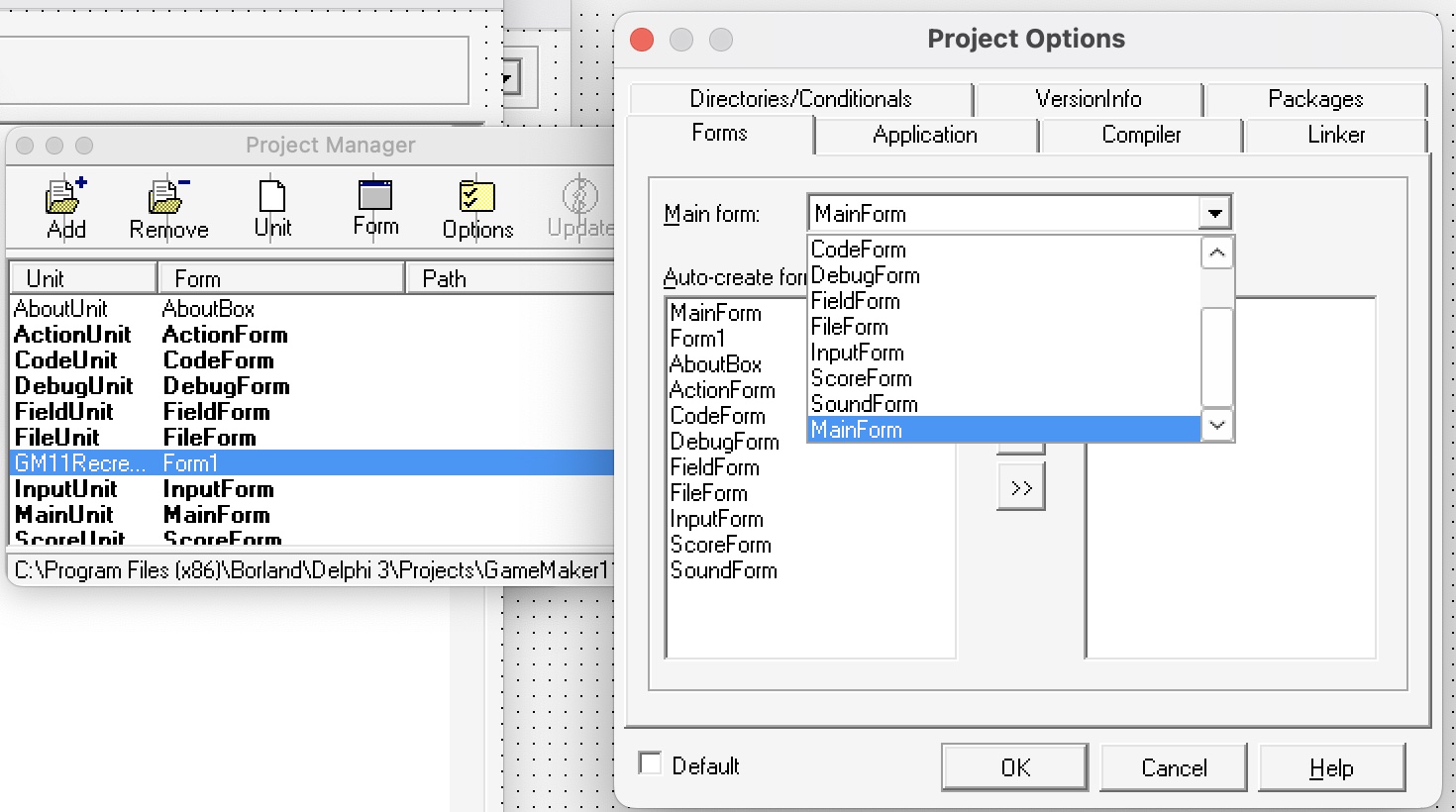
With that setting changed, the test application opened directly into the recovered Game Maker main window:
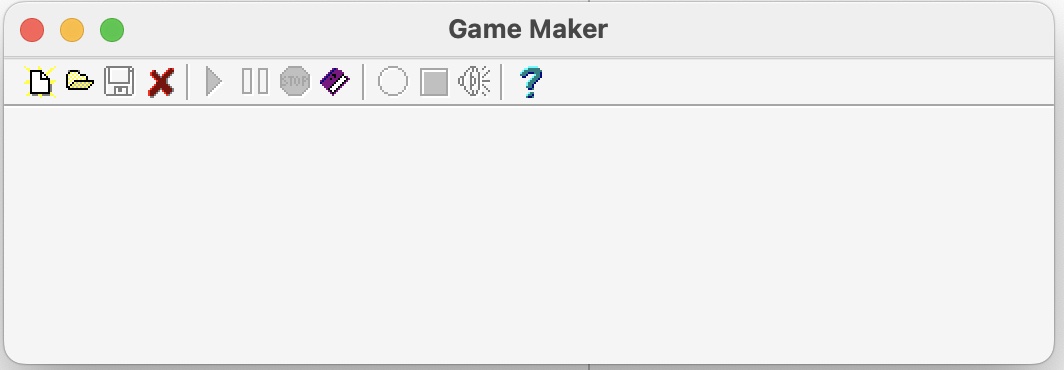
This is still mostly visual recovery. The main form caption, toolbar, icons, and layout are coming from the recovered DFM data, but the buttons do not yet represent working Game Maker behavior. The disassembly notes and generated Pascal stubs still need to be turned into real Object Pascal before those interactions can be recreated.
Making the Repairs Repeatable
Once the same repairs appeared across several forms, manual editing stopped being a good approach. It was too easy to forget which files had been changed, and it was too easy for Delphi’s designer to silently modify binary DFM files while trying to help.
The cleaner workflow is to keep the DeDe export untouched and generate a patched working tree from it.
The project uses a dede-output folder for the raw decompiler output and a generated src folder for files that have been mechanically repaired.
That makes every repair reproducible.
If a script is wrong, the generated folder can be deleted and recreated from the same original export.
The generation script performs a few repair passes:
- Copy the raw export - Preserve the original DeDe files in
dede-outputand write patched files intosrc. - Fix Pascal syntax - Add missing semicolons to recovered
usesclauses before thetypesection. - Repair the DPR header - Change DeDe’s
Projectkeyword back to Delphi’sprogramkeyword. - Restore project startup code - Replace the disassembly block in the
.dprfile with normalApplication.Initialize,Application.Title,Application.CreateForm, andApplication.Runcalls. - Fix DPR form references - Rewrite
MainUnit in 'MainUnit.pas' {TMainForm}toMainUnit in 'MainUnit.pas' {MainForm}, because the brace comment refers to the form variable rather than the form class. - Infer missing VCL units - Read the Pascal fields and paired DFM component classes, then add missing units such as
ExtCtrls,Buttons,ComCtrls,ToolWin, andExtDlgs. - Repair event signatures - Parse DFM event bindings and patch recovered Pascal method declarations when DeDe used a generic
Sender: TObjectsignature.
The DPR startup repair turned out to be especially useful.
DeDe’s project export preserves the startup disassembly as comments, and those comments contain enough structure to recover the form creation order.
For example, DeDe labels the application title string, the TApplication instance, each form instance, and each form class reference.
The script reads those labels and converts them back into ordinary Delphi startup code:
begin
  Application.Initialize;
  Application.Title := 'Game Maker';
  Application.CreateForm(TMainForm, MainForm);
  Application.CreateForm(TObjectForm, ObjectForm);
  Application.CreateForm(TFieldForm, FieldForm);
  Application.CreateForm(TActionForm, ActionForm);
  Application.CreateForm(TAboutBox, AboutBox);
  Application.CreateForm(TFileForm, FileForm);
  Application.CreateForm(THelpForm, HelpForm);
  Application.CreateForm(TCodeForm, CodeForm);
  Application.CreateForm(TDebugForm, DebugForm);
  Application.CreateForm(TSoundForm, SoundForm);
  Application.CreateForm(TImageMakerForm, ImageMakerForm);
  Application.CreateForm(TScoreForm, ScoreForm);
  Application.CreateForm(TInputForm, InputForm);
  Application.Run;
end.
That is still reconstruction rather than perfect decompilation.
The order is inferred from DeDe’s annotated disassembly, but the generated Pascal is normal Delphi code that the IDE can understand.
It also preserves an important distinction: TMainForm is the class, while MainForm is the global form variable.
Fixing Missing Uses Entries
One small manual edit revealed a larger pattern.
When I added a missing semicolon to a recovered uses list inside Delphi, the IDE sometimes added extra units such as ExtCtrls.
That was Delphi repairing the form unit based on the components used by the DFM.
The script performs that same kind of repair explicitly.
It reads the component classes from the Pascal form declaration and the paired DFM file, then maps those classes back to VCL units.
For example, a form with TPanel or TImage needs ExtCtrls, a form with TSpeedButton needs Buttons, and a form with TOpenPictureDialog needs ExtDlgs.
Toolbar controls needed one extra rule.
In Delphi 3, TToolBar and TToolButton are declared through the common-controls support, but they also depend on ToolWin.
The generated uses list therefore needs both ComCtrls and ToolWin for forms such as MainUnit, HelpUnit, and ImageMakerUnit.
Fixing Event Signatures from the DFM
The event signature fixer treats the DFM as the source of truth for event bindings.
It parses the binary DFM directly, finds entries such as OnDrawItem = Object1DrawItem, identifies the component class, and resolves the expected event type from Delphi’s VCL source when possible.
It then patches the matching Pascal declaration and implementation.
This fixes cases such as OnDrawItem, where DeDe recovered a generic one-argument method but Delphi expects the owner-draw signature:
procedure TCodeForm.Object1DrawItem(Control: TWinControl; Index: Integer; Rect: TRect; State: TOwnerDrawState);
It also fixes form-level events where the extra var parameter matters.
For example, OnClose must use TCloseEvent:
procedure TFieldForm.FormClose(Sender: TObject; var Action: TCloseAction);
OnCloseQuery is different again:
procedure TMainForm.FormCloseQuery(Sender: TObject; var CanClose: Boolean);
Those details are easy to miss when reading decompiler output, because all three can look like ordinary form event handlers at a glance. They matter because Delphi checks the exact method type when a DFM event binding points at a Pascal method.
Why Generate Instead of Edit
This script-based workflow changes the project from a one-off manual cleanup into a repeatable import pipeline.
That should make it useful beyond the first Game Maker 1.1 IDE experiment.
The same approach can be applied to Game Runner.exe, later Game Maker versions, or other Delphi executables where DeDe can recover forms but not fully valid Pascal source.
It also makes the reconstruction easier to review. The raw decompiler output stays in one place. The generated source is the only folder that receives mechanical edits. Each repair pass can print what it changed, and any bad assumption can be fixed in the script rather than hidden inside a hand-edited unit.
Next Steps - Diving into the Assembly
With the visual forms loading, the next stage is to compare the generated Delphi project with DeDe’s annotated assembly. The main questions are less about the form layout and more about runtime state:
- Global variables - How does Delphi represent unit-level variables, form globals, object references, and data structures in the compiled executable?
- Non-form units - What can DeDe recover for units that do not have a paired DFM file?
- Event behavior - Which recovered event handlers are actually reached when the recreated interface is clicked?
- Call relationships - Which procedure stubs call into shared logic, file loading code, or runner-related code?
Delphi global variables are usually declared in a unit-level var section.
The familiar form variables are globals too:
var
  MainForm: TMainForm;
  ObjectForm: TObjectForm;
In the disassembly, DeDe often labels unknown data references as GlobalVar_....
Some of those may turn out to be form instances, object lists, state flags, resource paths, or cached strings.
The safest way to name them is to combine static analysis with small runtime experiments.
For example, if a button event handler touches the same global address every time it opens the object editor, that address can be tracked beside the recovered ObjectUnit behavior.
If a small Delphi test program with a known global variable produces a similar DeDe pattern, that gives a useful comparison point.
Adding Temporary Debug Messages
The first practical step was to write a small amount of Delphi and add a “printf-like” debug message to a known event.
Because this is a GUI application rather than a console program, there is no terminal output by default.
The simplest test is Delphi’s standard ShowMessage function:
ShowMessage('Clicked Open Button');
I added this to the click event for the open button.
When the toolbar icon is clicked, Delphi shows a modal alert dialog:
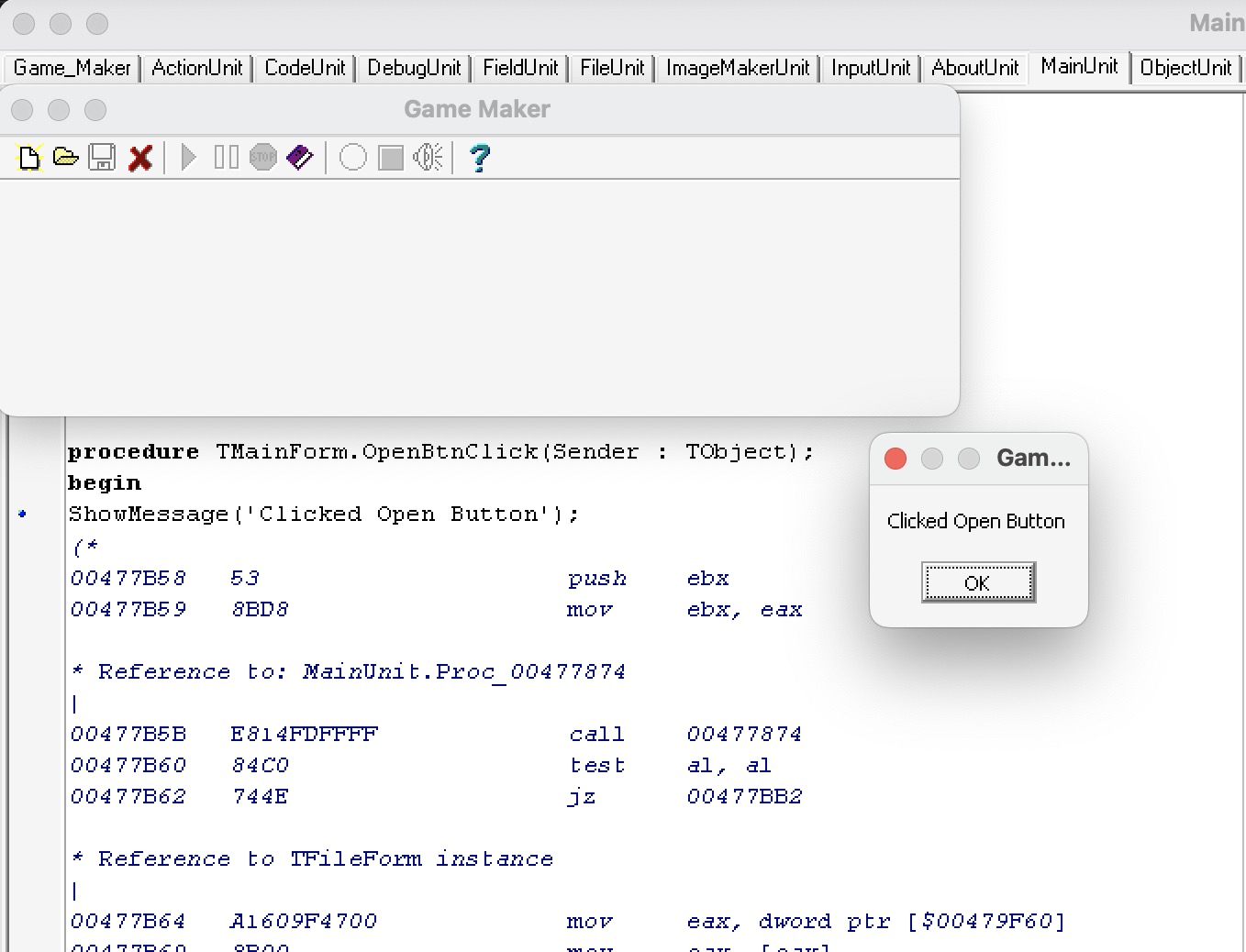
That is useful as a first proof because it confirms that the rebuilt form, DFM event binding, and Pascal event handler are connected. It is not ideal for deeper tracing because the dialog blocks the UI every time it appears.
Comparing the Executable in IDR
This is where the limits of DeDe become clearer.
DeDe is useful for the visual scaffolding of the project, especially forms, components, DFM resources, and event-handler stubs.
For lower-level details such as unit initialization, global variables, runtime library recognition, and references like GlobalVar_004EF154, it is useful to compare the output with another Delphi-aware tool.
The familiar option would be Ghidra, but this was also a good point to try IDR, short for Interactive Delphi Reconstructor. IDR is designed specifically for Win32 Delphi executables, so it can provide a different view of units, runtime structures, and Delphi library code.
I opened both the original Game Maker 1.1 executable and the rebuilt test project executable in IDR for a quick visual comparison:
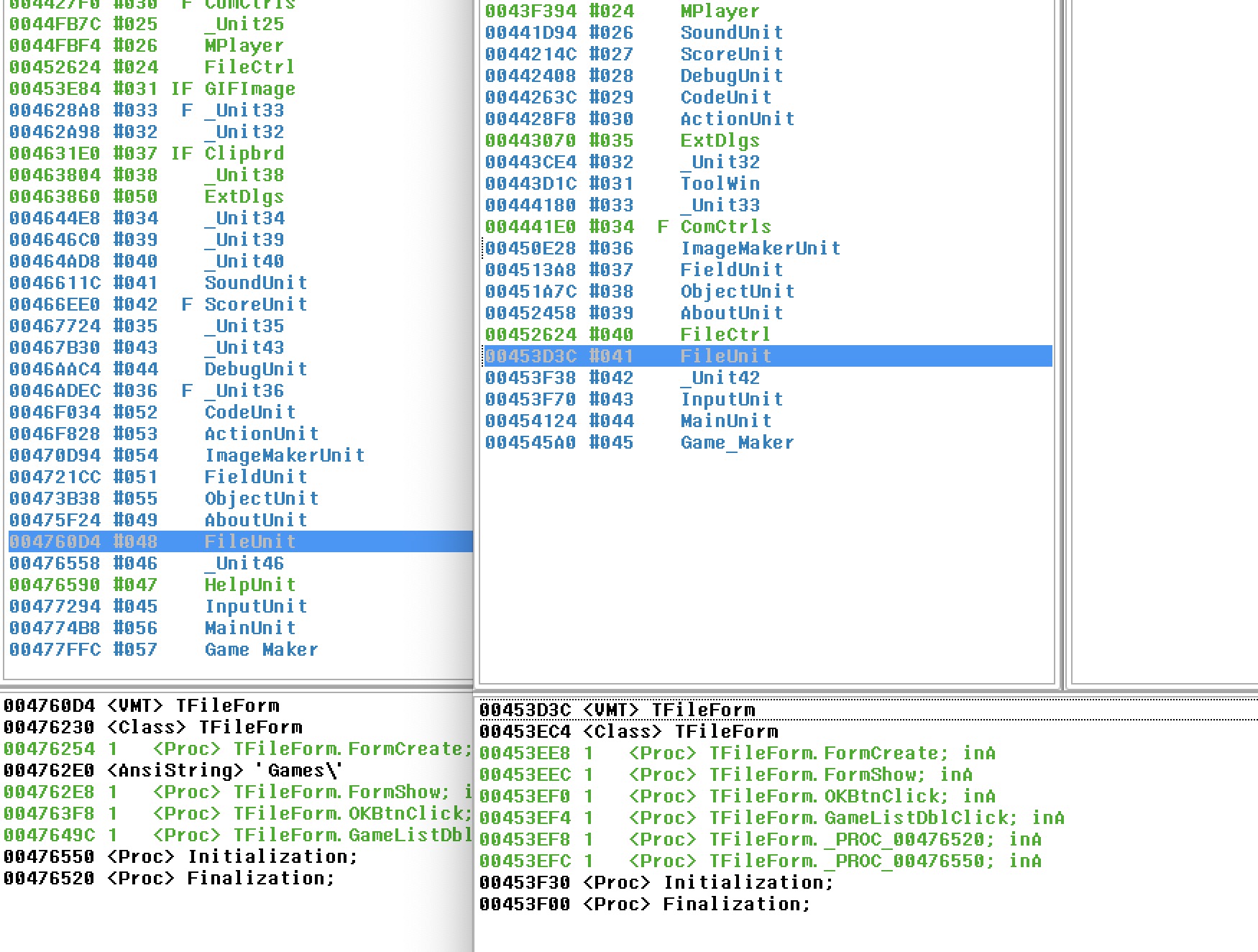
The interesting result is that the named units appear in roughly the same order in both executables. That does not prove the reconstruction is correct, but it gives another comparison point. If a rebuilt test project produces a similar unit layout, then differences in the Game Maker executable become more meaningful.
Some differences are expected.
For example, HelpUnit had already been removed from the test project while isolating the earlier form-loading exception, so it should not be treated as a mismatch in this comparison.
Other differences may point to missing imports or units that have not yet been represented in the reconstructed project.
One candidate is FileCtrl.
In the current test executable, FileCtrl appears where I would expect it to appear, because the first reconstructed unit that needs it is FileUnit.
That form declares GameList: TFileListBox, and DeDe’s disassembly contains direct references to TFileListBox methods and a FileCtrl procedure.
In the original Game Maker executable, FileCtrl appears earlier.
That suggests another missing Game Maker unit may import it before FileUnit does.
The IDR comparison points toward a unit related to GIF images, which is not yet represented in the test project.
This should be treated as a hypothesis rather than proof, but it gives the next experiment a clear target.
The next step is to add a small reconstructed version of that missing image-related unit to the test executable.
If doing that moves FileCtrl into a more similar position in IDR’s unit list, it would support the idea that unit order is being influenced by the first VCL dependency that pulls FileCtrl into the program.
The unit to investigate sits between Delphi’s MPlayer unit and Game Maker’s SoundUnit.
IDR currently names it Unit33, which is a hint in itself.
Unlike form units, ordinary Delphi units may not leave a useful original unit name in the executable.
Without a DFM resource or class metadata to anchor the name, the reconstructor has to assign a synthetic name:

The I and F markers in IDR are also worth recording.
I means the unit has non-trivial initialization logic, while F means it has non-trivial finalization logic.
In Delphi terms, these are unit-level initialization and finalization sections rather than normal object destructors.
They can register classes, allocate global objects, initialize lookup tables, or release unit-level state when the program exits.
For the first reconstruction pass, it is reasonable to ignore those sections and add a minimal placeholder unit.
Later, if the goal is to make the generated executable line up more closely with the original, Unit33 will need its initialization and finalization behavior investigated in more detail.
Exporting Non-form Units from IDR
At first I thought IDR’s Save Delphi Project option did not work.
It did not create any visible output beside the executable or the files I already had open.
The output was actually being written to ./bin/Project/, which was easy to miss because IDR did not make that destination obvious.
That discovery is useful because IDR can export non-form unit files.
DeDe’s project export was strongest around forms and DFM-backed units, but IDR gives a way to extract a generated Pascal file for _Unit33.pas.
That gives the test project a much better starting point for recreating ordinary Delphi units that do not have visual form resources.
I created a separate folder for raw IDR output, similar to the dede-output folder used earlier.
That keeps the exported files untouched while allowing individual units to be copied into src for experiments.
The longer-term question is whether IDR can replace DeDe for some parts of the pipeline, but the first test is narrower: can _Unit33.pas be imported into the Delphi test application?
The unit can then be added to the project through Project -> Add to Project, or by adding it to the DPR uses list.
If the unit is only being added to influence the compiled structure, it may not need to be referenced by a form yet.
If Delphi removes it or the linker does not include useful data, the next experiment is to reference one of its declarations from another unit so the compiler has a reason to keep it.
Cleaning IDR Pascal Output
The generated Pascal output from IDR is useful, but it is not directly compilable Delphi source. The first error was:
Type 'Aaction' is not yet completely defined
The cause was an IDR-generated type declaration like this:
Aaction = Aaction = record // size=0x18
That is not valid Pascal.
It makes Delphi treat Aaction as if it is being defined in terms of itself before the record is complete.
For a compilable placeholder, the duplicate type name needs to be removed:
Aaction = record // size=0x18
  fC: string;
  f10: string;
end;
IDR also emitted temporary array names such as .1 and .2.
Those are useful hints from the reconstructor, but they are not valid Delphi identifiers.
They need to be renamed before the unit can compile:
For example, .1 = array [1..20] of Aaction; can become:
TIdrAnonymousType1 = array [1..20] of Aaction;
This kind of cleanup should be treated as a syntactic import pass, not an accurate data-layout reconstruction.
The comments such as size=0x18 and field names such as fC imply offsets.
For example, fC likely means that the string field begins at offset $0C, so the final record may need padding or unknown fields before it.
The first goal is to get a placeholder unit compiling.
The later goal is to make those records match the original memory layout closely enough to explain the disassembly.
Making IDR Units Compile
The next step was to move the IDR output from “useful reference listing” toward “controlled source input”.
That does not mean IDR has recovered original source code.
It means the generated _Unit*.pas files can be cleaned enough for Delphi to parse, include, and compile as placeholder units while preserving the structural hints from IDR.
The cleanup pass is deliberately mechanical.
It copies only IDR synthetic units matching _Unit*.pas into the generated src tree, then repairs syntax patterns that are clearly produced by the decompiler rather than by original source.
The raw IDR export remains untouched.
The current IDR cleanup pass handles these cases:
Problem | Generated repair | Why it matters
— | — | —
Duplicate type declaration such as Acode = Acode = record | Acode = record | Prevents Delphi treating the record as an incomplete self-referential type.
Anonymous type name such as .1 | TIdrAnonymousType1 | Converts IDR’s temporary names into valid Pascal identifiers.
Double record terminator such as end;; | end; | Removes a syntax error from recovered record declarations.
Unknown parameter such as ?: Longint | arg0: Longint | Gives Delphi a valid parameter name while preserving the recovered type.
Unknown type marker such as ?: ? | arg0: Pointer | Uses a conservative placeholder type until the real type is understood.
IDR block comments using {* ... *} | (* ... *) | Prevents braces inside disassembly strings from accidentally closing Delphi comments.
The comment wrapper fix was needed because IDR’s disassembly can contain string literals such as '{' and '}'.
Delphi’s { ... } comments end at the first closing brace.
That means a harmless disassembly line like mov edx,46ED38;'}' can escape the comment and produce a misleading “unterminated string” compiler error.
Using (* ... *) keeps the disassembly commented while allowing braces to appear inside the listing.
IDR also exposes string references that are easy to miss in the exported Pascal.
The GUI can show strings such as .ico, .bmp, and .gif for _Unit32, but the .pas file only records them inside assembly comments:
00462C09    mov         edx,462F84;'.ico'
00462C84    mov         edx,462F94;'.bmp'
00462DE3    mov         edx,462FA4;'.gif'
The script extracts those references into address-based constants:
const
  IdrString_00462F84 = '.ico';
  IdrString_00462F94 = '.bmp';
  IdrString_00462FA4 = '.gif';
Constants alone are useful for reading the generated unit, but they are not enough if the goal is to make the rebuilt executable comparable in IDR. Delphi can treat unreferenced constants as compile-time symbols rather than emitted data. To give the compiler real unit-level storage, the script also creates an initialized string array:
var
  IdrStrings: array[0..2] of string = (
    IdrString_00462F84,
    IdrString_00462F94,
    IdrString_00462FA4
  );
This is still not an accurate reconstruction of the original unit’s data layout. It is a controlled anchor. The strings become searchable in the generated source, and the rebuilt executable has a better chance of carrying comparable unit-level data when inspected in IDR.
_Unit36 is the most interesting result so far.
Its recovered strings include parser errors, variable names, operators, keywords, and built-in Game Maker function names such as random, sqrt, move_random, create, destroy, goto_room, and set_score.
That strongly suggests _Unit36 is related to the early Game Maker expression or action-code parser.
The next useful analysis pass is to group those strings by address range, then compare them with the surrounding procedure calls to identify which routines tokenize input, parse expressions, resolve variables, and execute commands.
Forcing the Unit into the Executable
After the placeholder unit compiles, the next problem is getting it to appear in the executable.
Simply adding _Unit33 to the uses clause in SoundUnit was not enough.
That only imports the unit.
If the unit only contains type declarations, there is no generated storage for IDR to show as meaningful data.
The distinction between type and var matters here.
IDR’s recovered declarations describe record and array shapes using type, but a type declaration does not allocate storage by itself.
To create actual data in the executable, the reconstructed unit needs variables declared with var:
type
  AStringArray = array [1..25] of string;

var
  GifSignature: string;
  StringTable: AStringArray;
After adding a real var instance, putting _Unit33 in another unit’s uses list was enough for the unit to appear in the rebuilt executable.
The important lesson is that imported types alone are not enough.
The test executable needs real storage, initialized data, or executable initialization/finalization logic from _Unit33 before the unit becomes useful for layout comparison in IDR.
Inline Assembly
The next experiment was Delphi’s inline assembly support. The goal was not to paste IDR’s disassembly back into the program. Those listings contain absolute addresses from the original executable, so most calls and data references would point at the wrong place in the rebuilt binary.
The useful test was smaller: add two integers using x86 instructions, store the result in a Pascal variable, then display it with ShowMessage.
I modified the click handler for the open icon in the recovered Game Maker toolbar:
procedure TMainForm.OpenBtnClick(Sender : TObject);
var
  A: Integer;
  B: Integer;
  ResultValue: Integer;
begin
  A := 7;
  B := 5;

  asm
    mov eax, A
    add eax, B
    mov ResultValue, eax
  end;

  ShowMessage('7 + 5 = ' + IntToStr(ResultValue));
end;
The rebuilt program displayed the expected result:
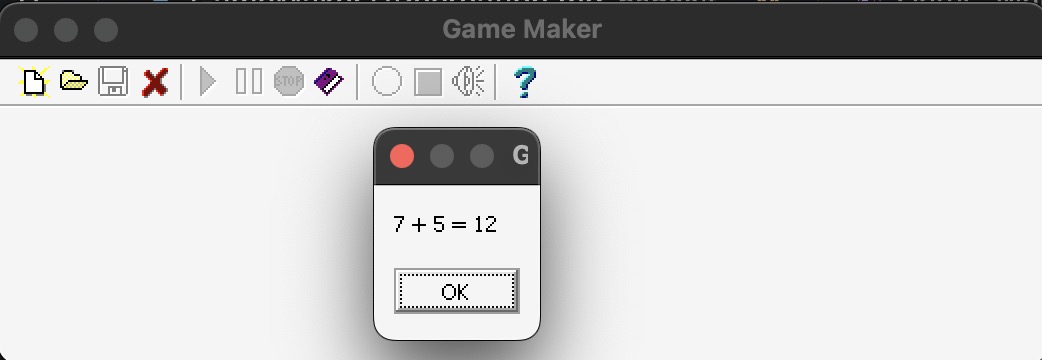
This is useful because it proves that small assembly experiments can be embedded inside the reconstructed Delphi project. It does not solve the harder relocation problem. The next question is whether Delphi can be made to place procedures, units, or data at predictable addresses, or whether the recovered assembly needs to be rewritten so that calls go through symbols rather than original absolute addresses.
Turns out this led me down a bit of a rabbit whole, so this is to be continued…